Patch NotesPCPS5Steam DeckSwitchXbox

Escape The Backrooms’ Lost & Found Update Is Live With 7 Costumes and Steam Deck Verification
The update adds 2 free costumes and a 5-costume paid pack, fixes multiplayer and level bugs, and makes the game Steam Deck Verified.
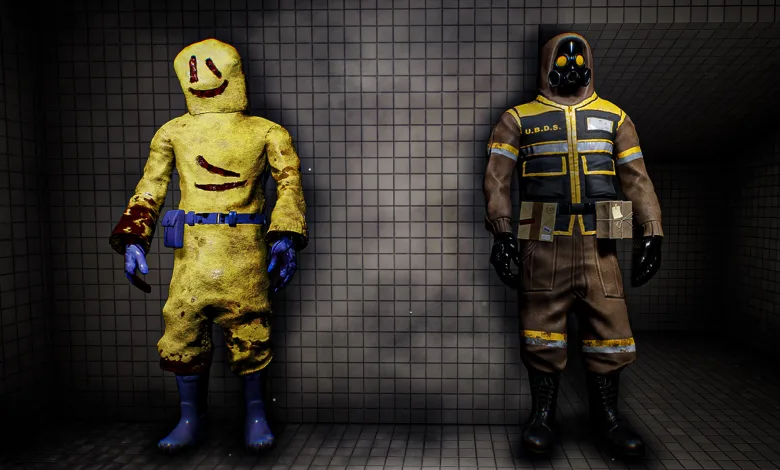
Escape The Backrooms‘ Lost & Found Update is live across all platforms, bringing 7 costumes, a wide set of fixes, and Steam Deck verification. The developer confirmed the update in its Steam announcement.
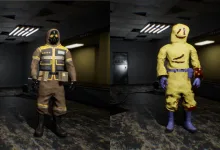
The free costumes are Entity 67 and Lost in Transit. A paid cosmetic pack adds Black Knight, The Actor, Party Crasher, Misprint, and Remodelling Co. Employee. The update arrived on the previously announced October 29 date.
Escape The Backrooms Lost & Found Update Patch Notes
New Content
- x2 Free costumes added; Entity 67 and Lost in Transit.
- Paid Cosmetic pack containing x5 new costumes; Black Knight, The Actor, Party Crasher, Misprint, Remodelling Co. Employee
Multiplayer & Online
- Fixed an issue where the game could freeze or crash after players remained idle in a lobby for an extended period.
- Fixed an issue where launching the game offline and subsequently reconnecting to the internet would not restore online functionality.
- Fixed an issue where kicking a player could leave their character visible in the game and cause the elevator control panel to disappear.
- Fixed an issue where player names could disappear from the lobby after the host died in Nightmare mode.
- Fixed an issue on Nintendo Switch where voice chat could stop working when playing with an Xbox host.
- Fixed an issue where players using party chat could still be heard by other players in the game lobby.
- Fixed an issue preventing voice chat from working correctly with certain wireless headphones.
- Fixed occasional microphone distortion affecting PC players.
- Improved network error handling when a host leaves a lobby on Nintendo Switch 2.
Gameplay & Level Fixes
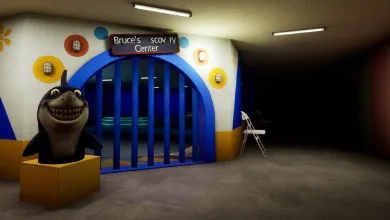
- Plastic Mariana: Fixed an issue where the shark would stop pursuing players after killing someone.
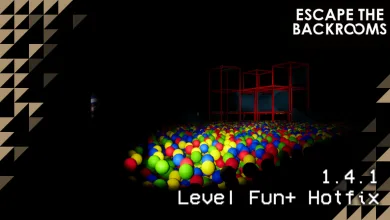
- Plastic Mariana: Fixed invisible balls that could be collected from towers in the second section of the level.
- Plastic Mariana: Fixed balls clipping through walls and floors.
- Plastic Mariana: Fixed ball pit sound effects continuing after players had left the area.
- Level 94: Fixed an issue where a player disconnecting inside the puzzle room could prevent the door from closing and the clown chase from starting.
- Level 94: Fixed animatronics occasionally freezing in place after a player entered a house.
- Darkened Suburbs (Level 9): Fixed an issue where the Wretch could become trapped in the initial corridors of the MEG bunker.
- Level 974: Fixed doors appearing open while still blocking player movement.
- The End: Fixed an issue where players joining an ongoing session could not see the tape count displayed on the computer.
- Level 10: Fixed the Chainsaw Faceling appearing in a T-pose when viewed by spectating players.
- Fixed an issue where a player’s character could become invisible during the Deathmoth carry-to-nest animation when viewed in spectator mode.
- Fixed inconsistent camera sensitivity across multiple levels.
- Fixed an issue where rapidly pressing buttons could cause the game to become unresponsive.
- Fixed an issue where rebinding the left mouse button to the right mouse button could prevent interaction with the puzzle before The Hub.
Crashes & Performance
- Fixed a crash on PlayStation 5 when joining an ongoing game in the MEG Base section of Darkened Suburbs.
- Fixed a crash on PlayStation 5 when joining an ongoing game in Grassrooms.
- Fixed a crash that could occur in Darkened Suburbs after using the Reset Level function.
- Improved performance in The End on Windows PC via the Xbox app.
- Improved multiplayer performance in Thalassophobia on Windows PC via the Xbox app.
- Addressed significant frame-rate drops affecting indoor levels on Windows PC via the Xbox app.
Visuals, Audio & UI
- Fixed missing textures on the exterior of the Arcade building in Level 10.
- Fixed several lighting issues in Pipe Dreams.
- Fixed an issue where two inventory menus could be opened simultaneously when using a controller on PC.
- Fixed an issue where the inventory menu could remain visible during gameplay.
- Fixed an issue where returning to the game after Alt-Tabbing could cause the interface to lose focus, preventing further interaction.
- Corrected inconsistencies between the ending credits and main menu credits.
- Fixed an issue where online player IDs could be obscured by social media icons on PlayStation 5.
- Fixed an issue where Wireless headsets were not working correctly on Xbox.
Steam Deck & Platform Improvements
- Improved Steam Deck controller compatibility, addressing an issue that could prevent players from accessing the game.
- Fixed an issue where changing the active controller type on Steam Deck required restarting the game.
- Fixed duplicate UI highlights appearing when using the Steam Deck touchscreen to launch a lobby.
- Improved text readability across several areas of the game on Steam Deck.
- Additional platform-specific compatibility and compliance fixes across PlayStation and Xbox.
- We are now Steam Deck verified!
Which fix will make the biggest difference for your group? For more on multiplayer fixes and Steam Deck support, stay connected on X, Bluesky, YouTube, Instagram, Steam, and Telegram.