Cities: Skylines 2’s Summer Solstice patch cleans up pathfinding and terrain work
Patch 1.6.0f1 brings new terrain painting tools, mod loading fixes, and a long list of gameplay and visual tweaks for the PC city builder.

Paradox and Iceflake Studios detailed Patch 1.6.0f1 – Summer Solstice for Cities: Skylines 2 in a Steam announcement on June 22, 2026. This update focuses on pathfinding cleanup, terrain work, mod fixes, and a few UI touches that should make the game easier to live with moment to moment.
This patch can affect some custom maps, but loading of old maps and savegames is supported.

The biggest gameplay change is the new trip handling. Citizens should no longer favor the shop with the most stock regardless of distance, long cross-map trips were trimmed back, and the game now uses separate pathfinding limits for work, school, shopping, and leisure. The terrain side also gets a broad pass, including new painting tools, better texture blending, and a toggle to hide snow visuals without changing the simulation.
There is also practical cleanup for mod users. Saves that referenced missing modded or custom content are meant to open cleanly again, mod error notifications now show mod names after a restart, and Paradox Mods picked up new creator-page and sync-related fixes.
Patch 1.6.0f1 – Summer Solstice
This patch can affect some custom maps, but loading of old maps and savegames is supported.
Gameplay:
- Fixed a bug where citizens would always travel to the shop with the most stock, completely ignoring distance.
- Households now re-evaluate moving home less often, improving performance in large cities.
- Tourists, commuters, and vacationers now walk along highway shoulders less often when entering or leaving the city.
- Fixed citizens taking absurdly long trips across the entire map. Pathfinding limits are now tailored per trip type: work, school, shopping, and leisure each use a sensible range rather than a shared near-unlimited cap. Citizens who can’t find a viable route now handle it gracefully: move-outs teleport off-map, workers drop their job, and leisure-seekers idle at home before retrying.
- Note: there is at least one known remaining issue where students may still walk too far.
- Office goods can now be purchased from outside connections, improving supply chains when local sources are unavailable.
- Fixed legal U-turn costs to allow citizens to use dedicated lanes more flexibly and lowered illegal U-turn costs to match intended limits.
- Adjusted commercial demand slightly lower to balance it.
- Fixed buildings sometimes losing road access after leveling up.
- Terraforming tools now scale strength with brush size better.
UI:
- Small polish to button styling.
- Added Info and Customize tabs to the selected info panel for buildings with customization options.
- Fixed a bug where the first data point on the production statistics graph appeared abnormally small at the start of a new game.
- Added a toggle to show or hide contour lines, with a new keybind. The keybind is unbound by default and can be assigned by the player.
- The “battery depleted” warning icon no longer gets stuck on emergency battery stations that have actually been refilled.
- Added terrain texture painting tools to the in-game and map editor, including brush selection and brush rotation (Shift + Mouse Wheel).
- Fixed the Benchmark screen incorrectly showing the refresh rate as 60 Hz regardless of the monitor in use.
Visual:
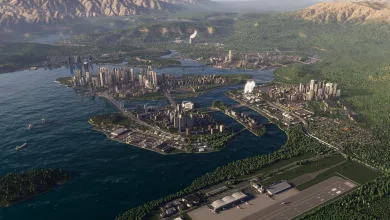
- Terrain texturing has been significantly overhauled.
- Terrain material blending now uses texture detail to produce more natural-looking transitions between materials.
- Texture tiling now has three levels of detail instead of two.
- Rock texturing now uses a mix of projections from three axes instead of top-down projection only.
- All Temperate biome maps have reworked grass, dirt, and rock materials, and four new paintable ground materials.
- Fixed terrain normals pointing upward too much, making the terrain look flat.
- Fixed shoreline being misaligned with the water.
- Painted additional map textures for: Archipelago Haven, Great Highlands, Twin Mountain, River Delta and Mountain Village.
- Updated map border with adjusted dashed line color and a dark outline for improved visibility.
- Lower Texture Quality settings now reduce terrain VRAM use and improve GPU performance.
- Fixed shadow rings becoming visible at certain camera angles.
- Improved shadow quality and reduced artifacts when the sun is low.
- Added a toggle to hide snow visuals without affecting gameplay simulation.
Misc:
- Fixed localization issues in Polish and Spanish.
- Fixed a JavaScript error that could prevent the Paradox Launcher from starting.
- Credits have been updated.
Mods:
- Fixed an issue where saves could fail to load if they contained references to missing modded or custom content. Affected saves should now open cleanly.
- Mod error notifications now show mod names instead of IDs after restarting the game.
- Gizmos now only appear for transparent objects and the selected one instead of all.
- Widgets now only show on selected assets.
- Fixed an issue where read-only prefabs could incorrectly be saved as assets in the editor.
- Fixed map save issues when using custom climate/water/terrain settings.
Paradox Mods:
- Added a new Playsets tab to creator pages to showcase their shared playsets.
- Added support for Bluesky and coff.ee links.
- Tags can now be collapsed and are collapsed by default.
- Fixed an issue where mods were not loaded in certain cases, such as during sync conflicts.
- Fixed an issue where mods could occasionally fail to download.
- Fixed an issue where mods sync could fail to update mods due to corrupted files.
If you run into trouble after the update, Paradox asks players to file reports on the PDX Forums Bug Reports board.
Tell us what you think in the comments, and follow us on X, Bluesky, YouTube, Instagram for more news.