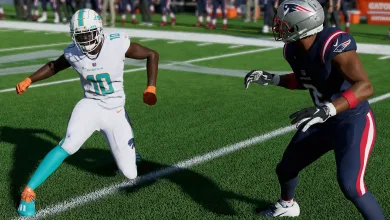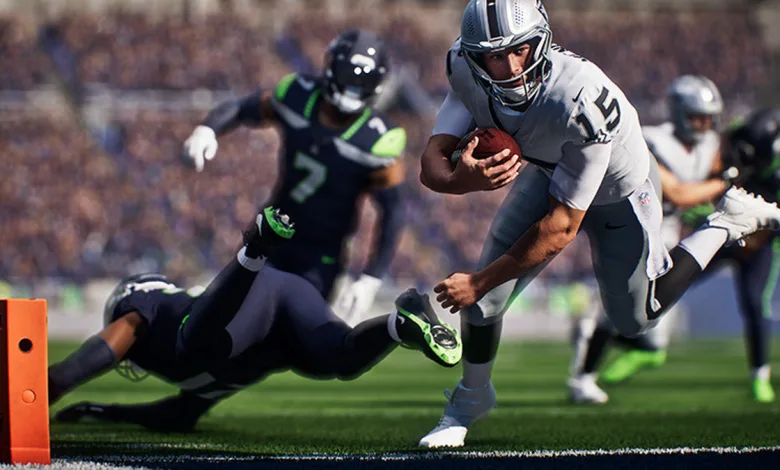
EA Sports has published a detailed PC deep dive for Madden NFL 27, covering the display, graphics, frame-rate, and crossplay options coming with the full PC release. For the first time, EA says the complete PC version will launch alongside the console versions rather than arriving later.
The PC edition is built around player control. Gamers can choose a monitor refresh rate, select 30 FPS, 60 FPS, 120 FPS, or Uncapped frame rates, and even play on an ultrawide display. EA Sports is also presenting smoother motion and faster response as key parts of the Madden NFL 27 experience.
Crossplay connects PC, Xbox, and PlayStation
PC players will be able to play across platforms with Xbox Series X|S and PlayStation 5 users. Crossplay will be supported in Dynasty, Road to the Madden 27 Playoff, Madden 27 Ultimate Team, and Play a Friend, including modes such as Play Now and Mascot Mashup.
Display settings cover the basics
The display menu gives PC players plenty of ways to match Madden NFL 27 to their setup:
- Window Mode: Fullscreen takes over the display, Borderless Window fills the screen without a border, and Windowed mode runs in a movable, resizable window.
- Fullscreen Monitor: Players with more than one display can select which monitor handles fullscreen play.
- Resolution: Higher resolutions such as 1440p and 4K produce a sharper image but require more graphics power.
- Monitor Refresh Rate: The game can match the update rate of a supported display for smoother motion.
- Frame Rate Cap: The available choices include 30 FPS, 60 FPS, 120 FPS, and Uncapped.
The frame-rate menu also includes mixed gameplay and cutscene targets. A 60/30 option uses 60 FPS during play and 30 FPS in cutscenes, while 60 FPS keeps both at 60. The 120/60 setting separates 120 FPS gameplay from 60 FPS cutscenes, and the 120 FPS option uses that target in both situations. Uncapped removes the limit and lets the game run as fast as the system allows.
Presets and GPU controls give PC players room to tune performance
Global Visuals offers Low, Medium, High, Ultra, and Auto presets. Auto selects a starting point based on the computer’s hardware. Changing individual options can move the menu to Custom when the settings no longer match a preset.
Cutscene Visuals works separately from gameplay quality, so players can lower the on-field settings for steadier performance while keeping replays, entrances, and other cinematic moments at a higher level. The menu also includes a Graphics Adapter selector for systems with integrated and dedicated GPUs, along with a Performance Overlay that shows the current frame rate.
Advanced graphics settings cover lighting, hair, and stadium detail
Beyond the main presets, Madden NFL 27 includes several controls for individual visual effects:
- VSync: Synchronizes frame output with the monitor to help reduce screen tearing. Turning it off may lower input latency on some systems.
- HDR: The Auto setting enables High Dynamic Range when the display and Windows configuration support it.
- Lighting Quality: Adjusts stadium lights, sunlight, shaded areas, and the way light falls across players and the field.
- Advanced Hair: Adds more detailed strand-based hair rendering to supported players, with lower settings reducing the effect to save performance.
- Sideline Quality: Controls the number and detail of characters shown around the field.
- Higher Texture Quality: Improves the detail of uniforms, helmets, equipment, turf, and stadium surfaces, though the setting can use more video memory.
Gameplay and cutscenes use separate visual priorities
The remaining quality options can be configured for gameplay and cutscenes independently. Mesh Quality affects the detail of players, equipment, stadium structures, and field objects, while Crowd Quality controls the detail of the spectators. Shadow Quality changes the clarity of shadows cast by players and stadium objects, and 3D Grass adds individual blades of grass to the field.
VFX Quality covers impacts, weather effects, celebrations, and other presentation effects. For ambient occlusion, players can choose SSAO for a lighter performance cost, GTAO for richer depth, or Ray Traced for hardware-based ray tracing. Ambient Occlusion Quality controls the detail of those contact shadows.
The remaining presentation controls are Bloom for glow around bright lights, Lens Flares for camera-style effects around the sun and stadium lighting, and High Res Circular DOF for sharper depth-of-field during close-ups, replays, and cinematic scenes. With separate gameplay and cutscene settings, the PC version can keep active play smooth while giving presentation moments extra visual detail.
EA Sports also says that pre-purchasing the MVP Bundle on Steam provides Advanced Access through August 13. That gives PC players a head start before the full launch window, while the graphics menu offers enough switches to keep even the most particular quarterback happy.
Share your preferred Madden NFL 27 PC settings in the comments, and follow us on X, Bluesky, YouTube, Instagram, Steam, and Telegram.
Madden NFL 27
Developed by EA Orlando

Run the league one decision at a time in EA Sports Madden NFL 27, powered by the all-new Persona Engine.
- Genre Simulator, Sport, Strategy
- Platforms Xbox Series X|S, Nintendo Switch 2, PC (Microsoft Windows), PlayStation 5
- Perspective Third person
- Modes Single player, Multiplayer, Co-operative, Split screen
- Release August 13, 2026
- Publisher EA Sports
-
Age Rating