Windrose server owners can tweak a lot, just not with admin commands
Windrose's early access server setup lets hosts edit invite codes, passwords, world names, and combat values, but in-game admin commands are not available yet.

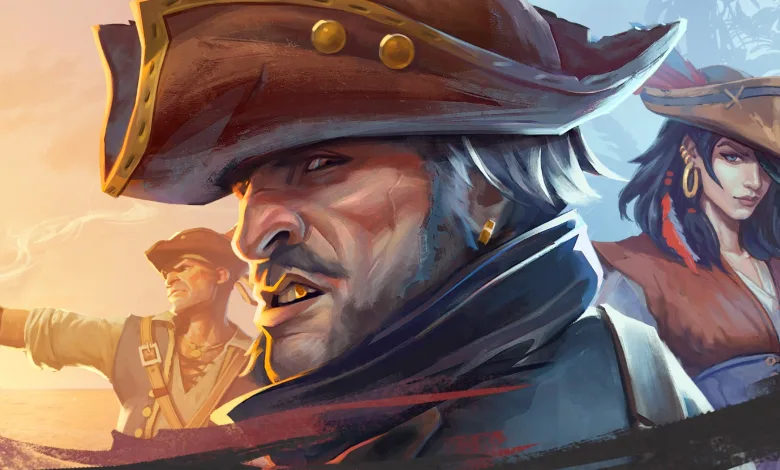
Windrose players who want a private world have a workable dedicated server setup on PC, but there is one clear catch: admin commands are not available right now. That means you cannot boot players, restart the world, or handle the usual server controls from inside the game.
Even so, hosts can still shape a Windrose session in a few important ways. If you are trying to keep a pirate crew together in one persistent world, the game does let you edit server files, and that is enough to set a password, rename the server, adjust the world preset, and change several difficulty values.
What Windrose lets you change on a dedicated server
Windrose players who want to skip the official dedicated hosting from Nitrado can run their own server on a Windows PC or NAS for free, though the setup is not exactly smooth. The reported pain points include Windows-only support, startup crashes, unclear client and server connection docs, and high CPU usage even when nobody is logged in. The game also has a official FAQ that can help if the connection process refuses to cooperate.
To get started, players need to install Windrose Dedicated Server from the Steam library’s Tools section, then open the local files for the server entry and launch StartServerForeground.bat once. That first launch creates the settings files that can be edited later.
After that, the main server configuration lives in two places: ServerDescription.json in the root folder’s R5 directory and WorldDescription.json in root folder/R5/Saved/SaveProfiles/Default/RocksDB//Worlds//WorldDescription.json. The server description file handles the invite code, password protection, password, server name, and maximum player count.
The world file gives hosts a bit more control over the actual adventure. You can change the world name, switch the preset between Easy, Medium, and Hard, and flip WorldSettings on or off for co-op quests and map marker visibility. It also exposes a set of numerical modifiers for enemy health, ship health, damage values, boarding difficulty, and co-op scaling.
Those tuning options include:
MobHealthMultiplier: Defines how much Health enemies have. Default: 1.0; Range: [0.2; 5.0]
MobDamageMultiplier: Defines how hard enemies hit. Default: 1.0; Range: [0.2; 5.0]
ShipHealthMultiplier: Defines how much Ship Health enemy ships have. Default: 1.0; Range: [0.4; 5.0]
ShipDamageMultiplier: Defines how much Damage enemy ships deal. Default: 1.0; Range: [0.2; 2.5]
BoardingDifficultyMultiplier: Defines how many enemy sailors must be defeated to win a boarding action. Default: 1.0; Range: [0.2; 5.0]
Coop_StatsCorrectionModifier: Adjusts enemy Health and how fast enemies lose Posture based on the number of players on the server. Default: 1.0; Range: [0.0; 2.0]
Coop_ShipStatsCorrectionModifier: Adjusts enemy Ship Health based on the number of players on the server. Default: 0.0; Range: [0.0; 2.0]
CombatDifficulty: Defines how difficult are boss encounters and how aggressive are enemies in general; Default: Normal; Range: Easy, Normal, Hard.
That is enough for now to create a custom pirate sandbox, even if the lack of real admin tools leaves a few obvious gaps. If you are still building out your Windrose setup, our fast travel guide can also help you make moving around the map a lot less painful.
We will have to wait and see whether Windrose Crew adds proper admin controls later in early access, but for now server owners are working with file edits rather than in-game tools. If you have been hosting a world already, share your thoughts in the comments and tell us how the setup has gone for you. Follow us on X, Bluesky, YouTube, Instagram.
Windrose
Developed by Windrose Crew

Embark on a PvE survival adventure in the Age of Piracy. Fight on land and sea, solo or with friends. Build, craft and explore vast open world filled with dark secrets. Master soulslite combat and take on challenging bosses, command your ship and plunder unspoken treasures!
- Genre Role-playing (RPG), Adventure, Indie
- Platforms PC (Microsoft Windows)
- Perspective Third person
- Modes Single player, Multiplayer, Co-operative
- Release April 14, 2026
- Publisher Windrose Crew, PocketPair
-
Age Rating