Icarus Week 227 makes the Repair Bench easier to read and use
RocketWerkz also fixed a handful of bugs, trimmed some VRAM usage, and said Workshop Ruby is coming next week alongside new Lithium Ore support.

Icarus Week 227 is live on PC with a focused set of quality-of-life changes for the Repair Bench, plus a few fixes across the wider game. RocketWerkz said the goal was to make bulk repairs clearer, easier to manage, and less confusing when a player is missing the right materials.
The update also follows the same steady cleanup cadence seen in earlier weekly patches like Week 217, with smaller fixes folded in around the main Repair Bench work.


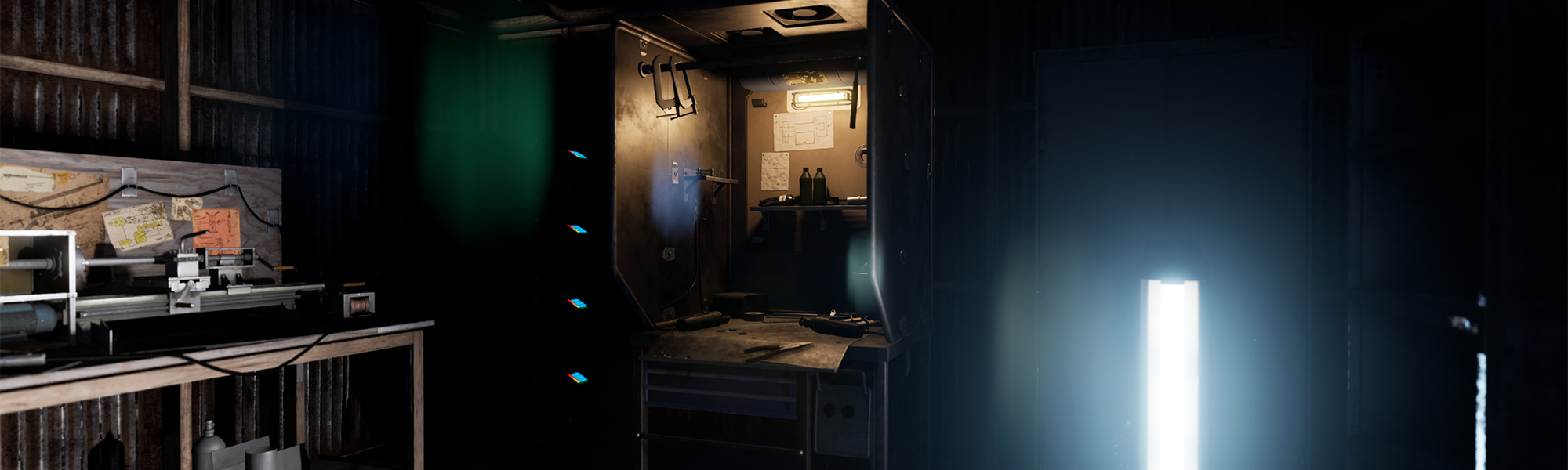
The biggest change is the Repair Bench itself. The old Repair All button has been renamed Repair Equipment, and the bench now groups armor, workshop items, and everything else under a clearer bulk-repair flow. Repairs also now include items stored inside the Repair Bench inventory, not just what the player is carrying or wearing.
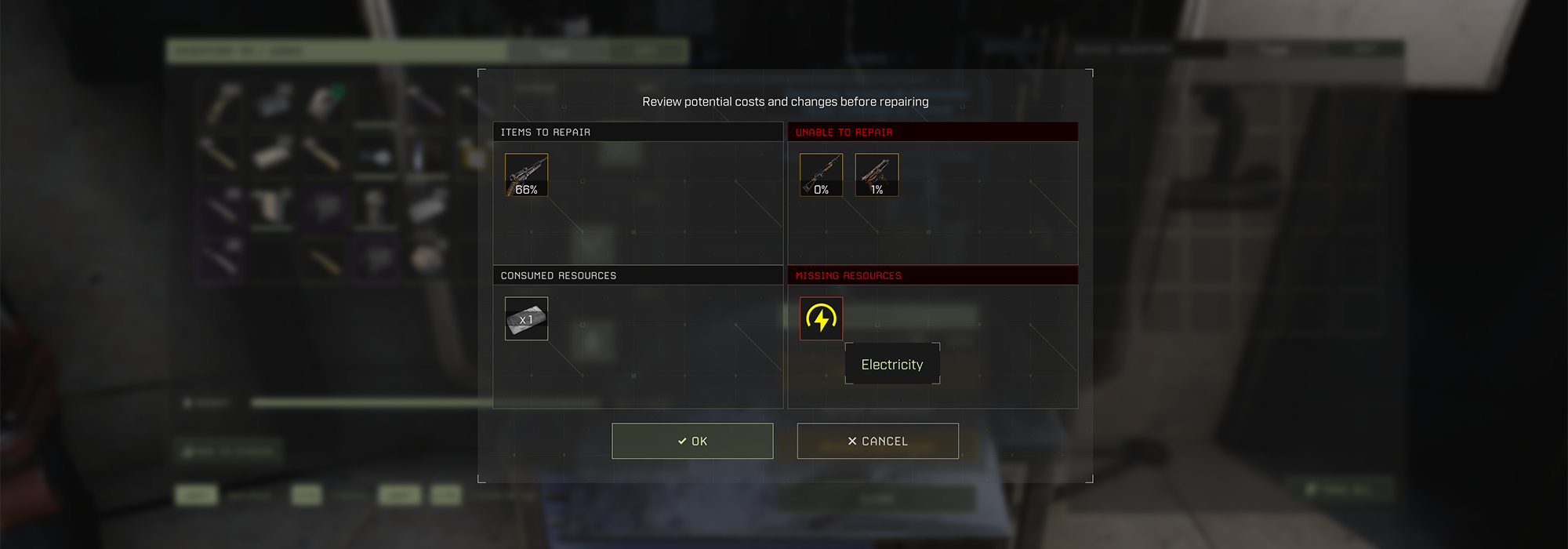
When a repair fails, the UI now shows the missing resources in one place instead of forcing players to check each item one by one. That even applies to requirements like electricity. RocketWerkz also changed the interface so blocked actions stay visible but disabled, with hover text explaining why they cannot be used. On top of that, the durability cutoff for bulk repairs is now exposed as a slider, so players can choose when an item should be ignored.
Outside the Repair Bench, Week 227 fixed meteor showers happening less often than expected, improved text scaling for readability, optimized some VRAM use by removing old 4K textures and fixing compression on several assets, corrected Lithium and Ruby Ore tags so they can be used on signs, and fixed a network cable inspection bug that could show a false not connected to network message.
RocketWerkz also said next week will bring Workshop Ruby, along with the new Lithium Ore, so players can carry more advanced items to other maps outside of Elysium.
Patch Notes
Here is the official changelog for 3.0.6.150953-rel-DangerousHorizons.
New Content
- Repair Bench QOL: Tweaked UI for improved readability (don’t hide buttons, disable them with hover info).
- Updated widget description texts to be more clear.
- Added supporting VFX/Lighting for active power state.
- Updated itemable description text to include T5.
- Fixed several widget alignment issues.
- Simplified/cleaned UMG setup slightly by removing spacers and using padding instead, removing variable status from elements that didn’t need it, removing assignment of localized strings on construct and assign directly in widget as these don’t need to update dynamically, etc.
- Increased RMA texture resolution on Repair Bench mesh to 2k.
- Updated dropped world mesh to machining bench kit per T3 standards.
- Ignore Beehive and Repair bench in Energy DT validation
- Repair bench ‘repair all xx’ buttons now repair items placed inside the repair bench’s inventory
- Repair bench now has a slider which can be used to customize at which durability threshold items will be ignored while using the ‘Repair xx’ buttons
- Added missing localized string to new Repair Bench section
- Repair bench now displays missing resources if an item can’t be repaired
Fixed
- ELY – Fixed meteor showers happening less often than expected because of a random chance
- Adjusted scaling of character boost prompt, lobby privacy settings confirmation
- Adjusted text on ELY level boost prompt to improve readability, upped required level from 20 -> 30 to match amount of levels we give player
- replaced doorway mesh in BP_SecurityDoor with optimized version
- Fixed up redirectors across entire project
- Optimized VRAM usage by removing references to old unused 4k AO texture in 1000 materials. Fixed incorrect compression settings on several textures
- Optimized VRAM usage by removing references to old unused 4k AO texture in 200 materials
- Remove DNT from Flamethrower Turret biofuel connection UI
- Added asset validation to catch when GOAP character BPs have mismatched WalkableFloorAngle and WalkableFloorZ
- Adding DH Screenshot Diorama to project developer folder
- Added new Ruby Ore mesh for dropped in-world use
- Fixed Lithium and Ruby ores not being tagged as Resources. This allows their icons to now be used on Signs
- Added tooling to automatically rename Quest markers based on their tag so that they can be correctly identified at a glance. Fixed outliner folder structure and names on several QMs on Styx
- Setting max instances and virtualize for a lot of audio events for optimization
- Adding max instances limits for all creatures and setting to virtualize to stop mass audio when too many creatures are spawned at once
- Fixed issue where inspecting a network cable directly (not a device) could incorrectly display the ‘Not Connected to Network’ message
Future Content
- Added Great Hunt – Settlement, Red/Yellow Quad, Elysium
- Added Great Hunt – Mushroom Radiation Area, Orange Quad, Elysium
- Small balance tweaks and pitch tweaks to swq chainsaw
- Adjusted Blade C pivot for Legendary Chainsaw
- Updated Blade meshes and added new default set for Legendary Chainsaw
- Fixed Floating Rock in ELY, Cliff Placement Pass and Manual Cave Pass, Outpost 11
- Added the non-choppable Jungle Banyan Tree with three variants, including all meshes, materials, textures and collisions
- Added spawn blocker and building blocker to new settlement area in ELY volcanic zone reserved for future content. Any buildings or deployables placed within this area can be recovered into an overflow bag by walking nearby and accepting the prompt
- Legendary Chainsaw – Added missing stats file
- Legendary Chainsaw – Added stats/functionality for gaining refined wood per wood harvested
- Small increase in quad delays presence and less low roll off for more realism in surroundings
- Added LODs and collision to radboss cliff webbing meshes. Added LODs for lightning strike
- waterfall polish pass cleanup
- slight reduction in volume of swq chainsaw idle and on and bringing the sound notify in slightly earlier to accommodate for fast clicks of it
- new waterfall shader cleanup and optimization pass
- Updated Legendary Chainsaw default meshes to use new _D ones. Socketed Drive and Blades to animated bones
- Fixed inconsistent naming on Legendary Chainsaw files. Remove direct mesh references from developer level
Week 227 keeps the focus tight, but the Repair Bench changes should save a lot of trial and error the next time a build is short on supplies. Share your thoughts in the comments, and follow us on X, Bluesky, YouTube, Instagram.
Icarus
Developed by RocketWerkz