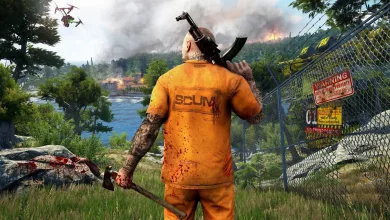
SCUM’s June update brings wildlife back and clears official servers
Version 1.3.1.0.125621 also adds trophy fish wall mounts, improvised meals, tombstones, two optional DLC packs, and a limited-time anniversary quest that runs until July 31.

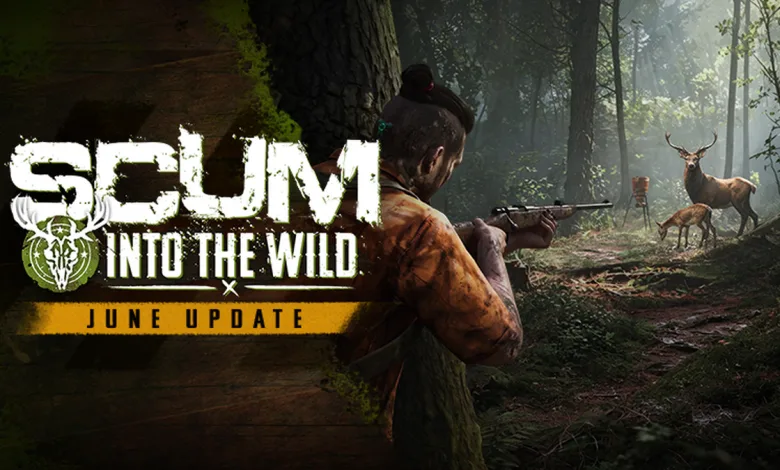
SCUM’s June Into the Wild update, version 1.3.1.0.125621, went live on June 30 and brought free-roaming land animals back to the Island, along with a limited-time anniversary quest, trophy fish wall mounts, improvised cooking recipes, tombstones, and a long list of server and gameplay fixes.
The patch also included a partial wipe on official servers. Character progress, gold, and basic starting gear stayed in place, while vehicles, bases, and other items on official servers were reset. If you want the warm-up act, the wildlife test on Steam gave players an early look at the new animal system before the full update landed.
The studio also published a Free-Roaming Animals Dev Diary:
SCUM: INTO THE WILD – June Update | 1.3.1.0.125621 Patch Notes
The biggest changes here are the return of roaming wildlife, the rebuilt hunting flow, new server controls, and a fresh batch of fixes across cooking, base building, quests, and animation.
Hey Prisoners,
Free-roaming land animals are back!
June’s Into the Wild update returns wildlife to the Island, along with a limited-time SCUM 1.0 Anniversary quest, trophy fish wall mounts, improvised cooking recipes, customizable tombstones, new custom server settings, fixes, and more improvements based on player feedback.
Watch the Free-roaming Animals Dev Diary
For a deeper look at the work behind free-roaming land animals, watch the Free-Roaming Animals Dev Diary, going live alongside this update:
As shared in the June Update Preview, this update includes a partial official server wipe.
Character progress, gold, and basic starting gear remain, while vehicles, bases, and all other items on official servers have been reset.
We know a mid-season wipe is disruptive, and we’re sorry for the impact on affected players. Going forward, our intention is to align planned wipes with the start of a season wherever possible, so players have clearer expectations around major resets.
WILDLIFE ACROSS THE ISLAND
Animal spawning is biome-based
Now that free-roaming land animals are back in the world, wildlife spawns through biome-based populations. Mountains, forests, fields, and other areas can support different animals, giving each part of the Island its own wildlife profile.
Wildlife changes over time
Wildlife population updates happen throughout the in-game day, with time of day also influencing spawning. This helps the world respond more naturally as animals are hunted, replaced, or shifted across their biome population. An area that felt quiet earlier may not stay that way forever.
Animals persist beyond your immediate range
The new Level of Detail [LoD] system keeps wildlife present across the Island without every animal running at full server cost all the time. Animals can remain part of the world while far away or out of view, then move into a fully active state as you spot them, approach them, or move through the area.
HUNTING IN THE OPEN WORLD
Scouting is part of the hunt
Animals become part of the hunt when spotted at range through clear line of sight, with scope magnification letting this happen from farther away. Binoculars and scoped weapons now have a clearer role, giving you another reason to scan ridgelines, treelines, and open ground before moving in. Use foliage and line of sight to plan your approach before you close the distance.
Predators share the hunting ground
Because wildlife now exists through biome-based populations, prey and predators can move through the same areas. Scout before you move in, and stay aware of what else may be nearby. A bear beyond the treeline can end a hunt fast.
Carcasses can attract predators
Leaving a dead animal behind may draw nearby predators to the carcass. Every kill can create an opportunity, or a problem if you stay too long.
BUILDING ON FREE-ROAMING ANIMALS
Bait feeders now work with wildlife populations
Bait Feeders have been updated to fit the reworked wildlife population system. They can attract existing animals nearby, or spawn a suitable animal if there are none around, so using one should still feel rewarding.
Animal AI has moved to Behavior Trees
Animal AI now uses Unreal’s Behavior Tree framework, giving us a stronger base for improving behaviors, tuning animal-specific encounters, and supporting more varied wildlife threats in future updates.
Land animals are the focus for now
This update focuses on free-roaming land animals first, rebuilding tracking, hunting, predator behavior, and carcasses around animals that exist directly in the world. Puppets, NPCs, birds, and other world spawns are separate systems, but this work gives us a stronger foundation for future improvements across the Island.
Thank you, Public Alpha players
Thank you to everyone who took part in the Free-Roaming Animals Public Alpha. Your feedback helped us test the system under real server conditions, identify edge cases, and continue tuning how animals spawn, move, flee, die, and interact with the world.
This is a major foundation for wildlife in SCUM. As more players spend time with the new system, we’ll keep watching how it performs in live conditions and continue improving animal behaviors.
A hunter’s left a trail across the Island. Follow it, survive it, and you can earn the Carbon Hunter Ironpaw, an exclusive SCUM 1.0 Anniversary weapon skin recipe.
This limited-time quest runs until July 31 and can be started at the Hunter trader. No previous quest progress is required, so all prisoners can begin straight away.
With free-roaming land animals back on the Island, this quest gives you another reason to head into the wild, follow the diary pages, and prove yourself against the new hunt.
Once unlocked, the Carbon Hunter Ironpaw can be crafted using a Carbon Hunter and a toolbox, matching the crafting flow for other weapon skin variants.
TROPHY FISH WALL MOUNTS
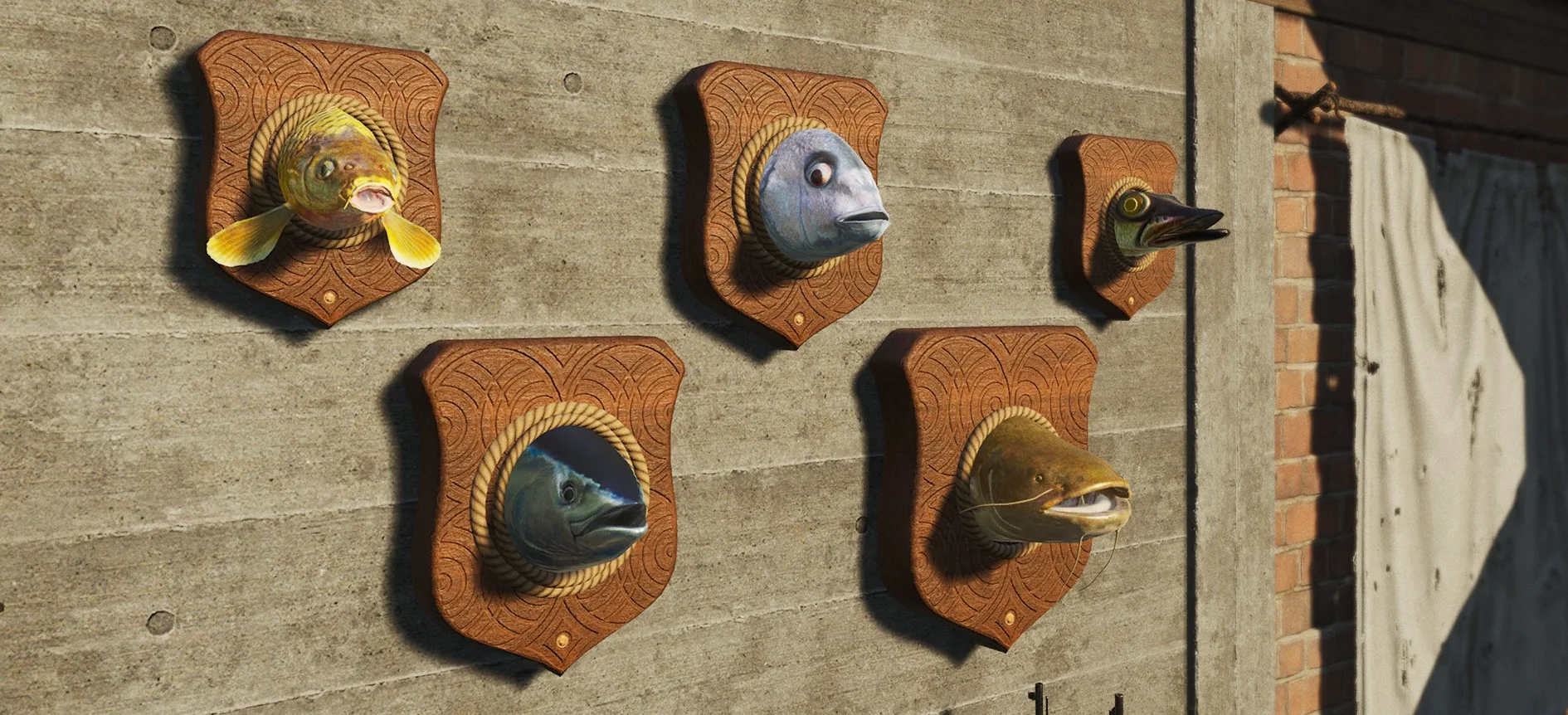
Rare trophy fish can now be caught at select fishing spots. Carp, Tuna, Catfish, Pike, and Dentex can all be turned into decorative trophies for your base.
Trophy fish are separate from regular fish. Once caught, they can be chopped to collect the head, which can then be crafted into a decorative wall mount using a wooden plank and a sharp tool.
Put them on display and give your squad a reason to believe your fishing stories.
IMPROVISED COOKING RECIPES
We’ve added the first improvised cooking recipes, giving players a more flexible way to turn basic ingredients into a cooked meal.
You can now prepare:
-
Improvised Pasta Dish
-
Improvised Rice Dish
-
Improvised Soup
-
Improvised Stew
Unlike many existing recipes, improvised recipes are available by default and don’t require a cooking book to unlock. They also use simpler core requirements, then let you add a wider range of optional ingredients to improve the dish when you have more supplies.
Better ingredients still help, but you should now be able to cook something useful without needing a long list of exact items first.
TOMBSTONES
Players have asked for more ways to mark meaningful places on the Island, including memorials for members of their communities. This update adds a new craftable tombstone that can be placed in the world and customized with player-written text.
Use them for memories, warnings, threats, or whatever your squadmate did to deserve it. Try to keep the spelling mistakes to a minimum.
Tombstones are built from a blueprint recipe using stones and any hammer. Once placed and finished, hold F to add your chosen text, which will appear on the tombstone.
They can be placed anywhere that supports the blueprint, but they still need to be maintained. By default, tombstones decay after 30 days if left unattended, so prisoners will need to return from time to time to pay their respects.
Server owners can control how many tombstones each squad can build, from 0 to 100 per squad. Official servers use the default limit of 3 per squad.
Alongside the June Update, two new optional DLC packs are now available, continuing the Into the Wild theme. These packs are separate from the June Update content covered in these patch notes.
Specialist Archer Pack
Unlock snakeskin-themed specialist gear, charms, emotes, and camouflage patterns.
Specialist Scout Pack
Unlock scout-inspired specialist gear, charms, emotes, and camouflage patterns.
This update adds new custom server controls for free-roaming animals, fishing spots, radiation, flag ownership, and tombstones, while removing older hunting settings that are no longer used by the new free-roaming wildlife system. Some vehicle settings have also been consolidated, with control moving into the relevant maximum vehicle settings.
FREE-ROAMING ANIMALS
-
Animals Allowed in World
[World] -> HUNTINGscum.AreAnimalsAllowedInWorld=TrueEnables or disables free-roaming animals in the world.
-
Animal Global Density Multiplier
[World] -> HUNTINGscum.AnimalGlobalDensityMultiplier=1.000000Controls the global animal density cap, increasing this value increases the total number of animals that can exist in the world.
Default: 1
Minimum: 0
Maximum: 25 -
Maximum Non-Virtual Animals in World
[World] -> HUNTINGscum.MaxNonVirtualAnimalsInWorld=800Controls the maximum number of non-virtual animal actors that can be present in the world at once. Virtual animal population entries can exist beyond this number.
Default: 800
Minimum: 0
Maximum: 2500 -
Animal Population Representation Multipliers
[World] -> HUNTINGThese settings control how strongly each animal type is represented within biomes where that animal is allowed to spawn. Values can be increased or reduced, and work in relation to the other valid animals in that biome.
Default for all populations: 1
Minimum: 0
Maximum: 100For example, in a biome that can spawn bears and goats, increasing the bear multiplier or reducing the goat multiplier can both make bears more likely to appear compared to goats.
scum.BearPrevalenceMultiplier=1.000000
In-game name: BEAR POPULATION REPRESENTATION MULTIPLIERscum.BoarPrevalenceMultiplier=1.000000
In-game name: BOAR POPULATION REPRESENTATION MULTIPLIERscum.ChickenPrevalenceMultiplier=1.000000
In-game name: CHICKEN POPULATION REPRESENTATION MULTIPLIERscum.DeerPrevalenceMultiplier=1.000000
In-game name: DEER POPULATION REPRESENTATION MULTIPLIERscum.DonkeyPrevalenceMultiplier=1.000000
In-game name: DONKEY POPULATION REPRESENTATION MULTIPLIERscum.GoatPrevalenceMultiplier=1.000000
In-game name: GOAT POPULATION REPRESENTATION MULTIPLIERscum.HorsePrevalenceMultiplier=1.000000
In-game name: HORSE POPULATION REPRESENTATION MULTIPLIERscum.RabbitPrevalenceMultiplier=1.000000
In-game name: RABBIT POPULATION REPRESENTATION MULTIPLIERscum.WolfPrevalenceMultiplier=1.000000
In-game name: WOLF POPULATION REPRESENTATION MULTIPLIER
FISHING
-
High-Activity Fishing Spots
[World] -> HUNTINGscum.FishingHighActivityZoneAmount=-1.000000Adds a server setting for controlling the number of high-activity fishing spots. By default, 10% of fishing spots are always active.
Default: 10%
Minimum: 0%
Maximum: 100%
RADIATION
-
Radiation Enabled
[World] -> MAPscum.RadiationEnabled=TrueEnables or disables radiation in the world.
FLAG OWNERSHIP
-
Maximum Flags Per Prisoner
[Features] -> BASE BUILDINGscum.NumberOfAllowedFlagsPerPlayer=10Adds a server setting allowing admins to define how many flags each prisoner can own at a time. NOTE: scum.AllowMultipleFlagsPerPlayer needs to be enabled for this setting to work.
Default: 10
Minimum: 1
Maximum: 30
TOMBSTONES
-
Maximum Tombstones Per Squad
[Features] -> BASE BUILDINGscum.TombstoneMaxAmountPerSquadAdds a server setting for controlling how many tombstones each squad can build.
Default: 3
Minimum: 0
Maximum: 100
CONSOLIDATED VEHICLE SETTINGS
The following vehicle-specific MaxFunctionalAmount settings are no longer available as separate settings. They have been consolidated into the relevant maximum vehicle settings for vehicles where MaxFunctionalAmount did not have a separate effect.
Server owners can still control the overall maximums for these vehicles through the max vehicle settings.
scum.KingletDusterMaxFunctionalAmount
scum.MotorboatMaxFunctionalAmount
scum.WheelbarrowMaxFunctionalAmount
scum.BicycleMaxFunctionalAmount
scum.SUPMaxFunctionalAmount
scum.KingletMarinerMaxFunctionalAmount
scum.DinghyMaxFunctionalAmount
SETTINGS NO LONGER AVAILABLE
The following animal and hunting settings are no longer available in-game, as they were tied to the previous hunting encounter setup and are not used by the new free-roaming wildlife system:
scum.MasterServerEndpoints
scum.MaxAllowedAnimals
scum.MaxAllowedHunts
scum.PuppetLimpingEnabled - Replaced by setting ''Puppet limping health threshold'' to 0
scum.ArmedNPCLimpingEnabled - Replaced by setting ''Armed NPC limping health threshold'' to 0
scum.AnimalWorldEncounterSpawnWeightMultiplier
scum.NPCWorldEncounterSpawnWeightMultiplier
scum.HuntTriggerChanceOverride_ContinentalForest
scum.HuntTriggerChanceOverride_ContinentalMeadow
scum.HuntTriggerChanceOverride_Mediterranean
scum.HuntTriggerChanceOverride_Mountain
scum.HuntTriggerChanceOverride_Urban
scum.HuntTriggerChanceOverride_Village
scum.HuntFailureTime
scum.HuntFailureDistance
CRASHES
-
Fixed a crash that could occur when opening the radial menu immediately after relogging.
-
Fixed a client crash that could sometimes occur when reskinning or destroying Woodland base building elements.
-
Fixed a client crash caused by opening the console or chat while in Drone mode.
EXPLOITS
-
Fixed and adjusted several sentry-related exploits that allowed unintended farming or looting.
-
Fixed an exploit that allowed players to farm animals, specifically bears, using the Animal Bait Feeder.
-
Fixed an infinite ammo box exploit where players could sell a 1/30 ammo box to a trader who did not already have that ammo box in stock, then buy back a 30/30 ammo box.
-
Fixed an issue where vehicles could be destroyed inside trader zones and other protected areas where explosive damage to vehicles is disabled. This could happen when a frag grenade was placed on the ground with the pin pulled, allowing nearby vehicles to be damaged despite protected zone settings.
PRIVATE SERVERS
-
Fixed an issue affecting private servers where players were unable to connect. This problem was linked to ICMP-related checks and has been resolved. Private servers should now function correctly out of the box with only standard port forwarding, without requiring additional firewall adjustments or workarounds.
HUNTING & COOKING
-
Added a fuel bar / gauge mechanic to meat smokers and other fire-based objects, similar to existing liquid, petrol, and propane indicators. The gauge now visually displays remaining fuel and updates as fuel is consumed.
-
Fixed an issue where placing fruit or seeds into a Bait Feeder could make them non-expirable and cause the Bait Feeder to produce smoke endlessly.
-
Fixed an issue where goats did not leave footprint trails.
-
Fixed an issue where does [female deer] could provide antlers. Only bucks [male deer] now provide antlers.
-
Fixed an issue where direct hits from RPGs and grenade launchers did not properly affect animal kill quality [these kills were functioning like a rifle shot]. Explosive impacts now correctly damage harvested resources.
-
Removed the redundant Search interaction from animals killed by a flamethrower, as flamethrowers do not fire recoverable projectiles.
-
Fixed an issue where flamethrower kills did not affect meat and skin condition correctly.
-
Fixed an issue where animals killed by vehicles or turrets retained 100% skin and meat quality.
-
Fixed an issue in Sandbox mode where smoked meat could disappear from the smoker after logging out to the main menu.
-
Fixed the incorrect ingredients in the Hot Chocolate recipe.
-
Fixed issues where Bait Feeders were not spawning animals as intended.
-
Fixed an issue where baits intended to spawn deer did not trigger any reaction when placed into the Bait Feeder in blue zones marked on the Island Wildlife Guide map.
-
Fixed an issue where Bait Feeders could spawn animals underwater when placed on shipwrecks, small islands, or underwater.
-
Fixed an issue where Bait Feeders placed in towns could sometimes cause animals to spawn inside buildings or become stuck in concrete.
-
Fixed an issue where boars could spawn on Bait Feeders placed inside caves.
-
Fixed an issue where animal loot degradation from bullet penetration was applied uniformly regardless of projectile type. Loot degradation now scales correctly based on projectile penetration values.
QUESTS & TASKS
-
The Bait Feeders hunting task has returned after being temporarily removed in the previous update. It has now been updated to work with the new free-roaming animal system, guiding players through placing a Bait Feeder, adding suitable bait, and using it to attract wildlife.
-
Quests now display more like tutorial tasks. Instead of showing the full quest sequence up front, the quest book now focuses on your current step, then reveals the next step once the current one has been completed.
-
Fixed an issue where the hunting task subtask “Place rabbit food inside the Bait Feeder” did not complete after placing the required rabbit food into the Bait Feeder.
-
Fixed an edge case where the hunting task subtask “Travel to a natural area with wild rabbits” could stop updating if the player reached the objective while inside a trader zone.
-
Renamed the first hunting tutorial task so it no longer shares the same title as the overall Hunting task category.
-
Fixed an issue where hunting tasks could not be abandoned once accepted.
-
Fixed an issue where items unlocked through quests did not reset their available purchase quantity correctly after partial purchases. Available quantities now reset to the intended full amount each time the quest is completed.
FISHING & FARMING
-
Fixed an issue where plants could sometimes not be watered in multiplayer sessions.
-
Fixed an issue where the Next Harvest timer was not displayed on plants when the server had accumulated a very high playtime value.
-
Fixed an issue where the gardening UI could report cold conditions and hindered plant growth even when the temperature was high.
-
Fixed an issue where the fishing rod could break and flail around while the fishing minigame was active, causing attached items to be lost.
-
Fixed an issue where water was not applied when watering crops, even after spilling a full can.
-
Fixed an issue where most fully grown tree-based plants could block interaction with nearby low-height plants due to branch collision or interaction traces. This affected all tree-based plants except orange trees.
-
Fixed an issue where Boilies fish bait appeared white in the in-game model while the inventory icon showed it as red. Boilies bait now appears red both in the inventory and in-game model, including when attached to a fishing rod.
WEAPONS
-
Weapon attachments can now be painted.
-
Fixed a visual bug where optics and rangefinders could flicker when aiming down sights.
-
Fixed an issue where PU scope range markings were cut off when used with the M1891. This also affected the Vampyr, SpektralDR, and P223 scopes.
-
Fixed a small visual issue with incorrect colors on the Wushu Spear tassel.
-
Fixed an issue where a nocked arrow was sometimes not visible to nearby players after firing and nocking another arrow.
-
Fixed an issue where thrown knives could hit puppets, NPCs, and players but fail to attach to the target. Thrown knives now properly stick to the target and remain visibly attached to the body or equipment. Affected knives include Bushman, Shuriken, Scout Black, Scout White, Hunter, and Kunai.
-
Fixed inconsistent caliber naming in weapon descriptions for weapons using .30-06 ammunition. Relevant weapons now use consistent .30-06 naming.
BASE BUILDING
-
Fixed an issue where Wall Squad Emblem Flags [Improvised and Premium] could be placed over wall-mounted weapon racks, lamps, and trophies, causing them to clip.
-
Fixed an issue where destroying L-shaped twig stairs could also destroy advanced doors.
-
Fixed an issue where the Improvised Chandelier context menu showed Remove Current Skin instead of Apply Skin. Also fixed an issue where Remove Current Skin did not work on the Woodland Chandelier.
-
Fixed an issue where the Improvised Chandelier could transform into a Woodland Chandelier after relogging in Sandbox mode.
-
Added a decorative lit hearth to the Woodland Furniture Pack.
-
Fixed an issue where the base building destruction log displayed internal in-game names.
-
Fixed an issue where base building element names and hints were not translated in context menus for Chinese and Simplified Chinese.
-
Updated and improved visuals for base building placement meshes.
TRADER
-
Aligned the Hunter trader naming convention across the game. He is now referred to as the Hunter consistently.
-
Fixed multiple Ghillie suit items at the Armorer sharing the same display name. Each item is now correctly named.
-
Fixed an issue where items from subtasks added to the Hunter trader cart could have their quantity increased, but could not be reduced or removed afterward.
-
Fixed an issue where the driving glove icon at the trader showed fingered gloves, but fingerless gloves appeared after purchase.
-
Fixed an issue where MREs did not appear in the Armorer trader’s stock after being sold to him.
-
Fixed an issue where the Hippie Shirt #2 icon in the General Goods trader menu showed the wrong item.
-
Fixed a missing comma in economy.json after the prices-subject-to-delta line, which could cause issues for players modifying traders.
UI
-
Fixed an issue where item icons could change size when placed into a Quick Access slot already used by another item.
-
Fixed UI overlap issues in cooking recipes with many possible ingredients, where expanded main and optional ingredient lists could extend through the Back button without being scrollable.
-
Fixed an issue where the plucked chicken icon incorrectly showed a liquid capacity UI element.
-
Fixed a blurry Biker Leather Jacket icon.
-
Replaced weapons displayed around the Armorer trader that could no longer be bought from the trader.
-
Fixed an issue in Sandbox mode where the liquid progress bar did not update correctly, showing liquid remaining while the ‘Check’ interaction reported that the container was empty.
-
Fixed an issue where ‘Bone’ was listed multiple times in the Possible Ingredients section for the Meat Soup recipe.
-
Fixed an issue with the Grilled Veggie recipe where the interface always showed Bell Pepper regardless of which vegetable was used.
-
Fixed an issue where opening chat while the weapon malfunction UI was active, or vice versa, caused the mouse cursor to behave incorrectly. Chat input is now blocked while the weapon malfunction UI is displayed.
ANIMATION
-
Fixed a misaligned first-person view when holding the Bait Feeder.
-
Adjusted grip animations for the Skinning Knife and Blackhawk Crossbow.
-
Fixed bottles clipping through the prisoner’s face while drinking beverages in first-person perspective.
-
Fixed several bottle holding and drinking animation issues where certain drinks could clip through the hand when using Drink or Drink All. Fixed an issue where the hand could clip through bottles while holding or drinking from them.
AUDIO
-
Fixed a sound and video effect issue that triggered at the start or cancellation of the Destroy action on some reskinned base building elements, instead of when their destruction finished.
-
Fixed an issue where footsteps on tree stumps used the wrong surface sound, making them sound like concrete.
-
Added humming sound effects to wind turbines and electro houses.
-
Fixed an issue where subtitles would only appear briefly when voice line volume was set to 0. Subtitles now remain visible correctly.
GRAPHICS
-
Improved bottle visuals and liquid effects. Fixed an issue where spilled liquids from bottles, canisters, and other containers always used the same visual color regardless of the liquid being poured out. Spilled liquid color now matches the liquid inside the container.
-
Fixed an issue where ocean reflections shifted noticeably when moving the camera left and right.
-
Fixed an issue where some post-process effects were left enabled when no post-process should appear on screen.
-
Fixed an issue where glass surfaces, drinks, rain puddles, and other liquids could appear to glow or emit light in dark environments, especially in low-light areas such as abandoned bunkers.
LEVEL DESIGN
-
Fixed an issue where rain could pass through bunkers in B0 and D4 after relogging.
-
Restored a missing section of river in the C0 sector.
-
Fixed multiple places in the Hunter’s Grotto where players could get stuck. Added collision to the painting in the Hunter’s Grotto.
-
Fixed dozens of level design issues, including trees growing through rocks, low-resolution rock and snow textures, floating assets, assets clipping through each other, missing textures, sharp terrain transitions, disappearing shadows, incorrect door collisions, and misplaced snow textures on rooftops in the Z sector.
OTHER
-
Players can now paint chests regardless of flag area restrictions, including chests with locks and chests placed outside a flag area.
-
Fixed a Sandbox mode issue where a player’s corpse could disappear after respawning and returning to the corpse’s location.
-
Fixed an issue where colliding or overlapping with an animal while in a vehicle could cause the camera to snap upward. This affected cars, bikes, RIS, and all animals except wolves.
-
Fixed an issue where headlamps could appear turned on in third person, to other players, or in photo mode, even when they had no batteries and were actually turned off.
-
Fixed an issue where the player’s torso could display incorrectly in the character creation mugshot, causing the body skin tone to not match the head and neck, or causing missing textures.
-
Fixed an issue where a player standing on a vehicle could appear in an incorrect position to another player moving outside the vehicle’s streaming or render range.
-
Fixed incorrect item parameters on the Snow Deluxe Inmate Hoodie.
-
Fixed an issue where players could turn on the Metal Detector while it was in a holster slot.
-
Fixed an issue where player corpses could disappear while the killed player was waiting on the respawn screen. The corpse would reappear when the killed player respawned or closed the client.
-
Fixed an issue where drink items could not become irradiated.
-
Fixed an issue where male character body attributes [8/5/5] could clip through the Sleeveless Shirt and other affected clothing items, including Military Shirt, Police Shirt, Woodcutter Shirt, Inmate Shirt, Hospital Shirt, and Vintage Jail Shirt.
-
Fixed an issue where puppets and armed NPCs attempted to navigate through doors inside the airport building that are not usable or traversable. They now use only valid paths.
-
Fixed incorrect values in the descriptions for large POI character spawn and respawn distances.
KNOWN ISSUES
We’re continuing to track a few known issues and will keep rolling out fixes and tuning after release:
-
Large animal turning behavior may feel too aggressive in some encounters.
-
Animal tracks may appear on some hard surfaces, including cement roads.
-
Some animals may not always take damage as expected from firearms or headshots.
-
Animals viewed through scopes may sometimes remain in their far-distance Level of Detail [LoD] state instead of updating correctly.
-
Tombstone inscription text may overflow or wrap awkwardly in some cases.
-
Some item icons may disappear or display incorrectly in specific blueprint or quest item interactions.
-
Some item paint or attachment visuals may not apply correctly in specific cases.
-
Items inside quivers or holsters may become invisible after being recovered from a corpse in multiplayer. Relogging should make the items visible again.
That’s it for June’s update!
Into the Wild continues in July, with more work focused on helping prisoners find their footing and discover new reasons to push deeper into the Island.
Thank you for playing, sharing your feedback, and sticking with us as SCUM keeps moving.
See you on the Island!
Tell us what you think in the comments, and follow us on X, Bluesky, YouTube, Instagram.
Source: Steam
Scum
Developed by Gamepires