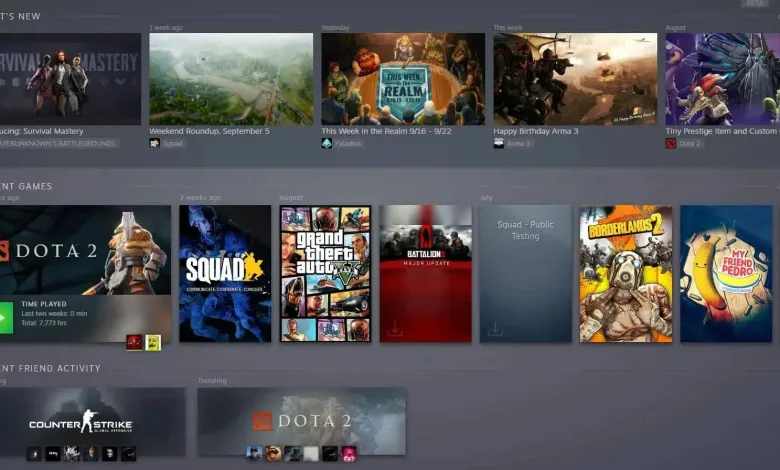
Valve has finally released the long-awaited Steam Library Update. This update changes the look of the Library menu, which consists of video games you own. The first announcement for this update came along a couple of weeks ago. This new look of Steam’s Library allows all of the users to take advantage by filtering their most favorite games.
However, to get access to Steam’s Beta library, you will need to opt-in first. Only by opting in, the Steam Beta Client may be updated to the very last version. Otherwise, users will have to wait for this version to become live.


How to get access to Steam’s Beta Library
- Open Steam.
- Go to Steam at the very top left.
- From the drop-down menu, click Settings.
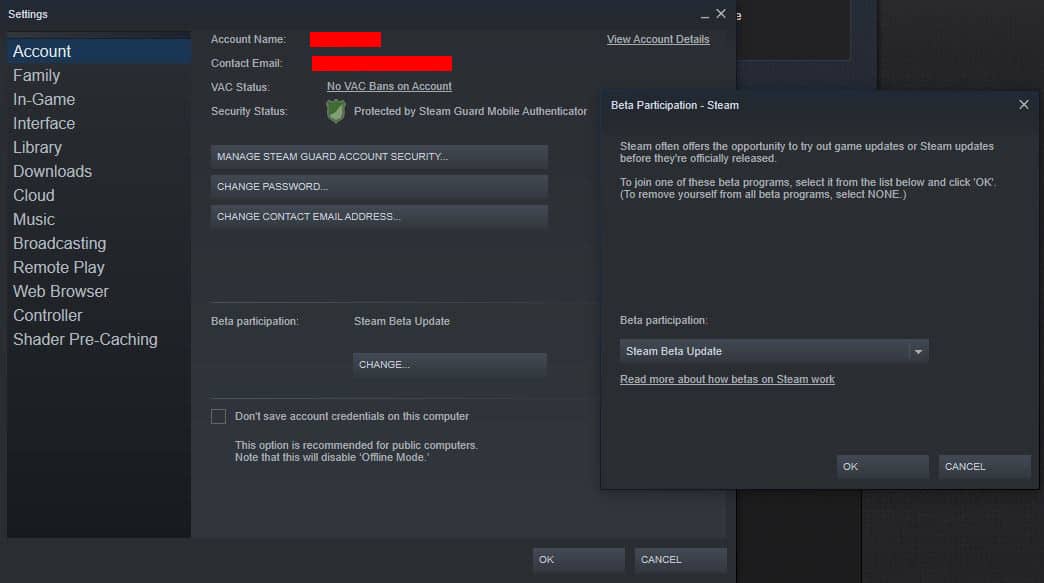
- Once you’re there, on the content of Account you should see an option named Beta Participation
- Once opened, click change and choose Steam Beta Update from the drop-down menu.
For better clarification, check the image below:
Judging by its look, the new Library definitely seems more dynamic than what we’ve had before. Its refreshing look also consists of details about the games you own in particular, such as news, discussions, and more.