With the latest update, Battlestate Games has introduced a new feature in Escape From Tarkov where you can double-click an item to use it. Items such as food and drinks are instantly consumed by your character, which makes it a bit weird for old-school players with tons of experience under their belt.
This becomes extremely frustrating when you yeet one of your items simply by consuming it. This option is enabled by default, but the good thing is that you can disable it.

How to disable that?
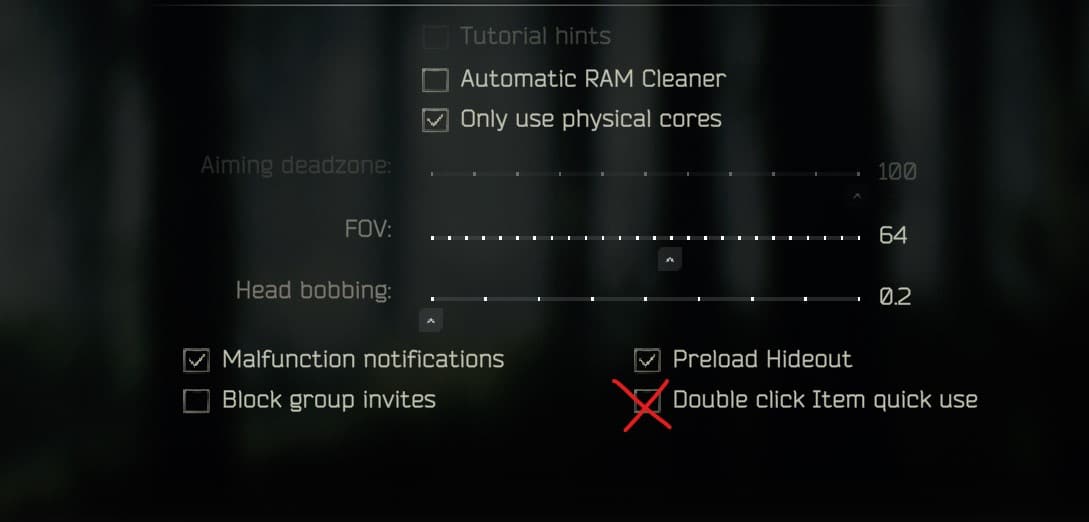
The option is in Settings -> Game (the first tab). At the bottom of that screen, there’s a checkmark named Double Click Item to use. Just uncheck that and save. Check the image below:
I hope this lessened your struggles.