Satisfactory Crossplay Now Connects PC and Console Players
Players on Steam, Epic Games Store, PlayStation 5 and Xbox Series X|S can now join the same multiplayer sessions through Epic Online Services.

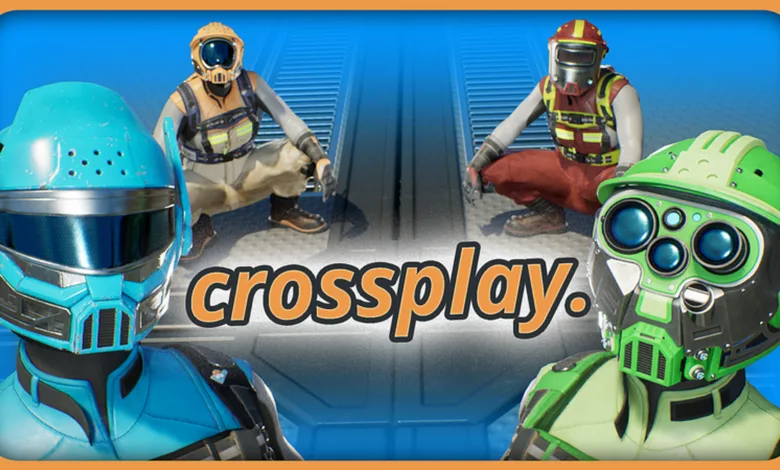
Satisfactory now supports crossplay between Steam, Epic Games Store, PlayStation 5 and Xbox Series X|S, letting players on all four platforms build and explore together. Coffee Stain confirmed the feature in its Steam announcement.
Crossplay uses Epic Online Services, so players need a free Epic Games account to play across platforms and manage cross-platform friends. Steam players can still use the Steam-only multiplayer backend with other Steam players, while single-player does not require an Epic account. Console players need one for multiplayer.

To join friends across platforms, link your current platform account to an Epic account and add each other as friends on both services. Their session should then appear in the Join Game menu. Players can create an Epic account through Online Settings, and Coffee Stain’s crossplay FAQ covers further setup and troubleshooting.
One limitation remains for factory groups using dedicated servers. Those servers are available only on PC and cannot be used during crossplay. The update adds information about Indifferent Broccoli’s Satisfactory server hosting to the PC Server Manager.
Coffee Stain also overhauled gameplay telemetry. Players will see a one-time choice about sharing gameplay data on their next launch, and can change their participation later in the Options menu. The update adds Send Gameplay Data and Telemetry ID options under Gameplay.
The remaining fixes cover trouble joining some large multiplayer saves, several crashes, vehicle path and autopilot issues, and input rebinding. Coffee Stain describes the large-save changes as potential fixes and says some issues may remain. The full update notes also cover interface, audio, world, and visual fixes.
Patch Notes
NEW
CROSSPLAY
- Crossplay is now possible between Steam, Epic, PlayStation 5® and Xbox Series S|X!
- Crossplay is handled via Epic Online Services, so a free Epic Games account is required for Crossplay and Cross platform friend list management
- You can read the FAQ at the bottom of this post or in here for more information: Crossplay FAQ
DEDICATED SERVER
- Added information regarding the partnership with Indifferent Broccoli for Dedicated Server Hosting on the Server Manager menu on PC
- Can be found by clicking on the Rent a Server button in the Server Manager Menu
- Indifferent Broccoli server hosting
- Coffee Cup Studios
- Dedicated Server is currently only available on PC and therefore not available during Crossplay
- Fixed Download Save UI not correctly showing progress in the Server Manager Menu
TELEMETRY
- Overhauled our internal telemetry systems for gameplay data collection, this helps us get data on many aspects of the game, primarily on how it’s played while also providing us with additional data which can help us investigate bugs and other issues.
Since the system is overhauled since its previous iterations, we have also added a new one time popup on launch to give you the option whether you would still like to participate in sharing your gameplay data with us or not, if you change your mind later this can always be changed in the options menu.
- Added two new options in the Gameplay tab of the Options Menu
- Gameplay > Send Gameplay Data
- Gameplay > Telemetry ID
- Added two new options in the Gameplay tab of the Options Menu
BUGFIXES
- Potential fixes to some of the issues that would result in being unable to join big saves in multiplayer, we understand some issues still remain, but this should hopefully help some people for now
- Fixed Crash on Dedicated server for AFGDroneVehicle::GeneratePathToDestination()
- Fixed a rare Crash when exiting decoupled camera mode after climbing a ladder
- Fixed a stack overflow Crash related to FRDGBuilder::FAsyncDeleter
- Fixed two instances where opening and closing a UI would result UObject limit crash, commonly seen on the Blueprint Designer and for the Vehicle Inventory UI
- Fixed items dismantled incorrectly merging into the same crate even if it was further than 100 meters away, making it harder to find them after dismantling
- Potential fix to several crashes related to trying to use Blueprint Autoconnect with Blueprints that have errors in them
- Fixed a Crash when entering large numbers inside the Give Item field on Creative Mode
QUALITY OF LIFE
- Rebound inputs that overlap with other inputs (i.e. R for Reload) can now be properly rebound and will also now update other inputs that are connected to match the same newly selected key if a conflict is found. For example, Rebinding Walk to R will now perform both Walk and Reload at the same time, they can still be separated into two keys if individually set to non-conflicting keys if you so choose.
VEHICLES
- Fixed Vehicle Path snapping points not aligning to the grid when using the scroll wheel to manually rotate them
- Several changes to the vehicle autopilot logic which should alleviate issues with vehicles trailing slowly behind other vehicles or stealing path reservations from vehicles ahead in some situations
- Fixed vehicles intersecting between two paths ending up being treated on two paths at once which could result in vehicles teleporting across them unintentionally, especially when loading/unloading items in a Truck Station
- Fixed automated Vehicles getting stuck in Truck Stations
- Fixed Truck Stations being incorrectly allowed to be Nudged while snapping to a Vehicle path which could lead to many other issues after placed
UI
- Fixed ON/OFF buttons not working in the Priority Groups sub-menu inside the Priority Power Switch UI
- Fixed header text inconsistencies on the Game Modes menu
- Fixed Map Marker names not being saved unless the Enter key was pressed after changing the text
- Fixed an issue where Phase and Milestone Objectives were cut-off in the UI when using Game Modes with Multipliers enabled
- Fixed issues with text fields of the Blueprint Designer not changing the cursor when focus was on them
- Fixed an issue where opening tooltips on the MAM while having an on-going research could result in a soft lock with UI overlaps
- Fixed long Truck Station names not properly fitting into the Vehicle UI and extending past the windows
- Fixed an issue where pressing Q while on the Customizer or Blueprint Menu would not switch to the Build Menu anymore
- Fixed an issue where Sub Category names in the Blueprint Menu could not be edited when playing on PC with a controller
- Fixed Conveyor belt holograms sliding around after being Locked while using Straight Build Mode
- Fixed Collapse/Expand icons not working correctly on all menus
- Fixed Customizer Menu sometimes not refreshing correctly which would result in Build Menu elements incorrectly showing in it
- Fixed Map zoom resetting every time the map was opened
AUDIO
- Fixed missing sounds on the Nuclear Reactor
TECH ART
- Fixed some texture issues on the underside of Manufacturers where they would have some extra elements when unpowered or idle
- Adjusted collision so Signs placed on specific points of the Blender and Manufacturer can be properly dismantled
- Added a one-day delay for rain on New Saves to avoid rain related ADA voicelines playing early and overlapping during the Intro sequence
- Fixed Rain visuals not showing up while driving a vehicle and only updating once you exit it
- Fixed Rendering issues (Flashing/Flickering on-screen artifacts) on some AMD GPUs when having Frame Generation and/or Motion Blur enabled
- Assorted fixes to the Rain Occlusion system
DESIGN
- Fixed the Lookout Tower, Walkway Corner and Catwalk Corner buildables incorrectly showing zoop as a build mode when it wasn’t actually working
- Added Daisy Chaining to the Radar Tower and Priority Power Switch
- Fixed Alien Technology Research Tree MAM research nodes being incorrectly unlocked
- Stackable Supports for Conveyors, Pipelines and Hypertubes can once again be rotated at 45 degree increments on foundations
WORLD
- Fixed Water in Rocky Desert not being deep enough for Water extractors to be placed, this should also fix certain spots where it was possible to accidentally fall through the map due to water not being there
- Fixed multiple holes in the map around Waterfalls that could result in falling out of bounds on the map
- Fixed some incorrectly placed water volumes in the world which would lead to being able to walk on or underwater
- Fixed missing collision in a rock cliff in Desert Canyon
- Fixed a square untextured piece of terrain sticking out around the Big Crater area in Dune Desert
LOCALISATION
- Fixed the Sort button in all UI getting cut off when using languages with Cyrillic text
- Fixed a few missing text strings across the game
- Updated all languages with the latest translations
Which platform will most often join your factory crew? For more on the crossplay rollout and its multiplayer fixes, stay connected on X, Bluesky, YouTube, Instagram, Steam, and Telegram.
Satisfactory
Developed by Coffee Stain Studios
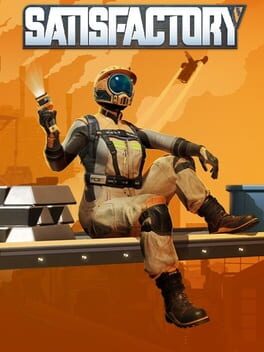
Satisfactory is a first-person factory simulation game set on an alien planet. Players take the role of a Pioneer, an employee of the megacorporation FICSIT Inc., tasked with harvesting natural resources and constructing increasingly complex automated production lines. The goal is to manufacture components for "Project Assembly," delivered via a space elevator to an orbital platform. The game features a hand-crafted open world spanning approximately 30 square kilometers across multiple biomes, a tiered technology progression system, cooperative multiplayer, and extensive logistics management through conveyor belts, pipelines, and vehicles.
- Genre Simulator, Strategy, Adventure
- Platforms Xbox Series X|S, PC (Microsoft Windows), PlayStation 5
- Perspective First person
- Modes Single player, Multiplayer, Co-operative
- Release September 10, 2024
- Publisher Coffee Stain Publishing
-
Age Rating