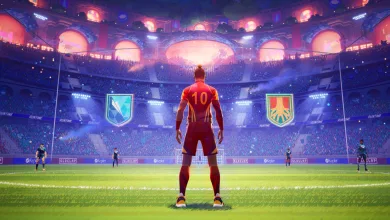
Rematch Season 6 Patch Will Cut Tackle Assist Width by 36% on Oct. 23
The update also shortens goalkeeper invulnerability after catches from 7 seconds to 4.5 and replaces Player Levels with 10 contracts.

Rematch Season 6 is scheduled to start Oct. 23, and Sloclap’s full S6.0 patch notes detail what update 1.206.000 will change. Tackle Assist width will shrink by 36%, while goalkeeper invulnerability after a catch will fall from 7 seconds to 4.5.
The update will also replace Player Levels with 10 contracts, from Baller through Icon. New Quick Chat categories, end-of-match messages, and Push-to-Talk join the gameplay adjustments. Netcode 2.0 testing remains underway through the Rematch Beta Test on Steam.
Below are the complete notes, including the gameplay fixes and known issues Sloclap has identified.
Patch Notes for Rematch 1.206.000
Patch Information
1.206.000
Release Date: October 23rd, 2026
Hey everyone!
With Season 5 coming to a close, we’d like to thank you for the energy around the Blue Lock event, for your feedback, and for sticking with us when things weren’t perfect. This season had a few bumps, and we’ve taken good note of everything you told us.
Now, on to Season 6, kicking off tomorrow! Here’s what’s in store:
-
Contracts: a brand-new progression system that replaces the old Player Level system. Unlock badges and complete contracts to show off your playstyle and unlock progressive rewards!
-
New comms: Quick Chat split into 3 categories (compliments, apologies, tactical), end-of-match messages, and the long-awaited Push to Talk.
-
A few gameplay tweaks: we’re keeping it light this time, touching up on the changes we’ve had during Season 5. These affect Tackle Assist, volley height, Defense Mode and a buff to stamina sprinting costs, plus plenty of bug fixes.
That’s not all, Netcode 2.0 is currently being tested through the Rematch Beta Test on Steam (which you can try for yourself right now), and more improvements are on the way. We’ll share more very soon.
See you on the pitch tomorrow!
Contracts & Badges
A new progression system
A new system replacing the old one. From “Baller” to “Icon”, grind through 10 unique contracts and build your legacy.
Contract names: Baller, Rookie, Amateur, Semi-pro, Wonder, Pro, Star, Champion, Hero, Icon.
Each contract has a max level, which you reach by playing online matches and earning experience points.
Each level-up until the max level grants Blocks. If your contract is maxed, you won’t earn experience points or Blocks anymore until you upgrade it.
To reach the next contract, you need to meet all requirements, then press “Upgrade contract”:
-
Play online games: level up and reach the contract’s max level.
-
Showcase your playstyle: select 3 badges of the categories you want, as long as they are at the required level (starting from the Semi-pro contract).
When selecting 3 badges to upgrade your contract, special titles are awarded: this is the Badges synergy system.
You’ll earn titles depending on the badges’ categories and their lowest common level (there are 4 badge levels, so you can have up to 4 titles with the same upgrade).
The final title category selection is done this way:
-
Pick the category whose occurrence is higher than the others.
-
Pick the 2 tied categories whose occurrences are higher than the others. Not all category combinations are possible, you’ll have to find them yourselves!
-
If there’s a tie between 3 or more categories, the category is “All-rounder”.
Contract Rewards
Reaching a new contract grants rewards, and the more prestigious the contract, the higher the tier of the rewards.
Unlock the Beginner and Pro kits, celebrations, victory moods and player profile items for each contract during your ascension towards the Icon contract.
Some systems require reaching a certain contract to be unlocked:
-
Badges system is unlocked with the Rookie contract.
-
Ranked matches are unlocked with the Amateur contract.
-
Badges synergy system is unlocked with the Semi-pro contract.
Legacy Rewards
If you were Player Level 5 or higher in the previous Player Level system, you’ll automatically reach the Amateur contract. This allows you to play ranked matches and grants you all rewards from the Baller, Rookie and Amateur contracts.
For all players who invested a lot of time in the previous Player Level system, rewards are distributed depending on the max Player Level you reached:
-
Tier 1: Player Level 1 to 99.
-
Tier 2: Player Level 100 and above.
-
Tier 3: Top 5000 highest Player Levels.
For all tiers, a unique cap, customization items, and profile cosmetics (icon, banner, card & title) will be granted. Similarly to Ranked rewards, you will also get the caps from the tiers below yours.
Badges System
Badges showcase your playstyle! Unlock them by performing different actions on the pitch during online matches. The more you perform those actions, the more they progress and eventually level up.
Badges have 4 levels of progression, represented by stars at the bottom of each badge. Reach the 1st level to unlock them.
Unlocked badges can be displayed on your Player Card. Show everyone your playstyle with your celebrations and victory moods!
There are 10 different badge categories to sort all types of actions you can do in the game: Attack, Defense, Playmaking, Goalkeeper… You can view them all on the Collection page of your player profile.
Complementary information and images are also available on our dedicated Contracts dev blog article!
Communication
Quick Chat
By popular demand, we have added more Quick Chat options during matches, split into 3 categories: Compliments, Apologies and Tactical.
Access one of the 3 categories, and choose among 3 different coms in each:
Compliments:
-
“Thanks!”
-
“Good Job!”
-
“We Got This!”
Apologies:
-
“Nice Try!”
-
“Sorry!”
-
“No Problem!”
Tactical:
-
“Unmarked!”
-
“Behind You!”
-
“Get Back!”
They are available on both controller and keyboard, and can be remapped in the options menu.
If you really liked the previous version, you can switch back to it in the options menu.
All these new Quick Chat coms are also voice-acted in all currently available audio languages.
Since the community has been asking for this feature for a long time, we are eager to get your feedback and improve on this first version!
End-of-match Coms
We have also added 3 new End-of-match Coms: on the Victory/Defeat Screen, you can now send messages to your team: congratulate them with a “GG!”, ask them to “Team up!”, or thank them with a “Thank you!”.
This feature will remain available even if you switch back to the previous version of Quick Chat during matches.
Push-to-Talk
We have added an option to activate your mic in Push-to-talk mode. This will be the default mode starting this season.
You can switch in the options menu between Toggle mode and Push-to-talk mode.
It is bound to D-Pad down on controller, and “4” on keyboard.
Note that switching back to the previous version of Quick Chat, which uses D-Pad down and “4”, will overwrite this binding. Push-to-talk will then need to be remapped to another input.
Core Gameplay Improvements
Goalkeeper Invulnerability
Goalkeeper invulnerability after a catch has been reduced from 7s to 4.5s.
This change aims to incentivize fast clearance and limit the use of invulnerability for stalling.
Concerning stalling specifically, we heard some feedback asking for a more restrictive passback rule. However, we are keeping the current behavior, which satisfies both the need for simplicity and clarity. Players should not be surprised by a deflection they didn’t know would happen instead of a catch during a chaotic situation in the box. With no referee on the pitch and the ability to tackle a Goalkeeper, Rematch needs its own rule, which cannot be a 1-to-1 transposition from real football.
Still, we agree that stalling is a behavior we don’t want to be effective in the game, as it does not suit the fast-paced experience we want to provide. Reducing invulnerability is a first step to address this, and more can be expected in later updates.
Tackle Assist
Tackle Assist width has been reduced by 36%.
We agree that Tackle Assist reduces the skill needed to connect a tackle and hinders more advanced players when they seek more precision. This encouraged us to find alternatives to the assist that would improve tackle fairness. These have been identified but need Netcode 2.0 before implementation can start.
You can learn more about Netcode 2.0 in our dedicated Dev Blog article.
Other Gameplay Changes
-
Maximum volley height for outfield players has been reduced from 2.85m to 2.80m.
-
Defense Mode hitboxes have been reduced by 10%.
-
Sprinting stamina cost has been reduced by 10%.
Other Minor Changes
-
Improve Ball Control visibility with new VFX on control.
-
Ball calling player now look at teammate that owns ball (if there is one).
-
With the progression rework, Player Level is no longer displayed on the main header.
Bugfixes
Major Fixes
-
Fixed an issue where the goalkeeper could not Long Dive using mouse and keyboard when an opponent with the ball was nearby.
-
Fixed an issue that prevented Tackle Assist from working properly when tackling without directional input.
-
Fixed an issue with sweeper and goalkeeper assignment when a player reconnects to a game.
-
Fixed an issue where the Dribble Lobbed Push Ball (Rainbow Flick) was triggered when trying to perform the regular one while in possession of the ball.
-
Fixed an issue where the ball could pass through a player during a Dash.
-
Fixed an issue where players could pass through the ball while in Extra Effort after losing the sweeper role.
-
Fixed an issue where the ball was pushed in the wrong direction when performing an Extra Effort right after a Volley Push Ball.
-
Fixed an issue where the ball was caught instead of deflected during a Long Dive recovery.
-
Fixed an issue where Push Balls or self-passes after receiving a pass from a teammate would remove the assist from a scoring action. An assist is now always awarded if a goal is scored within 5 seconds of the scorer receiving the pass.
-
Fixed an issue where players could snap into a volley when shooting right after landing from a Defense Mode dive.
Minor Fixes
-
Fixed an issue where the ball would be deflected if Defense Mode is triggered right after some Push Ball actions or Extra Effort
-
Fixed an issue where VFX was missing on Outfield Dive triggered during Extra Effort
-
Fixed a thumbnail flickering issue on player card with Discord overlay profile pose when using FSR
Known Issues
-
Some random crashes may still occur.
Gameplay
-
The ball is deviated when it hits a Defense Mode player above their head.
-
Forward Dash results in inconsistent ball deflection and deviation behavior.
-
In rare cases, a goalkeeper’s dive catch can be canceled by another player’s Ball Control.
-
The player character may jitter when performing a backward Ball Control in Defense Mode while the ball is slightly bouncing at the same moment.
-
The ball sometimes goes in the wrong direction when performing a backward dribble followed by a Push Ball.
-
The ball snaps back when canceling a volley shot with Ball Control.
Communication
-
The communication wheel is visible to spectators during goal celebrations and the Victory Mood sequence.
-
The unmuted state is not saved: players who unmuted themselves during a match are muted again in the main menu after leaving it.
Match Flow
-
Players are not present in the Pre-match Corridor Sequence after joining a match.
-
The third player character is missing from Boomer’s Nightmare celebration in 3v3 matches.
-
Players see their own color palette on another player’s Player Card during the Victory Mood.
Contracts & Badges
-
Clicking a badge category and then going back redirects the player to the Career tab instead of returning them to the previous screen.
-
The notification marker on the Profile tab is not displayed after upgrading a contract and receiving rewards.
-
Badge category text is illegible on the Contracts page.
-
Empty badge slots are displayed on previous contracts.
-
Badge level-up text overlaps on the end-of-match screen.
-
The player character is missing from the Player Card in the Profile after upgrading a contract.
-
Clicking the “Goal” category button redirects to the “Attack” category.
Which Season 6 change do you expect to affect your matches most? For updates on the new progression system and ongoing Netcode 2.0 testing, stay connected on X, Bluesky, YouTube, Instagram, Steam, and Telegram.
Rematch
Developed by Sloclap
Control one player on your team and compete in fast-paced 5v5 matches from an immersive third-person perspective. Team up with your friends and join the action.
- Genre Sport, Indie
- Platforms Xbox Series X|S, PC (Microsoft Windows), PlayStation 5
- Perspective Third person
- Modes Multiplayer, Co-operative
- Release June 19, 2025
- Publisher Sloclap, Kepler Interactive
-
Age Rating