Icarus Week 253 Reworks Radiation Effects With Volumetric Clouds
The update replaces radiation domes with cloud effects and a scaling screen vignette, while fish-focused quality-of-life changes are planned for next week.

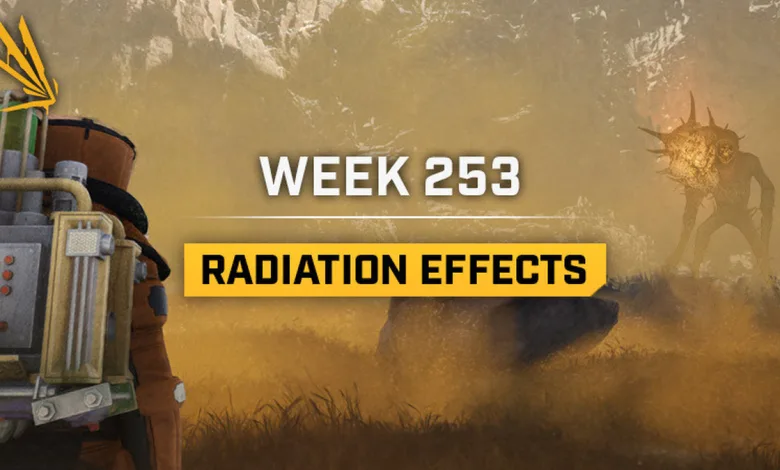
Icarus Week 253 replaces the dome effect used to mark radioactive areas with volumetric clouds, bringing a new look to radiation zones on Elysium and localized radiation from items left in the world. The update also adds a scaling vignette around the screen edges to signal radiation danger without obscuring as much of the player’s view.
The redesign follows the radiation-area improvements previewed in Week 252, which included clearer zone boundaries and work to address clipping and performance problems where effects overlapped. RocketWerkz’s Week 253 Steam announcement says the new visual effects use Niagara systems and code designed to maintain performance when radioactive areas overlap.

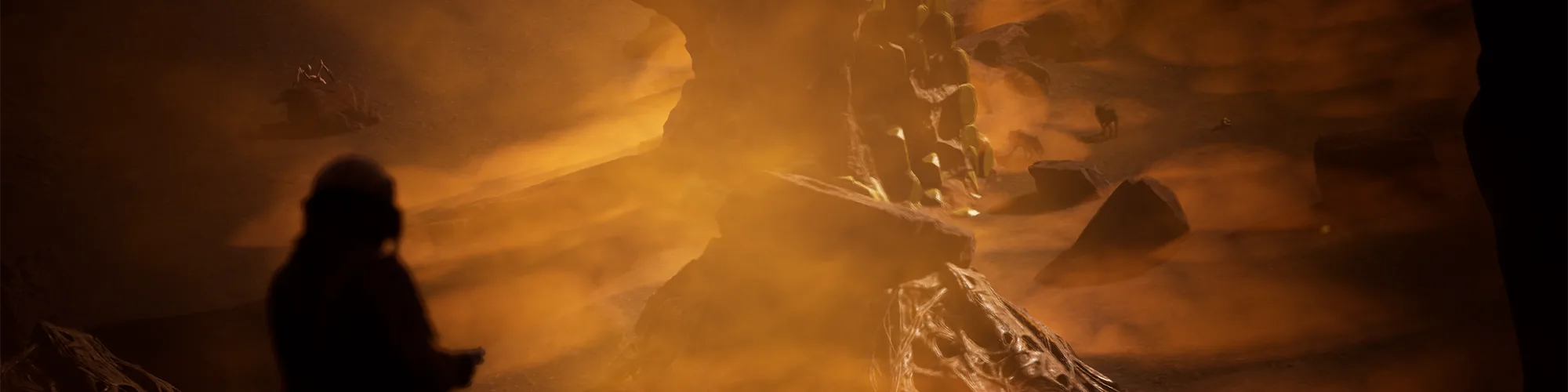
The player-facing radiation effect also gets a pass. A vignette that grows around the corners of the screen communicates rising danger while leaving the central view clearer. The developer says radiation effects can linger, so the display needs to warn players without making it harder to see the world around them.
Other fixes address Kiwi hunger behavior in snare traps, duplicate item rewards when an invalid reward is removed, and RIFT sandworm objectives that could appear complete before players defeated the worms. Sand-scuttles now provide less meat and bone, and Creature Deterrents and Food Troughs can accept spoiled plants.
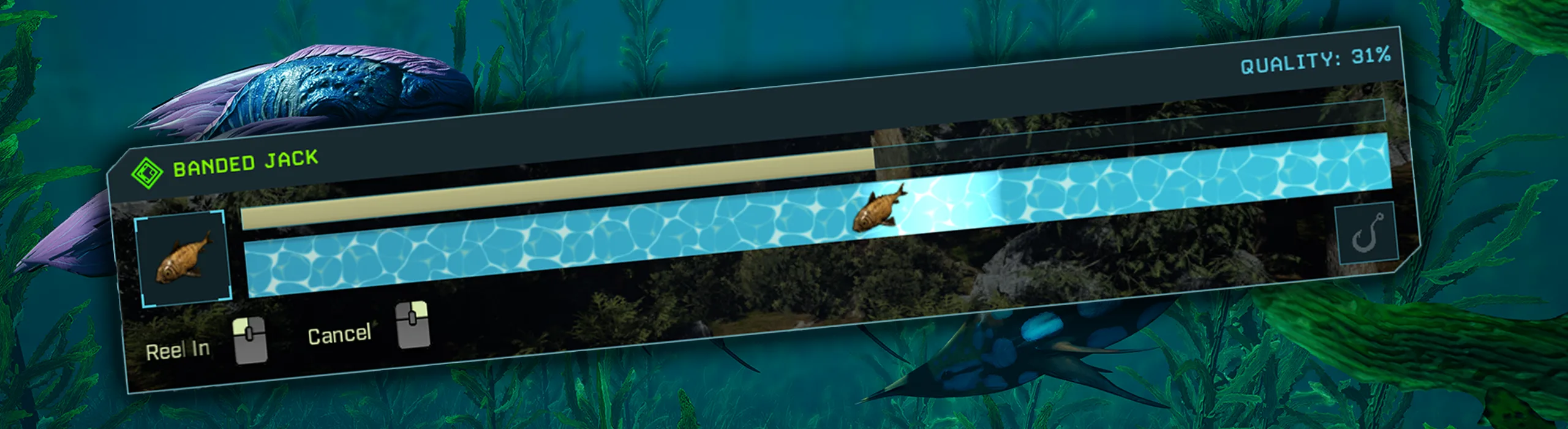
Next week, Icarus will update the Fishing Capture UI and add comfort bonuses for aquariums and fishing mounts based on the fish displayed in them. Fish will also gain new uses in crafting important items beyond cooking recipes.
Icarus 3.0.31.158478-rel-DangerousHorizons Patch Notes
New Content
- Radiation area effect culling and updated VFX
- wip polish pass on radiation floor fog material
- polish pass on radiation area FX
- Radiation Area Effects – Fixed incorrect collision settings on SphereComponent preventing vis traces with the spline tool/s and swapped HISM component out for ISM as the original BP had.
- fixed double spawn particles on Radiation Area FX vertical rads
- Radiation Area Effects – Fixed inability to pickup items that were dropped within a radiation sphere’s radius.
- Fixing issue where the radiaiton zone would not scale correctly when stacks of uranium where placed in chests, we where trying to lerp between 2 minium values, not a minium and maximum
Fixed
- Localisation – tamed creatures bloodline stat bonuses ‘every x level’ is can now be properly translated
- Localization fix for ‘LVL’ in character screen
- Localization fix for ‘Any Of The Following’ for recipe tagged items
- ELY – fixed macros intersecting with cave in arctic, green quad
- ELY – various cliff fixes in arctic, green quad
- ELY – fixed lake plane in swamp, orange quad
- ELY – cliff fix in desert, yellow quad
- RIFT – Fixing issue where the defeat sandworm objectives would appear completed when they where not
- RIFT – Fixing issue where sometimes the sandworm wouldn’t spawn – adding fallback case so if finding a spawn location fails we revert to using the quest marker
- Fix to Creature Deterrent not allowing spoiled plants in its inventory
- T4 Water Purifier: Fixed LOD screensize settings. Removed unused logic and variables in BP. Added supporting Lights (med spec+). Fixed DM not being defined. Updated resource network transforms. Optimized VFX on low spec. Perform material swap when processing and remove emissive setup from base material. Remove unused Glass textures
- Tweaked Uranium Converter LOD screensizes
- Updated collision on all crop meshes to use simple as complex to provide more consistent interaction vs harvesting. Tweaks to LOD screensizes and DF setups to optimize visuals and performance
- Added background blur to rewards delivered popup. Removed redundant ‘rewards’ text. Fixed Roboto font being used. Extended width from 300 to 320px and shrunk title font size 4pt
- Fixed issue where cows stop being able to be milked after being brought down from orbit. Removed debug logging
- Increased size box by 2px to remove unncessary scrollbar on ItemsOnDrop widget. Fixed OpenProspectWindow using Roboto font for Host text
- Fixing issue where kiwi’s would try to eat nearby unreachable foilage when snared by a snare trap to reduce their hunger
- Small creature footstep adjustment based on velocity to better represent size
- Subtle spacializer adjustments to deployable spacializer to ensure they aren’t playing over too long distance. Reduction in volume to rain reservoire. Subtle dog idle reductions
- Adjustment to spacializing and start of cleaning device
- Small reduction in spacial distancing of cre chew meat audio
- Adjustments to cleaning device audio so the start and stop is more subtle to help reduce it feeling too annoying when crafting mulitple items
- REducing glass crack sounds as you walk on them. Now triggered only rarely with sprint and land
- Small reduction in anvil t4 constant sound and deployable spacial update
- Small reduction in volume and distancing of T4 anvil – foundry animation audio to help keep it more subtle when crafting a lot.
- Small increase in fireplace distancing when up close
- Small reduction in low end and slight pitch up for gas fly horn to better match their size
- Adjustment to footstep crack audio. Less crack on sprinting on glass
- Small reduction in click sound for crafting mulitple items
- Small scatter voc adjustment to reduce constant idling
- Adjusting wolf idles to be consistent to reduce many breathing sounds when player has a few pets
- Reducing total max numbe of wolf idles and setting to virtualize
- Additional subtle distancing tweak for cre idle
- Small subtle tweak to creature footstep distancing
- Better footstep on sand balancing and adjustments to random pitching layer for better realism. Also adding other temp coastal atmosphere setup that better reflects the desired colour vibe of the atmosphere
- Further simpliification and fine tune to the footstep on sand event. Reducing amount of layers and keeping it feeling more consistent
- Adding the salted audio event to the salting station when an item gets salted
- Fixing issue where item rewards would duplicated if the previous item reward in the entry was invalid, the system now handles items being stripped out such as when feature levels are used
- Lowered the Sand-scuttles meat and bone drop as they where to high for the creatures size and difficulty
Future Content
- Face Customization – Changed the format of the head UI to match the new wireframe. – Added a GetSelectedOptionName() to custom combo box cpp.
- Face Customization – Fixed being able to have more than 2 ‘none’ options for face blending
- Face Customization – Added new variables to CharacterCosmetics struct for directional enums and their float value for saving blending.
- Face Customization – Stopped the doubling up of face shapes. if you select a pre existing face shape it will swap the locations of the two.
- Face Customization – Fixed EFaceShapes name change incorrect references causing face presets to stop blending from working
- Face Customization – Rehooked combo boxes swapping between each other when selecting same face shape
- Face Customization – Fixed face blending not working on default character due to enum name change.
- When moving the blend shape or selecting a preset the camera now properly zooms into the players face.
- Adding newly added beaver jump audio and increasing distance of bump audio
- Added Ginger and Spinach food item and seed packet item icons and modifier icons.
- Increase in distancing and reverb of dino roar to make it feel bigger in the environment
- Added first pass Giant beetle sk mesh, textures and materials
- Reimported the giant beetle SK mesh and deleted the SK mesh with the incorrect naming.
- Added Pineapple item icon.
- Redoing how crab footsteps are done. Now working within the foliage event instead of on each BP. This cleans up occlusion and simplifies things
- Fixing Feature Level on World Boss Fertilizer so it matches 4.0.0 and shifting the talent into the T4 blueprint tree
- Adding Lead Ore Icon and Mesh Setup
- Added Giant Turtle sk meshes, materials and textures
- ARK – mesh placement, landscape sculpting, decal painting in Volcanic, red + purple quads
- Added Trees, Cliffs, Lakes and Landscape Sculpting in the Jungle, Green Quad
- ARK – mesh placement, landscape sculpting in Volcanic, red + purple quads
- more blue quad polish on Ark
- ARK – changed PM on DC_Dirt layerinfo (coastal grass) to grass
- blue quad cliff and decal edits on Aark
- ARK – mesh placement, landscape sculpting in Volcanic, red quad
- Legendary Launcher – Changed ADS anim to by launcher instead of rifle
- Fixed Building Tool not displaying stockpiles in the radial menu
- Fixing the UI so it can be read in the radial menu
Do the new radiation effects make the danger clear without getting in the way of the view? Stay connected for details on next week’s Fishing Capture UI changes and fish-based comfort bonuses on X, Bluesky, YouTube, Instagram, Steam, and Telegram.
Icarus
Developed by RocketWerkz