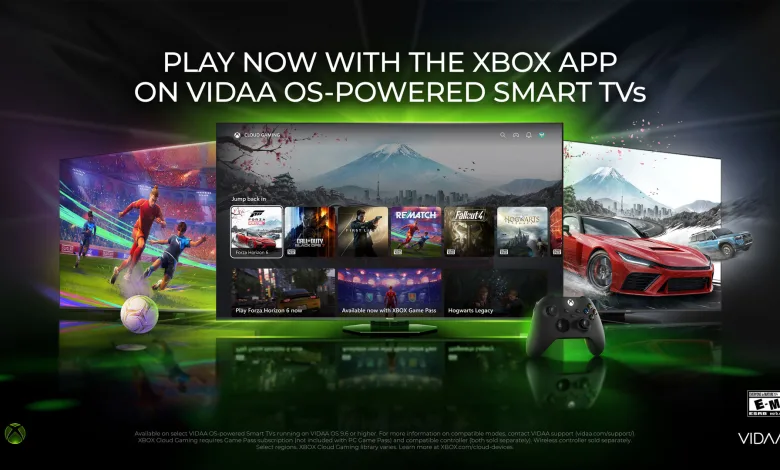
The Xbox app is rolling out to millions of Smart TVs running VIDAA OS, including supported Hisense models from 2024 through 2026. The rollout began over the past month and is continuing across additional devices and regions, according to an Xbox announcement.
Once the app reaches a compatible TV, players can stream hundreds of games through Xbox Game Pass without buying a dedicated console. The available library depends on the player’s region, device, and Game Pass plan. Subscribers can also stream supported games they already own, even when those titles are not part of the Game Pass catalog.

Progress carries between supported devices, so a game started on a TV can continue elsewhere. The announcement specifically mentions Forza Horizon 6 and Halo: Campaign Evolved among the games players can access through the service.
What You Need to Use Xbox on VIDAA TVs
Playing through the app requires a VIDAA OS-powered Smart TV or supported Hisense TV running VIDAA OS 9.6 or later. Model availability can vary, and VIDAA directs owners to its support team for compatibility information.
You will also need an Xbox Game Pass subscription on the Ultimate, Premium, or Essential plan, a supported Bluetooth-enabled wireless controller, and a fast internet connection. Xbox maintains a list of verified cloud gaming devices and controllers.
How to Find the Xbox App
- Update the television to VIDAA OS 9.6 if an update is available. The update may not reach every supported model at the same time.
- Open the Xbox app from the TV’s Home Page or from the “Games” section of the menu bar.
- Sign in to an existing Xbox account or create a new one.
- Pair a compatible Bluetooth-enabled controller. Supported options include the Xbox Wireless Controller, Xbox Adaptive Controller, Xbox Elite Wireless Controller Series 2, PlayStation DualSense, and PlayStation DualShock 4.
- Choose a game and begin streaming.
Xbox says the app will continue reaching compatible VIDAA OS TVs as updates become available in more regions. Cloud gaming is also supported on other devices, including smartphones, Windows PCs, and tablets, through Xbox Cloud Gaming.
Would you use the Xbox app on a Hisense or VIDAA TV? Share your thoughts in the comments, and follow us on X, Bluesky, YouTube, and Instagram.