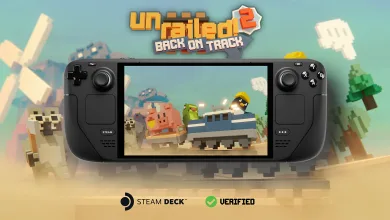
Unrailed 2’s Maintenance Update Gives Bots a Tune-Up and Adds a China Network Toggle
Indoor Astronaut says the v-921-6c1ab81 patch also improves performance, memory use, and crash stability while console builds go through certification.

Indoor Astronaut said in a Steam news post for Unrailed 2: Back on Track that it deployed a small maintenance update focused on performance, bot behavior, and crash fixes. The patch also adds an experimental China network setting for players who have been running into connection trouble in China.
The studio noted that some of the improvements only work when crossplay is turned off. Console patches are being submitted for certification now, and another small update will follow once all versions can match feature for feature with crossplay enabled.

The v-921-6c1ab81 build leans hard into cleanup work. It brings faster map generation, lower memory use, better controller handling, and a long list of fixes for replays, checkpoints, bot pathing, and a few rough crashes.
Patch Notes v-921-6c1ab81
Here are the official notes, kept in order.
General
- New: “Use China network (Experimental)” online setting added to use a similar network middleware like in Unrailed 1 for chinese players to solve networking issue. When playing in chinese, the button will also appear in the join menu.
- Improvement: Overall significant performance improvements (reducing lags from particle emitters, bot, magnet perk and more – note that not all improvements are active while crossplay is enabled)
- Improvement: Faster Octoboss map generation
- Improvement: Lower memory usage
- Improvement: Better NPC image contrast
- Improvement: Centered controller button icons
- Improvement: Improved item shadow pop in/out from culling
- Improvement: Don’t show current wave position of miner wagon when in blueprint
- Improvement: Improved ping handling for the controller
- Improvement: Improved night lighting
- Improvement: More consistent push and pull icons
- Balance: Flying drones and bombs are now removed when opening a versus station
- Bug fix: Speed reductions from gambling stations were not reset when entering the underground biome
- Bug fix: Mapgen doesn’t utilize more cores when loading a savegame directly into a loading screen (resulting in even longer loading times)
- Bug fix: Tools immediately respawned when they were stolen in versus (now they respawn again after 20 seconds)
- Bug fix: Countdown offset for toy engine was wrong
- Bug fix: Engine burning emitter sometimes spawns at the wrong position for some frames
- Bug fix: The player ui was missing some players sometimes (often after crashes and loading a checkpoint)
- Bug fix: Icons of extensions and cartridges on the boxes were not correctly centered
- Bug fix: Handbook or setting closed when pressing the switch bot button
- Crash fix: Crash in some replays
- Crash fix: Crash at random places due to memory issues (probably when saving or loading checkpoints)
Bot
- Improvement: Improved bot pathfinding for track placement
- Improvement: The bot is now better in avoiding explosives
- Improvement: Bot waits shortly when it was dashed and shows the angry emote
- Improvement: Bot will now hit the tentacles of the Octoboss when the mining command is given on it
- Improvement: Bot will now hit underground lasers when the mining command is given on it
- Bug fix: Bots were avoiding non thrown bombs in versus on the wrong side
- Bug fix: Bot sometimes used items from the train even though items on the ground were closeby
- Bug fix: Bot doesn’t build bridges in track mode when a manual ping was set
- Bug fix: Bot somtimes can’t figure out a way to the station
- Bug fix: When adding a bot in versus, it was always added to team 0
- Bug fix: When switching teams in versus, a bot didn’t switch teams as well
Tell us what you think about this maintenance update in the comments, and follow us on X, Bluesky, YouTube, and Instagram for more gaming news.
Unrailed 2: Back on Track
Developed by Indoor Astronaut