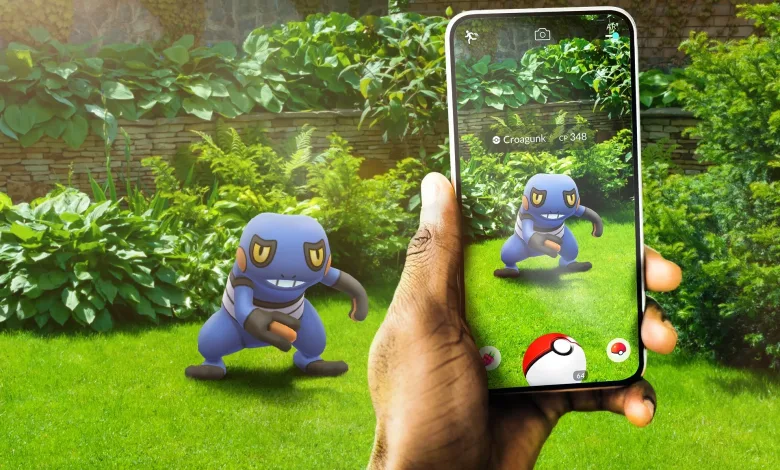
Two simple gestures can make Pokémon GO catches feel less stop-and-start: one lets you leave an encounter before its catch animation finishes, and another offers a different way to throw a curveball.
Quick catch + easy curve ball trick
byu/cobanat inpokemongo

Exit the catch animation early
To try the quick-catch method, drag the berry icon toward the center of the screen and keep holding it. With your other hand, throw a Poké Ball. Once the ball hits the Pokémon, release the berry icon to open the berry menu, then tap the screen to dismiss it.
The Run Away icon should still be available in the top-left corner. Tap it to leave the encounter instead of waiting for the animation to finish. If the Pokémon escaped the ball, it should remain on the map for another attempt. If it is no longer there, check your recently caught Pokémon to see whether it was caught or fled.
You can still feed the Pokémon a berry and use the shortcut. The same approach can also be done by holding the Poké Ball icon in the center instead of the berry icon. Skipping the wait can be handy during Community Day or any stretch of rapid catches.
Try a two-part curveball swipe
Instead of spinning the ball, begin near the bottom of the screen with a quick flick up and to the right. Then make a larger throwing motion back down toward your starting point and up to the left, adjusting the angle as needed.
Have you tried either gesture, or found another Pokémon GO catching shortcut worth sharing? For more on catching tricks and Pokémon GO features, stay connected on X, Bluesky, YouTube, Instagram, Steam, and Telegram.
Pokémon Go
Developed by Niantic Labs, The Pokémon Company
Pokémon Go is an augmented reality mobile game that uses GPS to let players locate, capture, train, and battle Pokémon in real-world locations. Players explore their physical surroundings to find PokéStops for items, battle at Gyms for team control, participate in Raid Battles cooperatively, and compete in the Go Battle League's player-versus-player format. The game is free-to-play with in-app purchases and features Pokémon from across multiple generations of the franchise.
- Genre Role-playing (RPG), Simulator
- Platforms Android, iOS
- Perspective Third person, Bird view / Isometric, Side view
- Modes Single player, Massively Multiplayer Online (MMO)
- Release July 6, 2016
- Publisher Niantic Labs
-
Age Rating