Delta Force’s Brakkesh 2.0 Adds Persistent Faction Jobs and Rival Squad Hunts
The redesign also opens another route into the control-room fight and gives hunters only intermittent search areas.

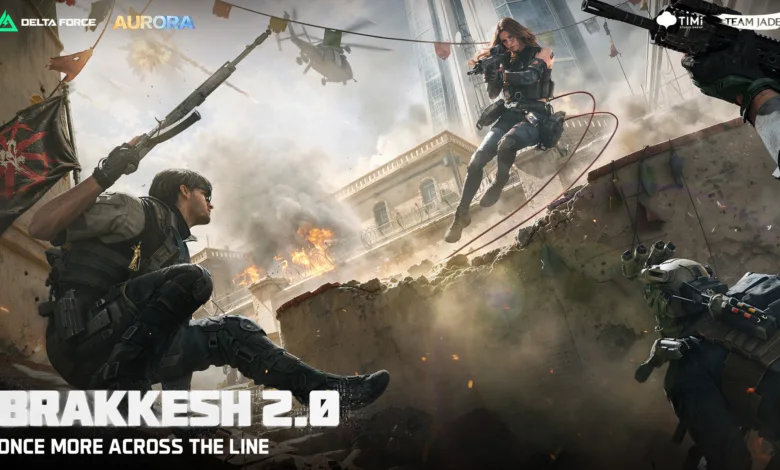
Brakkesh 2.0 gives Delta Force: Operations squads more ways to approach faction jobs and fights around the control room. The official Brakkesh 2.0 dev blog details those changes, building on Aurora’s earlier announcement of a rebuilt Brakkesh and an Ahsarah-HAAVK faction clash.
Faction progress carries between runs
Players taking faction work choose between helping Ahsarah reclaim a tower or protecting a HAAVK cargo delivery. Completing tasks raises a faction badge, which keeps its progress between runs and unlocks tougher assignments. Players can also change sides mid-run, with their faction status recording the switch.

At the highest badge level, players can use it to turn a limited number of enemy guards in Brakkesh friendly. The effect does not extend to an entire faction or to bosses, so it offers a brief advantage rather than a pass through every fight.
More ways into the control-room fight
The control-room approaches have been adjusted to make a stalled push less punishing. Entrances have changed, access to the upper floor comes earlier, and some ground-floor cover has been simplified. At the rear entrance, squads can use throwables before moving inside.
A new enclosed passage connects the wings, cutting down exposure to outside fire during a crossing. Its narrow route can still be held by the squad on the other end. The wings are also easier to tell apart at a glance, with different wall colors, lighting, cover shapes, and elevator exits. One has broad, display-like cover, while the other has narrower cover and plants.
Faction missions can put a squad on the hunt
Starting a major faction mission can make a squad eligible for a hunt by players working for the other side, provided they meet the requirements. The targeted team receives a notification and can decide whether to continue the job, change routes, or confront its pursuers.
Hunters get a rough search area that updates at intervals, not a live position. That gives the target time to leave the last reported area, while the hunters still have to find the squad. A third team can also enter the fight, leaving the encounter open to another set of decisions.
Which Brakkesh change could affect your runs most, the persistent faction jobs or the new hunt pressure? Follow the ongoing Aurora story through X, Bluesky, YouTube, Instagram, Steam, and Telegram.
Delta Force
Developed by TiMi Studio Group
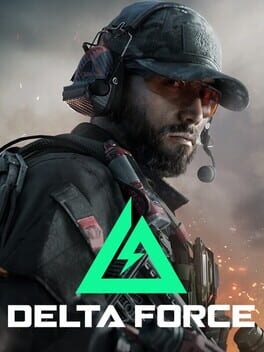
Delta Force is a free-to-play tactical first-person shooter developed by Team Jade and published by TiMi Studio Group. A reboot of the classic series originally created by NovaLogic, the game features large-scale multiplayer modes including a Warfare mode for massive PvP battles and Hazard Operations, an extraction-style mode. Players choose from a roster of operators with unique abilities fitting into Assault, Support, Engineer, or Recon archetypes. The game also includes a single-player and cooperative campaign inspired by the film Black Hawk Down, recreating Operation Gothic Serpent.
- Genre Shooter, Tactical
- Platforms Xbox Series X|S, Android, PC (Microsoft Windows), iOS, PlayStation 5
- Perspective First person
- Modes Single player, Multiplayer, Co-operative, Massively Multiplayer Online (MMO)
- Release December 5, 2024
- Publisher Garena, TiMi Studio Group
-
Age Rating