Cities: Skylines II’s Next Modding Push Will Cut Down on Editor Busywork
Planned tools include a -startEditor launch parameter, searchable prop lists, localization shortcuts for 12 supported languages, and off-disk playsets.

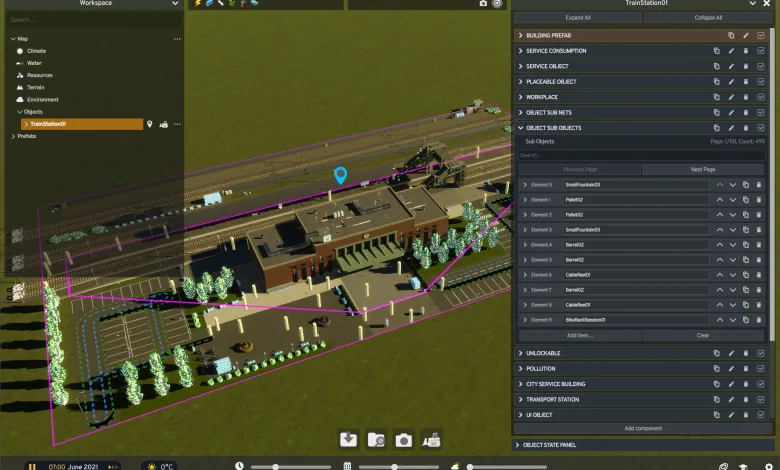
Cities: Skylines II is preparing a set of modding improvements, with Asset Editor changes planned for an upcoming patch and new launcher tools still in development. The developers outlined the work in City Corner #10, covering faster editor workflows, easier localization, new placement overrides, and better playset management.
The Asset Editor features are aimed at cutting down on repetitive clicks for creators. The launcher changes do not have an exact release date yet, so they remain a work in progress rather than a live feature set.


Asset Editor changes will make custom assets easier to manage
A new launch parameter, -startEditor, will open the Asset Editor as soon as the game starts instead of sending creators through the Main Menu first.
The Inspector panel will also gain controls for expanding or collapsing every component at once. Creators will be able to choose the default state in the options, use dedicated buttons, or assign a shortcut for switching between expanded and collapsed views.
Several Inspector panels will have fewer layers of collapsed containers, too. In many cases, inner containers will stay open so creators can reach the fields they need without opening one component and then another container inside it.
Long prop and item lists are getting a much more useful layout. Item names will appear beside their Element IDs even when the containers are collapsed, and a new search bar will filter entries by name or Element ID.
Selecting a propped item on an asset will also show its Element ID in the Object Info panel, alongside details such as local position and probability. Once that ID is visible, creators can copy it into the list search to find the matching entry much faster.
Localization tools will support all 12 languages at once
Adding translated names and descriptions will require fewer individual steps. The new Add All Translations button will create slots for every currently supported language at once instead of requiring creators to select Add Translation repeatedly for each field.
Description fields will also properly recognize the Enter key for multiline text. Asset descriptions already supported paragraphs, but the Editor input field did not correctly create new lines. Creators will be able to copy localization from one asset and paste it into another, which should be especially handy when making several variations of the same asset.
Placement overrides will handle prop settings earlier
When snapping is enabled while placing props, a new Overrides option will let creators set important properties as each item is added. Three settings will be available:
- Parent Mesh lets creators choose which mesh the prop attaches to, keeping the prop moving with that mesh.
- Group Index lets creators set the technical parameter during placement. It can affect synchronized spawn probability and color variation selection.
- Probability lets creators choose an item’s spawn probability while placing it. The default is 100%, and creators can select any value from 1% to 100%.
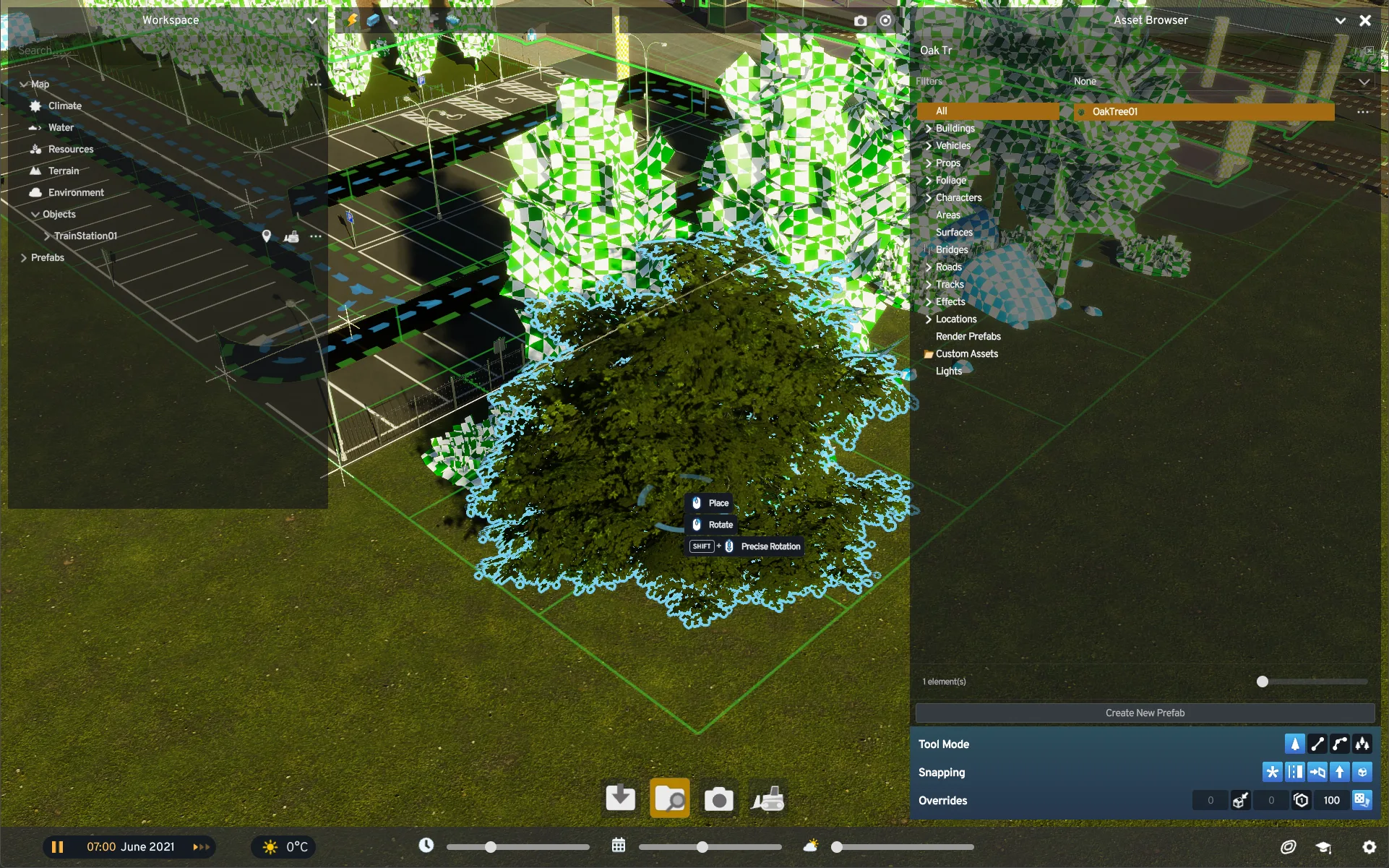
Each override can be enabled on its own or combined with the others. That means creators will not need to place every item first and then edit its settings one by one.
The launcher will gain more control over mod playsets
The developers are also working with the PDX Mods team on a launcher feature that will manage mods before the game starts. When the launcher opens, players will be able to choose an active playset. If the playset is corrupted or outdated, a warning will appear, with more information available by hovering over it.
The launcher will also attempt to update mods through the PDX Mods backend, including mods installed on the computer and mods that may be missing from it.
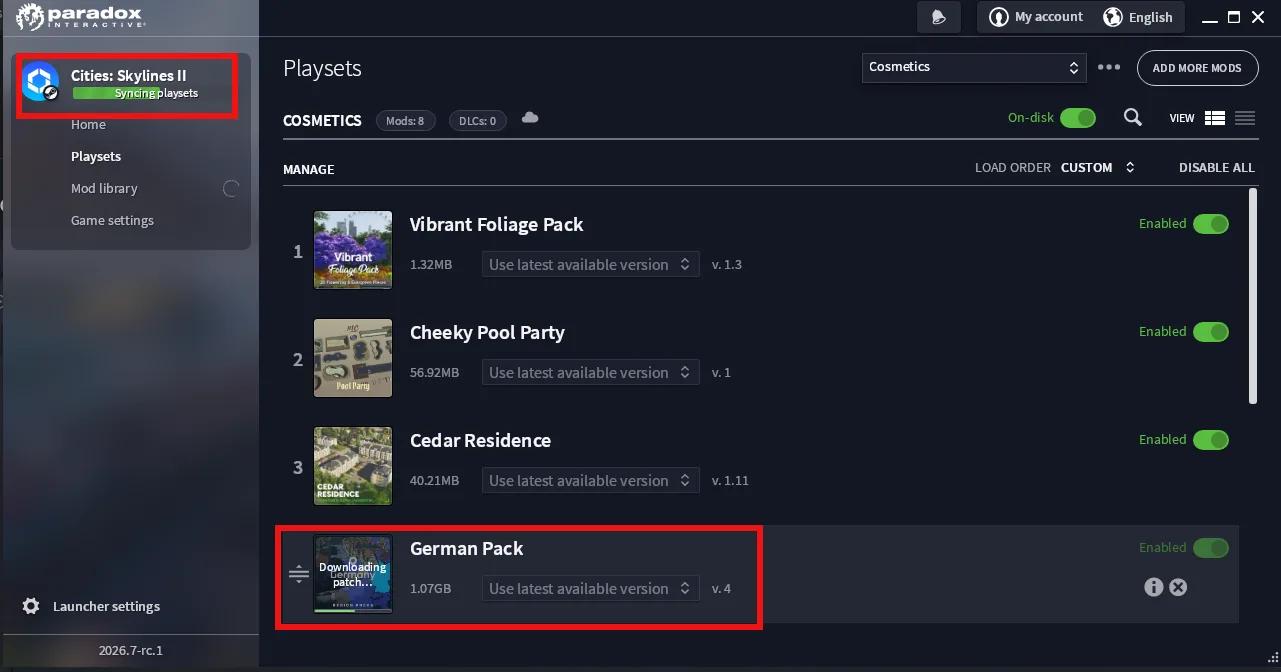
Playsets can be marked as off-disk, allowing players to keep the playset without downloading and installing its mods. The launcher will also support creating new playsets, deleting old ones, and editing existing ones. The name of this feature may change before release.
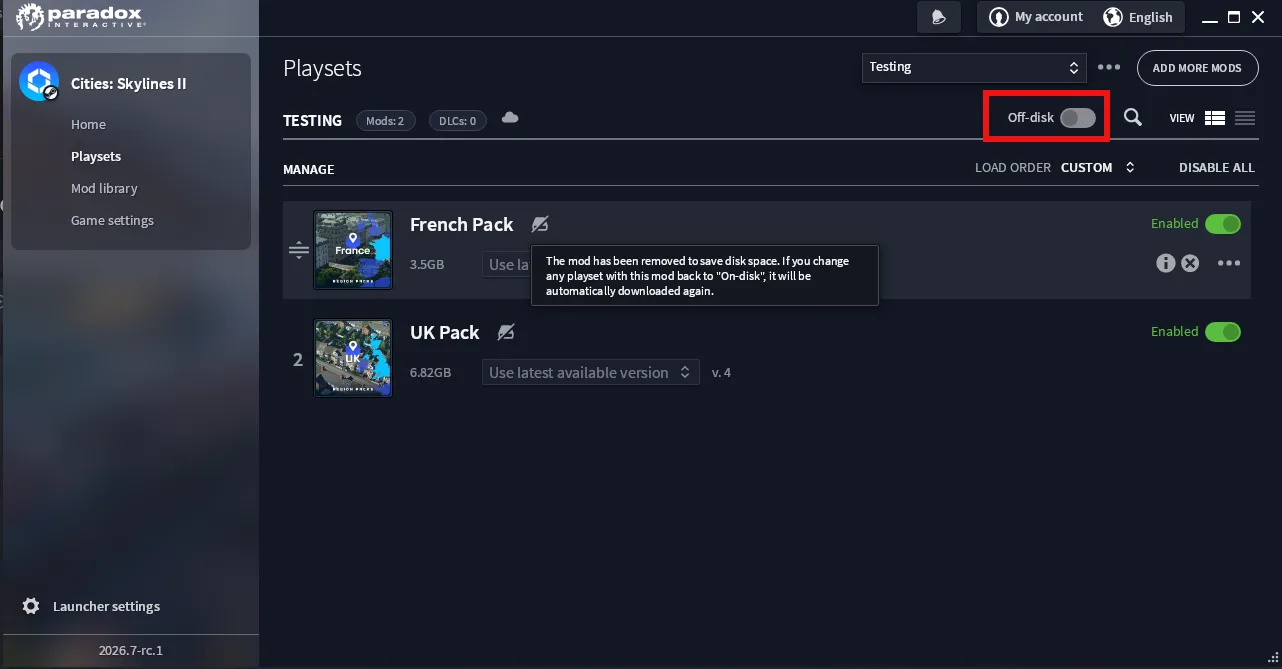
Longer-term plans include letting players change where downloaded mods are stored or spread them across multiple locations. Those options are still being developed, and no date has been announced for the launcher changes.
The team said community forums and its Creator Program are guiding the editor and mod-support work. The developers also plan to share more information about the upcoming patch in a future City Corner. Earlier in May, a Steam beta aimed at mod-related loading delays gave players a chance to test another improvement tied to using mods.
The planned tools should make custom asset creation and mod playset maintenance less fiddly. Share your thoughts in the comments, and follow us on X, Bluesky, YouTube, Instagram, Steam, and Telegram.
Cities: Skylines II
Developed by Colossal Order, Iceflake Studios

Create and manage your own city without restrictions. Offering a deep simulation and a living economy, Cities: Skylines II will challenge your decision-making skills and allow you to build the cities of your dreams. Get ready for a new epic scale in the most realistic city builder - ever.
- Genre Simulator, Strategy
- Platforms Xbox Series X|S, PC (Microsoft Windows), PlayStation 5
- Perspective Bird view / Isometric
- Modes Single player
- Release October 24, 2023
- Publisher Paradox Interactive
-
Age Rating