Age of Empires II Update 185872 brings Viking units and an AI overhaul
The September 22 update adds Mounted Crossbowmen, Varangian Guards, Arabian Desert, pathfinding changes, and fixes across PC, Xbox, and PlayStation.

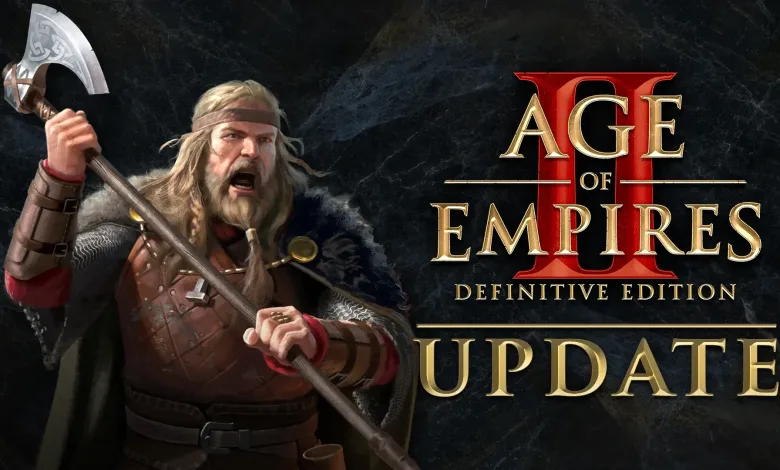
Age of Empires II: Definitive Edition Update 185872 is now live alongside The Viking Sagas. The patch adds the Mounted Crossbowman and Varangian Guard regional units, renames Longboats to Longships, introduces the Arabian Desert map, and makes broad changes to AI behavior and pathfinding. The launch also introduced the Danes, Saxons, and Varangians alongside Harald Hardrada’s 15-scenario campaign, as detailed in the launch details for The Viking Sagas.
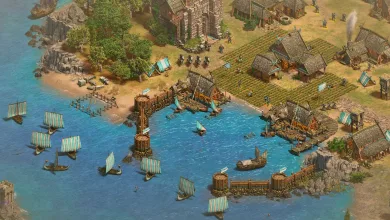
The update also includes new Scandinavian architecture, ship animations, regional wildlife and terrain details, Greek voice lines for the Byzantine civilization, faster multiplayer lobby file transfers, and a long list of campaign, platform, modding, and stability fixes. The official Update 185872 notes also warn that custom mods may not work correctly with the new build.
The Viking Sagas adds new units and naval changes
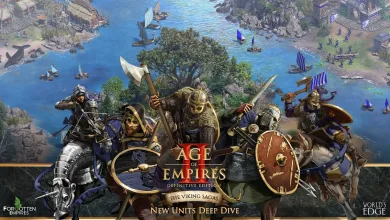
Mounted Crossbowmen replace Cavalry Archers for most European civilizations. The new mounted ranged unit has a powerful but slow attack, while the Cranequins technology gives Mounted Crossbowmen 1 additional range and 2 extra attack against infantry.
Varangian Guards are powerful shock infantry that generate gold when fighting other units and are affected by the Gambesons upgrade. The update also renames Longboats to Longships and makes them available to the Vikings, Danes, Saxons, and Varangians.
Alongside the Viking-themed additions, the patch brings a new Arabian Desert map. It is an open and competitive take on Arabia inspired by the King of the Desert tournament, with few forests and scarce resources that leave players exposed to raids.
AI and pathfinding receive broad changes
AI performance should improve in late-game situations, with the development team saying the AI now runs about 33% fewer rules per turn on average. Extreme AI also receives adjustments for island invasions, deathmatch openings, trade routes, boar hunting, external island resources, funnel walls, and stuck trade carts.
Pathfinding changes target army formations, villagers, gathering, ungarrisoning, and Stand Ground Patrol engagements. Heavily overlapping melee groups will be limited from executing attacks in the same way, which should make patrol stacking less dominant during large battles. The team said it will continue monitoring the results in live matches.
Patch Notes for Age of Empires II Update 185872
The official notes cover game stability, new units, campaign missions, random maps, matchmaking, AI, pathfinding, modding, localization, and more. The complete changes are reproduced below in their original order.
Game
Stability & Performance
- Fixed a bug forcing the Player’s PC to occasionally use the integrated GPU rather than the dedicated GPU.
- Fixed a bug preventing The Mountain Royals and Victors and Vanquished campaign progress from being stored in the Cloud.
- Fixed a bug on the Windows Store version hiding campaign progress and medals on startup until any campaign scenario was played and completed by the player.
- Fixed a crash happening on the Windows Store version related to DLC ownership and Campaign Scenarios.
- Fixed a crash happening occasionally when switching through tabs in the Options menu.
- Fixed a crash happening on the post-game Statistics screen.
- Fixed a crash happening upon attempting to close the game when in the Player Profile screen.
- Fixed a crash happening when subscribing or refreshing certain Mods.
- Fixed an issue that prevented Players on the Microsoft Store from accessing certain Campaigns despite owning the related DLC.
- Fixed a crash happening occasionally on PlayStation when hovering with the mouse cursor over the “Select Civilization” text in the Multiplayer lobby.
- Fixed a crash happening occasionally when advancing to scenario 3 of Chronicles: Battle for Greece.
Graphics
- Added sail animations for (Elite) Longships.
- Added oars animation for Fire Galleys.
- Updated Pineapple Bush graphic textures to be more saturated.
- Fixed the texture blurriness on Chinese Castle graphics.
- Replaced a corrupted frame in Siege Tower destruction animation.
Audio
- Added new Greek language unit voice lines for the Byzantine civilization.
- Adjusted the Narration accessibility option’s timing to better focus on the most important piece of information on screen.
- Fixed a bug causing the Microphone selected for Voice Chat to stop working after leaving the Settings tab.
- Fixed a bug causing the Narration accessibility option to loop upon some features in the Clan menu.
- Fixed a bug causing the Narration accessibility option to read Multiplayer Custom Lobbies’ Player count as a date or a fraction.
- Fixed a bug causing the Narration accessibility option not to read button inputs during Campaign Slideshow Cinematics.
- Fixed a bug causing the Narration accessibility option not to read button inputs in The Last Chieftains Campaign Menu.
- Fixed Market’s Buy/Sell sound effects being inverted.
- Fixed a bug causing the Narration to repeat a tooltip description when hovering over ‘Change Image’ in the Clan Settings.
Settings
- Improved ‘Right Click Garrison’ under Game Settings: replaced the checkbox with a dropdown menu which includes ‘Off’, ‘Alt Click Garrison’ and ‘On’ settings.
Hotkeys
- Added a “Set Gather Point” hotkey for Settlements.
- Fixed a bug making the “Select All Idle Military Units” hotkey to also select non-idle units.
- Fixed a bug making the Spearman Line upgrade hotkey at the Donjon to overlap with the Spearman Line creation hotkey.
- Fixed a bug preventing Armenian players to train Warrior Priests via hotkey when at least one Villager was garrisoned inside a Fortified Church.
- Fixed ALT+Right Click behavior for Villagers when “Right Click Garrison” is active: the Villager will now try to repair the target building only if it is not at full HP.
- “Go to Outpost” default hotkey changed to CTRL + J to avoid the overlap with the Go to Castle default hotkey.
- Added a “Create Cow” hotkey at the mill in scenario 04 of Chronicles: Alexander The Great.
Multiplayer
- Fixed a bug making Players’ Block Lists to reset if the Players turned crossplay off and back on again.
- Fixed a bug where Players couldn’t send invites if the Host left while they were joining a lobby.
- Fixed an issue causing chat logs to behave inconsistently between different platforms during Crossplay games.
- Redesigned the lobby file transfer indicator to appear as a spinner next to the player names instead of a progress bar.
- Lobby file transfer statuses are now shown for all players.
- Significantly improved download/upload speeds of lobby file transfers in restored or custom game lobbies.
- Spectators who start observing a game before it has started will no longer be kicked at game start if the game mode is a custom map and the host changes the custom map after the spectator has joined.
Xbox
- Added a tooltip to the Gamercard button in the Player search menu.
- Added Map Seed visibility in the Objectives tab during Skirmishes.
- Dravidian Unique Ship Thirisadai can now be selected by tapping the Naval Quick Find button.
- Fixed a bug causing AI players icons to appear black during the Loading Screen and Results Page.
- Fixed a bug causing the yellow cursor on the Technology Tree to behave inconsistently upon hovering over certain tiles.
- Fixed a bug causing multiple identical chat messages sent in Ranked and Quick Play pre-game lobbies to appear only once.
- Fixed a bug where a single stuck Villager would cause all other Villagers assigned to the same task to stop working when using the Villager Priority System.
- Fixed a crash related to Player Colored Range indicators’ rendering.
- Fixed a text formatting issue in Return of Rome Campaign scenarios’ names.
- Fixed an issue preventing Kreposts from appearing in the Quick Find radial menu.
- Fixed Sicilian Donjons not having an option to assign Spearmen to the quick creation shortcut button (Y)
- Fixed a bug causing Randomize Settings to select a Battle Royale map for Console users.
- Improved the Recent Players list filtering when Crossplay is enabled and disabled.
- Mitigated a crash happening when trying to start Skirmish matches.
- Mitigated missing sprites when playing large games.
- Now exiting a Campaign cinematic correctly brings the Player back on the last selected Scenario instead of defaulting to the last available scenario of the campaign.
- Prevented chats from previous games from being displayed when a new Multiplayer match is found.
- Removed incorrect descriptions from the Villager Priorities Help Index Documentation.
- Removed unnecessary UI Button callouts from Multiplayer Lobbies.
PlayStation
- Added Map Seed visibility in the Objectives tab during Skirmishes.
- Dravidian Unique Ship Thirisadai can now be selected by tapping the Naval Quick Find button.
- Fixed a bug causing AI players icons to appear black during the Loading Screen and Results Page.
- Fixed a bug causing multiple identical chat messages sent in Ranked and Quick Play pre-game lobbies to appear only once.
- Fixed a bug causing an error message to appear when navigating the Store page for The Last Chieftains via the Civilization Selection Menu.
- Fixed a bug causing the yellow cursor on the Technology Tree to behave inconsistently upon hovering over certain tiles.
- Fixed a bug where a single stuck Villager would cause all other Villagers assigned to the same task to stop working when using the Villager Priority System.
- Fixed a crash happening when playing with Mouse and Keyboard and hovering around the top area of the Civilization Selection Menu in Multiplayer lobbies.
- Fixed a crash related to Player Colored Range indicators’ rendering.
- Fixed a text formatting issue in Return of Rome Campaign scenarios’ names.
- Fixed an issue preventing Kreposts from appearing in the Quick Find radial menu.
- Fixed Sicilian Donjons not having an option to assign Spearmen to the quick creation shortcut button (Triangle).
- Fixed some performance-related crashes.
- Fixed some elements of the Multiplayer Lobby UI going out of their intended boundaries.
- Fixed a bug causing Randomize Settings to select a Battle Royale map for Console users.
- Fixed a bug causing some mods not to download.
- Improved the Recent Players list filtering when Crossplay is enabled and disabled.
- Improved visibility in the Options menu.
- Now exiting a Campaign cinematic correctly brings the Player back on the last selected Scenario instead of defaulting to the last available scenario of the campaign.
- Prevented chats from previous games from being displayed when a new Multiplayer match is found.
- Removed incorrect descriptions from the Villager Priorities Help Index Documentation.
- Removed unnecessary UI Button callouts from Multiplayer Lobbies.
Gameplay
General
- Fixed an issue where Fishing Ships could wander across the entire map in their pursuit of sweet tasty fish.
- Game folders for AI are created automatically, simplifying the process of installing AI mods from external sources.
- Improved Mapuche Settlements Smart Queue when producing units from several buildings at once.
- Fixed an issue where players Campaign Persistent progress was not saved if a player previously dismissed the prompt to “Overwrite Choices” and selected “No” from the Chronicles campaign screen.
New Units and Technology
With The Viking Sagas Mounted Crossbowmen are added to the game, replacing Cavalry Archers for most European civilizations, which can also be upgraded with the new Cranequins technology!
- Mounted Crossbowman – Mounted Archer with powerful but slow attack.
- Cranequins – Mounted Crossbowmen +1 range; +2 attack vs. Infantry.
- Varangian Guard – Powerful Shock Infantry that generates gold when fighting other units. Affected by the Gambesons upgrade.
- Renamed Longboat to Longship.
Fixes
- Fixed a bug allowing players to unload units past gaps and other obstacles using Siege Towers
- Fixed a bug causing Champi Scouts trained in Dark Age to be set on Stand Ground stance by default instead of the Player’s desired stance.
- Fixed a bug causing Gold Miners and Hunters to be unable to deposit resources after changing their assigned job.
- Fixed a bug causing Lou Chuans to lose their bonus damage against all ships after researching the Chinese Unique Technology Rocketry.
- Fixed a bug causing Ordo Cavalry to damage the Player’s own units when attacking instead of healing them.
- Fixed a bug causing Rathas to change their right-clicked target upon switching between Melee and Ranged modes.
- Fixed a bug causing unbuilt building Foundations to prevent players from building upon them.
- Fixed a bug causing Villager not showing as idle when blocked from finishing a task.
- Fixed an issue in Return of Rome where villagers were not able to attack predators that don’t contain food.
- Fixed an issue in Return of Rome preventing players from pressing the Spectate button, always showing it greyed out.
- Fixed an issue preventing Mods from automatically updating when launching the game.
- Fixed an issue preventing Mods from showing whether a new update is indeed available after pressing the “Check For Updates” button.
- Fixed an issue where “woof woof” cheat effect did not apply to several bird types.
- Fox kills are no longer counted in post-game units killed statistics.
- Prevented Players from funneling unpushable huntable animals (like Chickens) into Town Centers.
- Trade profit in post-game statistics now displays the sum of all resources obtained from trading, not only gold.
- Fixed a bug allowing Chronicles civilizations to build Champi line units when full tech tree is enabled.
- Fixed an issue where Campaign progress was not saved if a player previously dismissed the prompt to “Overwrite Choices” and selected “No” from the Chronicles campaign screen.
Campaign
Art of War
- Defending Against a Rush:
- Fixed enemies not attacking the player’s Villagers on the northern side of the map.
- Fixed enemy Militias from attacking the Player’s base if the Player built a Blacksmith as a barrier near the flagged area.
- Fast Castle Age:
- Fixed a bug that made the Objective to kill a Boar impossible to complete if the player killes both Boars on the map before the Objective is assigned.
Campaign Missions
- Arariboia 4: ‘Up In Smoke’:
- Fixed an issue where Nicolas Durand’s trained Heavy Crossbowmen could spawn into blocked areas between Wooden Forts and Gunpowder Kegs.
- Attila 2: ‘The Great Ride’:
- Player is no longer able to capture the Scythian army by getting it into line of sight without completing the secondary objective.
- Bari 3: ‘Loose Ends’:
- Varangian Guard civilization changed from Vikings to Varangians.
- Chronicles: Alexander The Great: Scenario 11, ‘The Battle of Gaugamela’.
- Alexander will no longer repeat a the same dialogue.
- Chronicles: Alexander The Great: Scenario 04, ‘Right to Rule’
- Trained cows at the mill do not count towards total population count anymore and they are able to be trained when at population cap.
- Edward Longshanks 1: ‘Vain Ambition’:
- The Castle in Hereford now uses Frankish castle graphics.
- Edward Longshanks 3: ‘Of Castles and Kings’:
- Replaced Dafydd ap Gruffydd’s Cavalry Archers with Mounted Crossbowmen.
- El Cid 1: ‘Brother Against Brother’:
- King Alfonso’s Army will no longer try to capture all the relics on the map.
- El Dorado 5: ‘The Golden King’:
- Fixed an issue that allowed the ambush cooldown to be instantly reset as the Ambush Hideout got destroyed during the ambush activation.
- Fixed an issue that caused ambushes not to generate properly under certain circumstances.
- Hautevilles 3: ‘Bohemond and the Emperor’:
- Replaced Alexios Komnenos’s Elite Berserks with Elite Varangian Guards.
- Historical Battles: ‘York’:
- Wessex civilization changed from Goths to Saxons.
- Replaced starting Huskarls and Throwing Axemen with Berserks.
- Historical Battles: ‘Hastings’:
- Harold the Saxon, Harold’s Raiders, Saxon Navy civilizations changed from Goths to Saxons.
- Replaced all Huskarls with Hearth Troops.
- Replaced Harold the Saxon’s Bombard Towers with Watch Tower-line.
- Harald Hardrada hero unit, Elite Berserks and Longships after the ownership change now benefit from researched by the player infantry and naval technologies.
- Assigned new icons to be displayed for Harald Hardrada’s and Harold the Saxon’s dialogues.
- Jan Zizka 1: ‘The One-Eyed Wanderer’:
- Disabled all Warships and related to them technologies in the Dock.
- Replaced Cavalry Archers guarding the supply carts of Rozmberk Forces with Mounted Crossbowmen.
- Jadwiga 5: ‘Vytautas’ Crusade’:
- Disabled all Warships, Trade Cogs and non-fishing technologies at the Dock to reflect the Hint stating that Fishing Ships are the only water units available for the Player.
- Jadwiga 6: ‘The Fruits of Her Labor’:
- Disabled all Warships, Trade Cogs and non-fishing technologies at the Dock to reflect the Hint stating that Fishing Ships are the only water units available for the Player.
- Joan of Arc 6: ‘A Perfect Martyr’:
- Flags with enemy player color now properly disappear upon claiming territories.
- Liu Bei 5: ‘The Battle of Red Cliffs’:
- Now repairing Zhou Yu’s Demolition Ships and completing the wind ritual is enough to incinerate Cao Cao’s Fleet.
- Montezuma 2: ‘The Triple Alliance’:
- Players can no longer boost the statistics of more than 10 Jaguar Warriors by ungarrisoning them from Rams close to the temple.
- Rajendra 5: ‘Slaying the Vritra’:
- Now the allied player Suryavarman (Green) helps the player by building docks and transport ships.
- Sun Clan 2: ‘The Conquest of Jiangdong’:
- Fixed a bug making the Orange allied units at the start to disappear if the Player moved camera away from the initial scene.
- Sun Clan 5: ‘The Battle of Red Cliffs’:
- Fixed an issue where Dragon Ships could not be trained.
- Tamar 4: ‘Tamar the Builder’:
- The stance of Alexios towards Zakarian Brothers is now correctly set to ally.
- Victors and Vanquished: ‘Charlemagne’:
- Saxons civilization changed from Goths to Saxons.
- Defeating the Saxons now provides Saxons Unique Technologies.
- Victors and Vanquished: ‘Drake’:
- Replaced Natives’ Iroquois Warriors with Blackwood Archers and Ibirapema Warriors.
- Victors and Vanquished: ‘Finehair’:
- Players can now train Varangian Guards instead of Huskarls.
- Danes civilization changed from Vikings to Danes.
- Replaced Danes’ Berserks with Jomsvikings and Varangian Guards.
- Can now only train Elite Boyars at the Krepost in the east.
- ‘Feast’ Unique Technologies updated: Garland Wars, Wootz Steel, and Kshatriyas replaced with Hamask, Gothikon, and Shield Wall.
- Odin’s Falcon replaced with a Raven.
- Player now receives units sooner during opening sequence.
- Hulk disabled.
- Victors and Vanquished: ‘Karlsefni’:
- Transport Ships restored to 100 hit points for the scenario.
- Seals are now huntable in northern islands.
- Fire Galleys and Hulks disabled.
- Victors and Vanquished: ‘Komnenos’:
- Imperial Legionaries now receive +1 pierce armor when Gambesons researched.
- Renamed Varangians to Varangian Berserks.
- Victors and Vanquished: ‘Nobunaga’:
- Otomo Missionaries can no longer deposit Relics into Monasteries.
- Victors and Vanquished: ‘Otto’:
- Tribute is now 5x more effective at improving vassal loyalty.
- Killing enemy units is now 2x more effective at improving vassal loyalty.
- Razing enemy buildings is now 5x more effective at improving vassal loyalty.
- Vassals with large armies now decrease vassal loyalty more rapidly.
- Victors and Vanquished: ‘Ragnar’:
- Improved the spawn point of the Northumbria player’s Teutonic Knights, preventing them from becoming stuck.
- Improved hotkey assignment for units trained in the Warrior’s Hall building.
- Players can now train Varangian Guards instead of Huskarls.
- Previous Blot bonuses and prayer bonuses that applied to Huskarls now apply to Varangian Guards.
- Transport Ships now begin with 20 carrying capacity.
- Transport Ships restored to 100 hit points for the scenario.
- Wessex and Anglia civilization changed from Britons to Saxons.
- Wessex and Anglia now train Hearth Troops and archers instead of Serjeants and Longbowmen.
- Replaced all Serjeants with Hearth Troops.
- Replaced all Saami Slingers with Elite Skirmishers.
- You can now lose the scenario if you own no buildings or military units.
- Enemy Priests updated to Monks with Viking skin.
- Victors and Vanquished: ‘Seljuk’:
- Replaced Byzantine Huskarls with Varangian Guards.
- Victors and Vanquished: ‘Stephen’:
- Earl Ranulf of Chester now uses Britons architecture; civilization renamed to Normans.
- Henry of Winchester can now collect Relics without changing name and unit stats.
- Victors and Vanquished: ‘Temujin’:
- Great Jin civilization changed from Chinese to Jurchen.
- Khamag Mongol Priest updated to Monk with Mongol shaman skin.
- AI enemies will no longer attack your Yurt dropsite.
- Victors and Vanquished: ‘Vortigern’:
- Saxon recruitment time reduced.
- Recruiting Saxons now provides Hearth Troops instead of Huskarls.
- Saxons civilization changed from Vikings to Saxons.
- Adjusted spawn rate of Picts to reduce northern threat.
- Victors and Vanquished: ‘Xie An’:
- Bombard Towers enabled.
Random Maps
New Map
- Arabian Desert – An arid, brutal, and unforgiving battlefield. The open landscape holds only a few forests and scarce resources, leaving little shelter from enemy raids.
- A more open and competitive version of Arabia drawing heavy inspiration from the King of the Desert tournament.
Map Balance
- Aftermath
- Players now start with the intended by the map design partially destroyed Stone Walls regardless of the starting settings in the game.
- Gates are now instantly destroyed at the game start without visible destruction animations.
- Amazon Tunnel
- Fixed nearby forests not generating when playing with unusual team setups.
- Arena
- Fixed players sometimes spawning with unintended additional resources inside their walls.
- Fixed gold deposits sometimes failing to generate.
- Removed the chance of small huntable animals generating.
- Black Forest
- The ponds have received a 50% size increase.
- Fixed an issue where some players would sometimes spawn with a neabry pond, while other players would not.
- BR El Dorado
- Changed the building graphics to Andean set by setting the gaia civilization to Muisca.
- Dorothea Quarry
- Fixed lumberjacks not always generating in the correct number when playing Empire Wars.
- Fortified Clearing
- Increased the forest coverage on larger map sizes.
- Glacis
- Ensured starting mills always generate next to the shallows when playing Empire Wars.
- The flags now use generic flag graphics.
- Graupel
- Fixed the game modes King of the Hill and Capture the Relic being unplayable due to player’s being immediately defeated at game start.
- Hengehold
- Fixed an issue where units would sometimes get stuck on the Stonehenge object.
- Fixed lumber camps sometimes not generating near forests, resulting in an incorrect number of lumberjacks generating when playing Empire Wars.
- The map now only generates one large huntable animal per player in the center of the map.
- Land Nomad
- Added more variety in the map themes.
- Players now spawn with one herdable close to one of their starting villagers.
- Player’s starting villagers now generate more consistently spaced across the map, ensuring all players have roughly the same walking distance.
- Gold and stone deposits are more evenly spread out across the map.
- Forage bush clusters now appear on the map.
- Relics are more evenly distributed across the map.
- Relics now scale more appropriately across map sizes.
- Updated the map visuals.
- Pilgrims
- Fixed players starting with a monastery, when not playing Capture the Relic.
- Fixed placeholder terrains sometimes being visible in the water.
- Fixed the map not generating appropriately when playing with fewer than two players.
- Ring Fortress
- The fortified palisade walls have been replaced by fort walls.
- Fixed dead fish trap graphics sometimes showing up under or around the player’s starting town center.
- Added two huntable animals for all players.
- Added a group of small huntable animals for all players.
- Neutral huntable animals have been replaced by small huntable animals.
- Added neutral skulks of foxes.
- Removed neutral groups of forage bushes.
- Decreased the amount of gold and stone on the map.
- All resources are now more evenly spaced across the map.
- Relics are more evenly distributed across the map.
- Relics now scale more appropriately across map sizes.
- Updated the map visuals.
- Runestones
- Added new Runestones eye candy objects scattered on the map.
- Seasons
- Fixed forests not generating correctly when playing with more than two players.
- Improved seasonal differences on generation.
- Thames
- Forests are now smaller, but more evenly distributed on the map.
- The Royal Albert Hall has been replaced by a more generic monument.
- The shape of the river is now more consistent on both sides of the map.
- More crossings now appear across the river.
- The monument building is now more consistently placed between players.
- There’s now more open space surrounding the monument.
- Vulpine
- Decreased the chance of villagers spawning inside forage bushes or other objects when playing Empire Wars.
- Fixed a graphical bug when playing with King of the Hill or Capture the Relic enabled.
Random Map Scripting
- The chance check when choosing an object from an object group is no longer inverted.
- Fixed an issue where the map type defined in ai_info_map_type parameter was not being considered by AI.
- Fixed an issue where GAIA effect_amount commands from generated in editor random maps were carried over into the next game in the same session.
- Updated and fixed constants in random_map.def file:
- Expanded the map constants from 41 legacy declarations to all 194 current map entries.
- Corrected some existing map constants that used obsolete or incorrect IDs and removed legacy constants that no longer correspond to any maps.
- Fixed ATTR_ICON_GRAPHICS_ANGLE being incorrectly defined as ATTR_UPGRADE_GRAPHIC.
- Fixed ATTR_REMOVE_ATTACK_TYPE being incorrectly defined as ATTR_REMOVE_ARMOR_TYPE.
- Added unit class constants.
Lobbies and Matchmaking
General
- Adjusted lobby settings for Ranked Deathmatch:
- Team Positions: Locked → Unlocked
- Turbo Mode: Locked → Unlocked
- Fixed a bug causing an error message to appear when leaving a Matchmaking queue as non-hosting player.
- Fixed a bug causing maps and scenarios with non-ASCII characters in their file names to fail transfer for spectators.
- Fixed a bug causing the chat to stop working when the Chat tooltip was active in Quick Play lobbies.
- Fixed a bug preventing player names to stop showing under some circumstances in Multiplayer Custom Lobbies
- Fixed a bug preventing the chat Spam Protection to work properly in Quick Play lobbies.
- Fixed a bug causing the chat window to scroll to the top of a conversation after each new message.
- Lobbies will now correctly store last game’s Setting upon closing and restarting the game.
- Lobby file transfer statuses are now shown for all players.
- The game will now correctly save Civilization Set and Antiquity Mode lobby options after returning to Main Menu or finishing a scenario.
AI
General
- AI will mostly stop farming if the wood price is extremely high.
- Decreased the performance impact of the DE AI in the lategame. On average, the AI runs about 33% less rules each turn.
- Extreme AI: Improved the AI’s ability to transport units across island maps. The AI will occasionally add a forward builder to support the invasion.
- Extreme AI: In deathmatch, the AI will attempt to quickwall builders from being attacked by the starting scout until it has 2 military units.
- Extreme AI: In deathmatch, the AI will build its first several buildings in a more compressed area, making it faster to develop and harder to disrupt.
- Extreme AI: The AI cuts trade routes more consistently and with a larger cut in maps labelled as Amazon Tunnel, Black Forest, Arena, Wolf Hill, African Clearing and Mangrove Jungle. The trade path on certain maps has been improved to be more behind the players.
- Extreme AI: The AI will make a market for land trading on an ally’s island on Islands maps once it has gained control of the water.
- Extreme AI: The AI will now garrison the Town Center to kill Boars more efficiently.
- Extreme AI: The AI will occasionally take advantage of resources on external islands in Islands.
- Extreme AI: The AI will sometimes try to build a few funnel walls with buildings or palisades between its starting forests and the town center.
- Extreme AI: The AI will try to free stuck Trade Carts belonging to itself. It will first try directing Onagers to cut nearby trees, then delete non-critical buildings that are near the stuck carts. As a last resort, it will delete the carts if they have been stuck for a long time.
- Fixed a bug where the AI would try to inappropriately migrate lategame in non-migration maps when resources are low.
- Fixed an AI Script error with the CD AI when Deathmatch was played.
- Prevented AI Ranged Units from stuttering and not firing when in a group.
- The AI generally focuses a bit more on adding economy earlier in deathmatch settings.
- The AI will make more trade cogs in no wood situations and focus on army compositions that use less wood.
Scripting
- AIs will be less likely to gather from further trees when using the gather percentage system.
- Each AI player’s turns are now spaced out to only be processed one at a time instead of all at once (excluding at the start of the game) to more evenly manage game performance.
- Fixed a bug with up-delete-distant-farms where a farm belonging to another player could be deleted if the AI recently converted it.
- Fixed a bug with up-set-target-by-id where the command could occasionally proceed even with an invalid Unit ID if used as a fact.
- Fixed some edge cases with escrow where an AI could be prevented from training a unit if an unresearched tech changed the type of resources required for that unit.
- If an AI villager fails to path to a building foundation, the building will now be cancelled instead of indefinitely sitting in the build queue blocking further building.
- Improved the performance impact of the up-update-targets command.
- Object-data-next-attack will now read the correct value when the unit is in an attack animation.
- Settlements will now be repaired if AI has sn-object-repair-level dropsite repair flag.
- The number of AI turns is now more proportional to the framerate and can now decrease if the frame rate gets very low to more effectively manage limited game resources.
- The number of AI turns is now defined in terms of game speed, making testing and gameplay on faster speeds more reliable and consistent with slower speeds.
- up-reset-scouts will only reset scouts that are actively exploring, not those that merely happen to be in an explore group.
Pathfinding
General
Developer Note: Leading an empire down the road of success instead of ruin requires reliable pathfinding and in Age of Empires II we know that this has not always been the case. This patch marks another major push forward in refining how your armies group up, march, and clash on the battlefield, while giving your villagers and ungarrisoning troops a much needed boost in common sense.
A change to “Stand Ground Patrol”
We have set our sights on the infamous Stand Ground Patrol engagements and after many iterations we’ve introduced a change that limits heavily overlapping groups of melee units from executing attacks. This adjustment is designed to curb the extreme effectiveness of offensive Stand Ground Patrols (though it remains one of the best engagement options, just not the only viable one) and encourage units to spread out more naturally during combat. This makes large battles much easier to oversee for both players and spectators and makes patrolling massive armies into battle, known as “patrol stacking” far less dominant.
We will be closely monitoring Stand Ground Patrol behavior in live matches to evaluate how these changes perform in real-time play. Now that we have set up this solution we can adjust the overlap percentages and group size variables. This allows us to make precise changes in the future, as we work toward a cleaner, more enjoyable experience for everyone.
Of course, with pathfinding, words only go so far… so just believe it when you see it and test it out in-game! While we believe this patch marks a meaningful improvement, it does not mean pathfinding is now flawless. Bugs may still exist, and future changes could introduce new regressions that we fail to catch. However, we remain absolutely determined about the direction we’re heading and we will keep pushing forward for better pathfinding.
Stand Ground Patrol Rework
- Mitigated an issue preventing groups of Ranged Units set on Stand Ground to stop attacking when issued an Attack Move command.
Formation rework
Gathering rework
Ungarrison rework
Modding
General
- It is now possible to use bare .wav files to add/replace sounds in mods.
- Note that in the case of two identically named .wav and .wem files, the .wem file will take priority. However, this can also be bypassed by changing the file extension from .wav to .wem – and that will still be a valid WEM file.
- For Loot, Power up and Stinger Abilities:
- A single Task may target multiple classes of units instead of a single one:
- If “Class” is >1000
- Target classes will be set according to the flags from the Charge Attack Filter:
- 1: Infantry (Class 6)
- 2: Cavalry (Class 12, 47)
- 4: Archers (Class 0, 44)
- 8: Cavalry Archers (Class 36, 23)
- 16: Monks (Class 18, 43)
- 32: Villagers/Trade Carts/Kings (Class 4, 19, 59)
- 64: Ships (Class 21, 20, 22, 2, 53)
- 128: Siege (Class 13, 51, 54, 55, 35)
- 256: Buildings (Class 3, 27, 39, 49, 52, 60)
- Target classes will be set according to the flags from the Charge Attack Filter:
- Using a negative value will target all classes except the specified one.
- If “Class” is >1000
- A single Task may target multiple classes of units instead of a single one:
- New attributes for Generating Resources Ability (Task 151):
- Unused Flag:
- 4: Use the unit’s work rate as a multiplier to the generation
- Unused Flag:
- New attributes for Stinger Ability (Task 157):
- Search Wait Time: Attributes supported: 63 (Combat Ability), 129 (Invulnerability level), 115 (Area Damage), 22 (Blast Width)
- Resource Gathering Sound: Short Tooltip for UI indicator
- Resource Deposit Sound: Long Tooltip for UI indicator
- Gather Type: UI indicator Icon displayed (per icons.json)
- Unused Flag:
- 4: Only apply the stinger when a charge attack is performed
- 8: Show a duration bar over the unit to indicate the duration of the stinger (similar to temporary auras)
- 16: Display Stinger icon/description in unit stats
- New attributes for Unit Refund (Task 161):
- If Work Range > 0, Check Target Diplomacy before awarding resourcesUnused Flag:
- 2: Award resource proportionately to construction progress
- If Work Range > 0, Check Target Diplomacy before awarding resourcesUnused Flag:
- New Task 164: Drop off bonus
- When gathering resources, gather a secondary resource in addition.
- This secondary resource does not count towards carry capacity, should be displayed on the UI
- If the secondary resource is the same as the first, combine them on the UI.
- If Class or Unit is set, only apply when gathering from this target. If not, any target
- Work Value 1: Multiplier to apply
- Productivity Resource: If set, multiply its value with Work Value 1
- Resource Out: resource type for the bonus generated
- Numerous new Object Attributes can now be modified via the Modify Attribute family of effects.
- Resource 96 no longer controls the Khmer no-dropsite bonus for farms. Instead, the Unused Flag (aka Combat Level Flag) can be set to 1 on the Hunt/Gather tasks for auto-collection for all villagers.
- Allowed changing the civilization’s language to the language of another civilization by modifying resource 18 (Civilization Voice Override) to the ID of the civilization the language needs to be copied from.
- Added new flag 4 for Projectile Smart Mode attribute that allows projectiles to bypass the target’s agility.
- Added new flag 8 for Projectile Smart Mode attribute that allows Charge/Secondary projectiles to deal the unit’s own damage instead.
- Fixed a bug where the Resource Out field in the hunt/gather tasks would not work correctly.
- Fixed a bug stopping Custom Civilizations mods containing less Civilizations than the base game from working properly.
Scenario Editor
- Added a “Capture Flag” dropdown to the Units tab to allow changing if units are allowed to be auto-converted.
- Note: “Never (Gaia Aggressive)” may be used to allow Gaia units to act aggressively in scenarios
- Note: Even when set to “Never” (or “Never (Gaia Aggressive)”), some units may still convert if they have the Auto-Convert task (e.g. sheep/monuments)
- Added a new checkbox to the “Object is Visible (MP)” condition called “Allow in Fog”.
- Added a “Unit State” dropdown to the Units tab to allow changing a unit’s state
- Fixed a bug happening when using the “Map Copy” tool, preventing the copied terrain from appearing on the map until the scenario was tested/loaded into.
- Fixed a bug preventing some types of flags from being replaced using the Replace Object trigger effect.
- Renamed the “Master Filter” field, which is used in certain Modify Object Attribute effects, to “Object Modified State”.
- “All” (the default value) remains unchanged
- “Shared Master” → “Previously Unmodified”: This restricts the effect to any units on the map that have previously not been modified by a Modify Object Attribute effect.
- “Own Master” → “Previously Modified”: This restricts the effect to any units on the map that have previously been modified by a Modify Object Attribute effect.
- Stop Object/Freeze Object/Task Object (Stop action) triggers will now correctly clear building production queues
- Task Object’s Unload is now called “Unload All”, and will work as intended (same as the regular Unload effect).
- Task Object’s Ungarrison is now called “Ungarrison Specific”. The behaviour remains unchanged. Note that this action instructs the selected object to leave the unit it is currently garrisoned inside of.
XS Scripting
- Fixed an issue where loading a saved game or saving/loading a chapter would reset global XS state.
- Fixed an issue where top-level/global strings would not be initialised correctly
- Fixed an issue where
runImmediatelywould not actually run the rule at the start of the game- Note: The main function is called before runImmediately rules
- Fixed an issue where
xsModifyObject/UnitTasksdid not correctly work with theeditparameter enabled. - Fixed an issue where
xsModifyObject/UnitTasksdid not correctly reorder the task list when removing tasks, leading to subsequent task-related operations failing. - Fixed an issue where the rules in
Effects.xswould run multiple times instead of just once at the start of the game. - Fixed an issue with
xsGetTaskAmountwhich would not return the correct IDs when requesting certain sprites. - Fixed an issue where using
xsCreateUnitto create a unit that initiates a technology which calls anEffectFunctionin XS would return the incorrect unit ID for the created unit. - Numerous new Object Attributes can be used with
xsEffectAmount/xsGetUnitAttribute/xsGetObjectAttribute- Note: Refer to Constants.xs for the full list of additions.
- When using
cAttributeFoodwithxsGetUnitAttributeHeld, resources for all food types are summed and returned. Note that specific food resources can still be requested via thecAttributeMeat/Berries/Fishconstants. xsGetObjectAttribute‘s 4th (xsGetUnitAttribute‘s 3rd) parameter may be used to specify the Train Location Entry Mod when fetching train location related attributes. When unspecified, the Train Location Entry Mod on the unit itself is used, in line with previous behavior.xsEffectAmountnow takes an optional 6th parameter which may be used to specify the Train Location Entry Mod when modifying unit or technology train location related attributes.- Note: When it is intended for the
xsEffectAmountto be applied to all players, the 5th player parameter can be set to-1explicitly.
- Note: When it is intended for the
- Added the ability to use the following escape characters in XS strings:
\n,\r,\t,\b,\f,\v,\\, and"
xsGetLocalPlayerIdhas been renamed toxsUnsyncGetLocalPlayerIdxsGetTimerTimeRemaininghas been renamed toxsUnsyncGetTimerTimeRemaining- Note: these two renames have been done to better reflect the fact that the result of these functions is not synced for all players.
- New XS functions corresponding to their editor trigger effects:
- New attributes that can be accessed via
xsGetTechAttribute- Note: Refer to the Tech Attribute Constants section in Constants.xs
bool xsSetTechDescription(int techId, int playerId, string description)bool xsInitiateResearch(int buildingUnitId, int techId)bool xsHasResearchedLocalTechnology(int unitId, int localTechId)bool xsResearchLocalTechnology(int buildingUnitId, int localTechId)int xsGetAiSignal(int signalId, bool useLegacyAi)void xsSetAiSignal(int signalId, int value, bool useLegacyAi)int xsGetMapTileAttribute(int x, int y, int attributeId)- Refer to the Map Tile Attribute Constants section in Constants.xs
bool xsTrainObject(int buildingUnitId, int objectId, int count)bool xsSetUnitGatherPoint(int buildingUnitId, vector position, int targetUnitId)- Note:
targetUnitIdwill set the gather point on this unit, and it takes priority over theposition.
- Note:
vector xsGetUnitGatherPoint(int buildingUnitId)- Note: When the gather point is set to a unit target, the Z coordinate of the returned vector contains the unit ID.
string xsGetUnitCaption(int unitId)bool xsSetUnitCaption(int unitId, string caption)bool xsSetUnitName(int unitId, string name)string xsGetUnitCivName(int unitId, bool localized)bool xsSetUnitCivName(int unitId, string name)string xsGetUnitPlayerName(int unitId)bool xsSetUnitPlayerName(int unitId, string name)bool xsSetObjectDescription(int playerId, int objectId, string description)float xsGetUnitProperty(int unitId, int property, int typeOrPlayer)- Note: Refer to the Unit Property Constants section in Constants.xs
bool xsSetUnitProperty(int unitId, int property, float value, int typeOrForce)- Note: Refer to the Unit Property Constants section in Constants.xs
bool xsSetUnitOwner(int unitId, int32 playerId, bool flashUnit = true)bool xsFlashUnit(int unitId, int playerId)bool xsStopUnit(int unitId)bool xsGetAiScriptGoal(int goalId)bool xsSetAiScriptGoal(int goalId, bool value)string xsGetCivName(int civId, bool localized)string xsGetPlayerCivName(int playerId, bool localized)bool xsSetPlayerCivName(int playerId, string name)bool xsSetPlayerName(int playerId, string name)bool xsSetPlayerColor(int playerId, int colorId)bool xsSetViewPosition(int playerId, vector position, int duration)bool xsSetZoom(int playerId, float zoom, float duration)bool xsBuildUnit(int unitIds, int objectId, vector location1, vector location2, bool isShiftQueue, bool isFormationCommand)void xsTaskUnits(int unitIds, int actionType, vector location, int locationObjectId, bool isShiftQueue, bool isFormationCommand, bool shouldPlayUnloadSound, int patrolPoints)void xsSetChatToPlayer(int playerId, bool enabled)- Note: To be used along with diplomacy-related effects
- New attributes that can be accessed via
- Note that for the following functions, the player parameter is optional, and only works for the local player.
float xsUnsyncGetZoom(int playerId = -1)vector xsUnsyncGetViewPosition(int playerId = -1)int xsUnsyncGetPlayerSelectedUnitIds(int arrayId = -1, int playerId = -1)- returns an array ID of the currently selected units. When given an
arrayIduses that existing array instead of creating a new one, similar toxsGetPlayerUnitIds
- returns an array ID of the currently selected units. When given an
bool xsUnsyncIsUnitVisible(int unitId, bool allowInFog, int playerId = -1)
- String manipulation functions:
int ord(string character)string chr(int code)int strLen(string str)string strCharAt(string str, int index)string strSubstring(string str, int start, int end)bool strContains(string str, string substring)bool strStartsWith(string str, string prefix)bool strEndsWith(string str, string suffix)string strRemovePrefix(string str, string prefix)string strRemoveSuffix(string str, string suffix)int strIndexOf(string str, string substring, int fromIndex)int strLastIndexOf(string str, string substring, int fromIndex)string strReplace(string str, string target, string replacement, int max)string strInsert(string str, int index, string target)string strRemove(string str, int index, int length)int strSplit(string str, string delimiter, int max)- Note: The return value here is an array of strings
string strJoin(int arrayId, string delimiter)string strTrim(string str)string strTrimStart(string str)string strTrimEnd(string str)string strToUpper(string str)string strToLower(string str)string strReverse(string str)int strToInt(string str, int base, int defaultValue)float strToFloat(string str, float defaultValue)int hex(string str, int defaultValue)int bin(string str, int defaultValue)string fstr(string str)- This allows for Python-like string formatting syntax. However, expressions are not allowed, and it is limited to variable names only. Example:
xsChatData(fstr("{colourTag}{player}: {msg}")); // assuming that colourTag, player, and msg are valid variables here. - Similar to Python, you may use
{{and}}to escape the brackets themselves when passing a string tofstrwhen interpolation is not desired. - The strings passed to
fstrdo not need to be literal strings. This allows creating multi-language template strings in language files that can be fetched viaxsGetStringand then passed tofstrfor interpretation. - The variable names used inside the
{}must be valid identifiers and in scope, or the{}will be left unmodified in the output.
- This allows for Python-like string formatting syntax. However, expressions are not allowed, and it is limited to variable names only. Example:
Localization
- Fixed an issue displaying wrong text for certain Units on Spanish – Latin America language.
- Fixed several inconsistencies in the Map Selection Menu and Map Descriptions for multiple Languages.
- Fixed several inconsistencies in the Polish and German Technology Trees.
- Fixed several inconsistencies in Simplified Chinese and Korean translations for The Last Chieftains gameplay and cinematics text.
- Fixed several inconsistencies in the Spanish-Latin America History pages and Achievements.
- Removed debug text appearing in certain campaign scenarios in Turkish.
Ongoing…
Investigation
As always, we are continuing to track issues reported by the community for future updates.
For other known issues, please visit the support resources provided by the Age of Empires team.
Which part of Update 185872 will change your next match most, the new units, the AI work, or the pathfinding changes? Share your take in the comments, and follow us on X, Bluesky, YouTube, Instagram, Steam, and Telegram.
Age of Empires II: Definitive Edition
Developed by World's Edge
Age of Empires II: Definitive Edition celebrates the 20th anniversary of one of the most popular strategy games ever with stunning 4K Ultra HD graphics, a new and fully remastered soundtrack, and brand-new content, “The Last Khans” with 3 new campaigns and 4 new civilizations.
- Genre Real Time Strategy (RTS), Strategy
- Platforms Xbox Series X|S, PC (Microsoft Windows), PlayStation 5, Mac, Xbox One
- Perspective Bird view / Isometric
- Modes Single player, Multiplayer, Co-operative
- Release November 14, 2019
- Publisher Xbox Game Studios
-
Age Rating