7 Days to Die V3.2.0 EXP Is Now Available, Letting Players Open Trader Doors With a Horn
The experimental build also updates Combine Station visuals, changes trader and turret behavior, and fixes issues affecting crafting, servers, zombies, and permadeath.

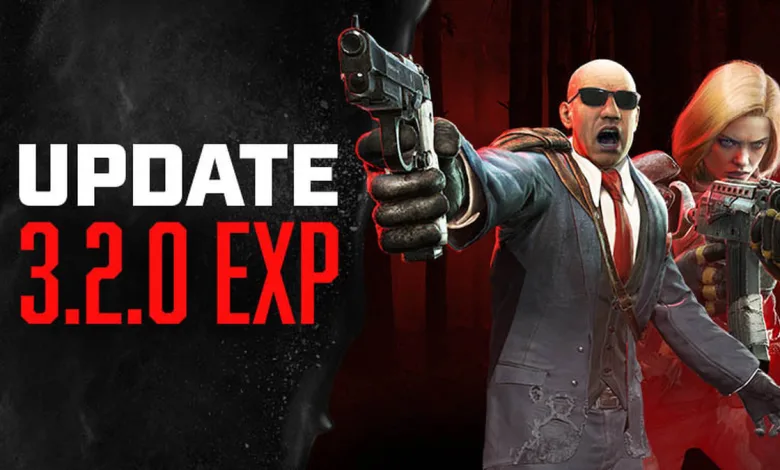
7 Days to Die V3.2.0 EXP is now available on Steam. The Fun Pimps announced the build in its Steam announcement, introducing a surprisingly handy way to deal with trader doors: honk your vehicle horn.
Every outer trader door will react to a horn, although some entrances will not have enough room for every vehicle. An on-screen message will appear when you are close enough to try it. The update also gives the Combine Station clearer result and stat displays, while several fixes target crafting, server searches, zombie behavior, and more.
V3.2.0 EXP follows the V3.1.0 stable release, with the new notes covering changes made since that version.
How to install V3.2.0 EXP
Players who want to try the experimental build can opt in through Steam’s beta settings:
- Right-click 7 Days to Die in your Steam library.
- Select Properties.
- Open the Game Versions & Betas tab.
- Choose
latest_experimentalfrom the drop-down menu. - Wait for the build to download.
7 Days to Die V3.2.0 EXP patch notes
The main player-facing additions are horn-operated trader doors and a clearer Combine Station interface. The build also adds chicken stress-event icons, improves custom POI data delivery from servers, adjusts turret placement, and addresses several problems that could interrupt progression or multiplayer sessions.
Here’s what changed since V3.1.0:
HONK HONK!!!
Trader doors can now be opened with your vehicle’s horn. While all outer doors will react to them, not all of them will fit your vehicle! An onscreen text will let you know when you are close enough to interact with the trader’s door by honking.
Better Combine Station Visuals
We have reworked the combine station UI to make it easier for players to see what their result will be and what the final stats it will have.
A plus will indicate that an item was combined in the combine station. Players will now have to hit a button to combine items.
Added
- New buff icons for chicken stress events
- Custom POI’s should be pushed to client from server (server pushes a minimal metadata package to client)
- Using the vehicle horn open will now open the outer doors at traders
- New door variant oldWoodDoorNoHonk for use in Trader interiors
- Property “AllowDecorations” to separate world decoration in POIs from TraderArea setting
Changed
- Updated requirement logic for cooking pot, cooking grill, and anvil to prevent a held one from influencing the cook time
- Set IsTerrainDecoration to false for the campfire to allow it to morph terrain like other blocks
- Auto turrets no longer support stability
- Auto turrets can no longer be placed on walls
- Updated the junk loot list to provide cotton when Crop Yield is set to none
- Updated general trader inventory list to include a chance for cotton
- Timid animals have improved threat detection
- Updated some Chinese localization strings for clarification
- Optimized sleeper spawn checks for player visibility when players are far
- Commented out screamer spawns in screamer scout groups in entitygroups.xml to prevent screamers from calling other screamers
- Replaced interior oldWoodDoor with oldWoodDoorNoHonk in Trader Rekt, Hugh, and Joel
- Removed obsolete prefab property AllowTopSoilDecorations
Fixed
- Unable to craft lower tiered items after they’ve been unlocked
- Demolition zombies not exploding from client damage
- Rabbits running too slow
- Permadeath does not grant Base Skill Points upon death
- Loot Max Tier clamps user mods
- Entities can cause blocks to collapse during chunk resets
- Failed to search EOS servers popup
Will the horn trick become your favorite part of V3.2.0 EXP, or are the Combine Station changes more useful? Share your thoughts in the comments, and follow us on X, Bluesky, YouTube, Instagram, Steam, Telegram.
7 Days to Die
Developed by The Fun Pimps

Set in a brutally unforgiving post-apocalyptic world overrun by the undead, 7 Days to Die is an open-world game that is a unique combination of first person shooter, survival horror, tower defense, and role-playing games. It presents combat, crafting, looting, mining, exploration, and character growth, in a way that has seen a rapturous response from fans worldwide. Play the definitive zombie survival sandbox RPG that came first. Navezgane awaits!
- Genre Shooter, Role-playing (RPG), Simulator, Strategy, Adventure, Indie
- Platforms Xbox Series X|S, PlayStation 4, Linux, PC (Microsoft Windows), PlayStation 5, Mac, Xbox One
- Perspective First person, Third person, Virtual Reality
- Modes Single player, Multiplayer, Co-operative, Split screen
- Release July 25, 2024
- Publisher Telltale Games, The Fun Pimps
-
Age Rating