STAR WARS Zero Company 1.1 Patch Notes Target Crashes, Save Problems, and Combat Bugs
The changelog also addresses Beskar mode failures, Tel-Rea Vokoss' hero mission, and framerate issues on minimum-spec systems.

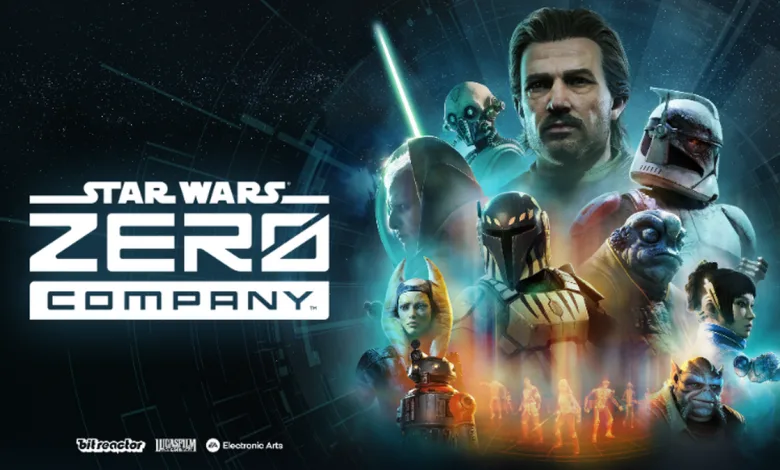
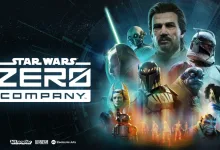
STAR WARS Zero Company 1.1 patch notes target the technical problems most likely to derail a campaign, from crashes and corrupted saves to a rare menu softlock and missing preorder or Deluxe Edition items. The developer published the full changelog in a Steam announcement. The patch follows Bit Reactor’s launch message, which Bit Reactor published as STAR WARS Zero Company launched on August 27.
Combat receives a long list of corrections as well. The changelog addresses 100% hit chance misses, broken Overwatch behavior, incorrect damage and bonus calculations, targeting problems, stray hits from Sweeping Salvo, and turn-order issues involving the Coil Captain. A smaller set of feature changes affects the tutorial, upgrade facility, and Tel-Rea Vokoss’ hero mission.
Players on minimum-spec systems with NVIDIA GTX 10-series or RTX 20-series graphics cards are also advised to turn off Environment Geometry Detail under Options and Graphics. The note says this can lower geometry-processing overhead and help stabilize framerates on those configurations.
STAR WARS Zero Company 1.1 Patch Notes
Bug Fixes
Performance and Stability
- Fixed various crash issues.
- Fixed various visual stutters.
- Fixed an issue where Beskar saves were temporarily deleted.
- Fixed a crash issue for Beskar mode.
- Updated the minimum suggested drivers to the current game-ready versions for Nvidia and AMD.
- Developer’s Note: We’ve also updated the dialog prompt’s text update to state that you need to update your driver versions.
- Fixed an issue where the Updating Global Illumination and Reflections settings accidentally referenced Ray Tracing.
- Fixed a rare softlock on the main menu caused by aggressively spamming inputs while the introduction cinematic plays.
- Fixed save corruption issues that could occur on sudden or forced game shutdown.
- Fixed an issue where players were not receiving their preorder or Deluxe Edition items.
Cinematics and Conversations
- Fixed unintended motion of Fathom’s hair during some cinematics.
- Fixed the response animations of several characters in the Den when Hawks is nearby or in conversation with them.
- Fixed animations for Clone Troopers during certain cinematics.
- Fixed animations for Kabb during conversations.
- Fixed an issue with the way Hawks’ arm appeared during a standing animation.
- Fixed an issue where Trick would equip his default helmet when entering Stillwatch without one.
- Fixed an issue where Trick would equip his default outfit before entering Stillwatch following a game restart.
- Fixed an issue where Hawks was sometimes missing from the Bespin closing cinematic.
Customization
- Fixed an issue where Tel-Rea Vokoss’ lightsaber would still be shown after swapping to an Astromech in the Customization facility.
- Fixed an issue where swapping an Operator’s Origin from another Humanoid to a Clone and vice versa uses the default Voice Preview of the previously-selected origin.
- Fixed an issue where the preview Dossier for Hawks wouldn’t play during character creation.
Databank
- Fixed an issue that would corrupt characters if you interacted with the Databank while saving.
- Fixed an issue where information could become corrupted while editing characters in the Databank.
- Fixed an issue where another Operator’s name is mistakenly changed after editing another Operator’s name, resulting in duplicate character names and broken customization for the affected Operator.
Encounters
- Fixed an issue where the final opponent of Tel-Real Vokoss’ hero mission didn’t properly reassign their targeting to the Operator that hit them.
- Fixed an issue where the final opponent of Tel-Real Vokoss’s hero mission failed to reassign their targeting to the Operator that Rallies Tel while she’s in danger.
Strategy
- Fixed an issue where the Bacta Tank could be used more than one in a cycle.
- Fixed an issue where an extra autosave was generated when loading from a save.
- Fixed a rare softlock that occured in the Medbay tutorial.
- Fixed an issue where transitioning to and from the Squad selection menu while opening the inspection mode blocked progression.
- Fixed an issue where Secondary Specializations didn’t correctly add the Specialization’s passive Cross Trainings to the selection pool at Relationship level +8.
- Secondary Specializations will now correctly count when testing Specialization-specific requirements and results during Operations.
Tactical
- Fixed an issue where shots can be missed, even when the chance to hit is 100%.
- Fixed an issue where Tier 2-4 Scatterguns would accidentally use Tier 1 values.
- Fixed an issue where cone attacks unnaturally snapped when targeting on mouse and keyboard.
- Fixed an issue with Kabb’s firing animation when using the M-32.
- Fixed an issue that prevented the player from using Operators that ended up outside of the map.
- Fixed an issue where Droid Dismantler incorrectly granted Harmony on all enemy deaths instead of only on Droid deaths.
- Fixed an issue where Tel Rea’s Force attacks displayed incorrect damage values in the UI when bonuses were applied.
- Fixed an issue where Tel Rea’s Force attacks applied the Ranged Damage Cross Training bonus twice instead of once.
- Fixed an issue where Tel Rea’s Force attacks did not properly add Critical Damage bonuses.
- Fixed an issue with base damage for the DC-17m Anti-Armor shot that prevented it from being able to score Critical Hits or receive damage bonuses that should apply to grenades.
- Fixed an issue that made targeting with Rocket Strike and DC-17m Anti-Armor difficult to control.
- Fixed an issue where Ion Blasters doubled their Critical Damage.
- Fixed an issue where the Focus amount displayed in the Radial Menu wasn’t also displayed in other menus.
- Fixed an issue where the Astromech’s Enhanced Scanners ability would display Invalid Target when activating the ability on controller.
- Fixed an issue where the Rally UI was missing when targeting a unit from the Move preview.
- Fixed an issue where damage reduced to or below zero wasn’t properly represented in the UI.
- Fixed an issue where Shared Suffering might occur offscreen.
- Fixed an issue where the Immovable status was applied but didn’t provide any bonuses.
- Fixed an issue where no projectiles would show when a Droideka would shoot with their line of sight blocked.
- Fixed an issue where enemies outside of Sweeping Salvo’s targeting cone were still hit by the ability.
- Fixed an issue with the second tier of the A Life of Labor talent that would cause it to infinitely accumulate its bonuses if repeatedly purchased.
- Improved camera stability to reduce camera drift while selecting targets for abilities in combat.
- Fixed an issue where Overwatch shots triggered against attackers caused the enemies to fire through solid objects at Operators they couldn’t see.
- Fixed some instances of Overwatch triggering on a unit outside of the targeting cone.
- Fixed various Overwatch issues that caused enemies and Operators to be unintentionally attacked.
- Fixed an issue that caused the camera to wobble when transitioning to over the shoulder view.
- Fixed an issue where an Operator could be missing from your squad when arriving at a Tactical Mission.
- Fixed a turn ordering issue that caused the Coil Captain to heal a target already slain by Overwatch.
- Fixed an issue where combat actions were not properly processed.
Feature Updates
Tutorial
You may now use the back option in the Weapon Mods menu to close the tutorial.
Upgrade Facility
Canceling an upgrade that takes multiple cycles now properly shows that progress has been reset.
Tel-Rea Hero Mission
The final battle of Tel’s hero mission will no longer prematurely end when the remaining survival turns reach 1. The mission now succeeds at the end of the final enemy turn.
Note For Players using Minimum Specs
If you are playing STAR WARS Zero Company on an NVIDIA GTX 10-series or RTX 20-series graphics cards that meet Minimum Specification, adjusting a specific video setting can help improve your overall framerates.
These graphics architectures can encounter additional rendering overhead when processing complex environmental detail.
Optimization Steps:
- Open Options and select Graphics.
- Find the Environment Geometry Detail option.
- Switch Environment Geometry Detail to Off.
Disabling this setting lowers geometry processing overhead, which can assist in stabilizing and improving framerates on these GPU configurations.
Patch 1.1 focuses on the rough edges that can turn a careful tactical plan into a reload, especially in Beskar mode and missions built around precise targeting. Tell us what you think in the comments, and follow us on X, Bluesky, YouTube, Instagram, Steam, and Telegram.
Star Wars Zero Company
Developed by Bit Reactor

Command an elite squad through a gritty and authentic story in Star Wars Zero Company, a single-player turn-based tactics game.
- Genre Strategy, Turn-based strategy (TBS), Tactical
- Platforms Xbox Series X|S, PC (Microsoft Windows), PlayStation 5
- Perspective Bird view / Isometric
- Modes Single player
- Release August 27, 2026
- Publisher Electronic Arts
-
Age Rating