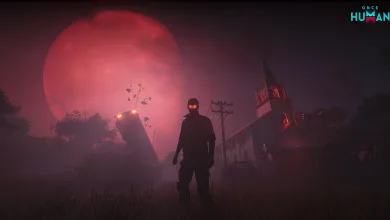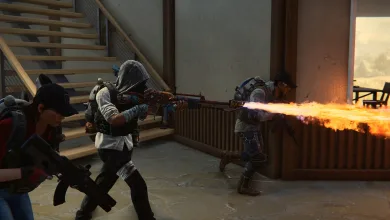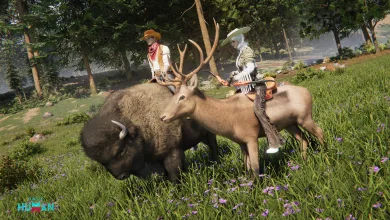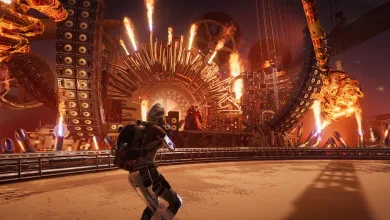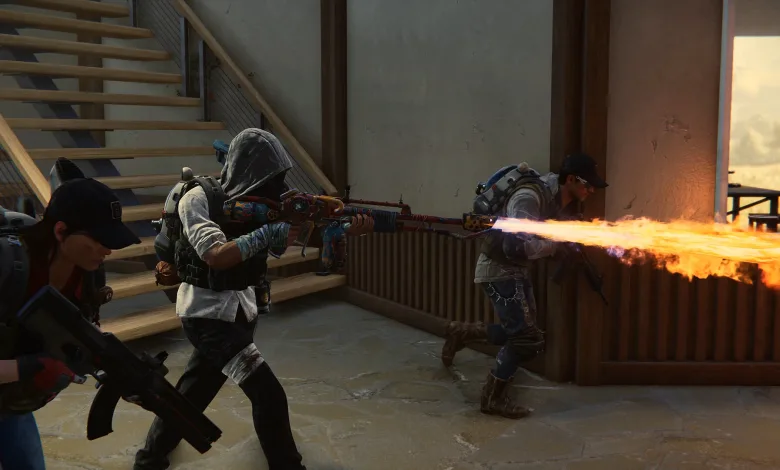
Once Human will launch on consoles on August 25, 2026, at 11:00 PT, bringing its open-world survival gameplay to PlayStation 5, PlayStation 5 Pro, and Xbox Series X|S. Full cross-platform play with the existing PC and mobile versions will be available when the console version launches.
Console players will be able to enter Nalcott and use its territory-building, Deviation securement, multiplayer cooperation, and scenario-season systems. Starry Studio outlined the rollout in its console launch FAQ and launch announcement, which cover account linking, server access, progression, events, rewards, and console controls.
Console launch time, regions, and download size
The console version will launch across North America, South America, Europe, Japan, Korea, and the HK & MO & TW regions. Players on PC and mobile will continue using their existing versions, which will connect to the console release through cross-platform play.
Pre-download will be enabled 48 hours before launch. On PlayStation, however, pre-download is limited to players who purchased the pre-order bundle. The PlayStation client is approximately 80GB, while the Xbox client is approximately 100GB. Partial downloads are supported.
Once Human remains free to play on console. Its game modes can be experienced without payment, while optional purchases cover cosmetics, the Battle Pass, and other content that does not affect gameplay or fairness. A PS Plus or Xbox Game Pass Core subscription is not required, although members can receive extra platform membership cosmetic rewards.
Console players can use English, French, German, Japanese, Korean, Portuguese, Spanish, Russian, Simplified Chinese, and Traditional Chinese. The game supports keyboard and mouse input, custom key bindings, HDR, Quality Mode, Performance Mode, and adjustable controller vibration intensity.
Console launch events and rewards
Several events will be available after the console version launches. Rewards include vehicle skins, character actions, weapon stickers, and other cosmetics. Active cosmetics can also be earned through gameplay.
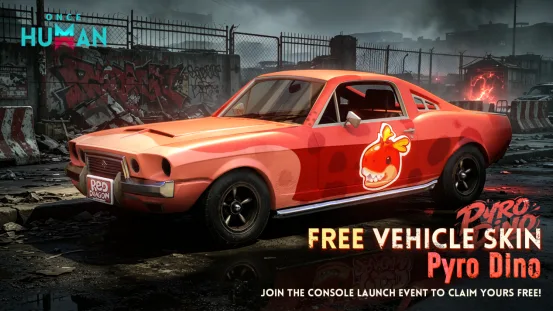
The Global Heat Event will let Metas across all platforms contribute Heat Points toward shared milestones. Its rewards include Starchrom, Stardust Secret Crate: S14 (Epic), and the limited Pyro Dino vehicle skin.
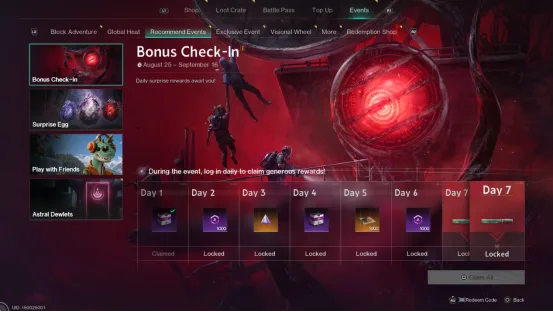
The Bonus Check-In Event will begin after the console release. Daily check-ins will provide items such as Stardust Secret Crate: S14 (Legendary) and Lightforge Ingot, with the seventh day offering the Epic cosmetic Azure Glint – Blade.
The launch-period Gather Friends Event will focus on inviting friends and staying active to earn hatch attempts for the Surprise Egg. Possible rewards include the Shiny Mod Selection Crate, the Epic cosmetic Iron Fist Lord, and Azure Glint – Heavy Weapon. Its interface has also been adjusted with reworked milestone rewards and new Shop items. Other available cosmetics include Crimson Alert and Loyal Guardian Headwear.
A separate Console Feedback Event will open after launch. Players can submit reports about bugs, controls, compatibility, or other parts of the console version. Valid submissions may receive rewards as the development team continues improving the console controls, performance, and overall experience.
How account linking works
Players who already have progress on PC or mobile should link their console account to their original game account before creating a new console character. PC and mobile players can use Settings – Account – Link Account before the console release, while linking will also be available from the upper-right corner of the login screen after launch.
The team provides an account linking page. New players do not have to link an account, but connecting a NetEase account or another supported third-party account will make it easier to move between console, PC, and mobile. Console players can link through Settings – Account, NetEase Loading Bay, or by authorizing the console account on mobile.
A game account is not locked to one device, so it can be used on multiple devices. The same account cannot be signed in on different platforms at the same time; signing in again will log the previous device out.
Account linking is not account merging. If both accounts contain characters and meet the applicable conditions, the system will display the character information from the account played most recently and ask players which account’s characters to keep. All characters on the other account will be discarded.
Accounts with characters created more than 30 days ago have an added protection step, and the team recommends using an empty account instead if that situation appears. One PSN or Xbox account can be linked to only one game account. If the wrong account is connected, unlinking is possible after the PSN or Xbox account has remained linked for 30 days.
Players with special circumstances may need to contact in-game customer service and provide account verification information through Feedback & Customer Support > Bug report > Other bugs.
Cross-play and choosing the right server
PlayStation and Xbox players can play together, and console players can team up with friends on PC or mobile. Account assets such as cosmetics are generally shared when they belong to the same account and region, though the team says the exact availability of each item should be checked in-game.
Regional play is restricted. Servers in separate regions use different physical data centers, so their data cannot be shared. For example, players in North America cannot play with players in Asia. Choosing the correct region at the beginning is essential because friends must be in the same region to meet on a server.
To join a friend, check the region in the upper-right corner of the sign-in interface, then clear the beginner stages. At the scenario selection screen, choose More Servers and select the scenario and server where the friend’s character is located. If the server is full, the friend can send a Special Invitation Code from the character namecard after signing in.
Players can leave their current server and join a friend under certain conditions. Before a scenario reaches its rest period, the first exit is free through Scenario – Scenario Description – Scenario Exit. Once the scenario has entered its rest period, players can simply sign up for the friend’s server.
Servers with the Console prefix are console-exclusive. Only console devices can enter and play on them. PC and mobile players can view characters that have signed in to those servers, but they cannot join the gameplay there.
Scenarios, Eternaland, and carried-over progress
A scenario is a themed gameplay experience tied to a server. Scenarios can change the map, rules, story, environmental mechanics, and the balance between PvE and PvP. Their stages can last anywhere from a few days to dozens of days, gradually opening more modes, mechanics, and areas.
The team recommends Manibus (Novice) for beginners. It offers a way to learn the core systems before moving into the wider selection of scenario rules and settings.
When a scenario ends, players have three choices:
- Remain on the current scenario server. After a 14-day rest period, that server will merge automatically into the corresponding permanent server, with no manual action required.
- Sign up for a new scenario or server, either alone or through the team sign-up system with friends.
- Leave for Eternaland to rest and organize supplies until choosing another scenario.
Staying on the current server will not remove progress or supplies. Leaving sends the relevant supplies to Eternaland according to the game’s transfer rules, where players can later decide what to take into a new scenario.
Weapons, armor, materials, medicine, Deviations, and calibration blueprints move to Eternaland when a player changes scenarios. Energy Links are converted into Astral Sand at a set ratio. Items brought into the next scenario use Resource Inheritance Points, with each item type carrying its own cost and transfers handled through the backpack.
Fashions, some character data, most currencies, blueprints, formulas, design layouts, task progress, operation Items, and event items and data are directly inherited and do not require Resource Inheritance Points. The full transfer details are available in Scenario Description – Scenario Sign-Up. Starting a new scenario is optional, and new servers will not interrupt a player’s current gameplay.
Console test rewards and other launch benefits
Players who joined the console test can claim their inherited rewards through the in-game Exclusive Event – Console Test Exclusive Rewards Carryover interface after launch. The claiming period ends on August 25, 2027. Eligibility is based on the account’s linking history, carryover rewards can be claimed only once per account, and they are unavailable in RaidZone.
Before claiming, players should make sure the active character is the one intended to receive the rewards. Starry Studio recommends completing account linking first, although linking accounts on other platforms will not remove eligibility. Players who cannot find the event or do not receive their rewards can contact in-game Customer Service or use the official Once Human Feedback Platform.
Console test character progress will not carry over to the official server. Some items, including Starchrom and active cosmetics, will be handled under the rules from the earlier console open beta FAQ and closed beta FAQ. Those eligible can claim the applicable rewards through the console event interface.
Console membership benefits and pre-order bundle rewards will be distributed gradually after launch. Players who purchased the applicable items or meet the required conditions can claim them through in-game mail after completing the beginner tutorial. The rewards will appear on the scenario server, so checking the mailbox there will be important.
How to report console issues
Bug reports can be submitted in-game through Menu – Bug Report or through Customer Service. The team asks players to include their account information, platform, server, time of occurrence, and screenshots or videos when possible. Suggestions can also be sent through the official feedback platform.
Once Human’s console launch will open the game’s existing scenarios and progression systems to a new group of players without separating them from the PC and mobile community in most cases. Tell us what you think about the launch plans in the comments, and follow us on X, Bluesky, YouTube, Instagram, Steam, and Telegram.
Once Human
Developed by Starry Studio
Once Human is a multiplayer open-world survival game set in a strange, post-apocalyptic future. Unite with friends to fight monstrous enemies, uncover secret plots, compete for resources, and build your own territory. Once, you were merely human. Now, you have the power to remake the world.
- Genre Shooter, Role-playing (RPG), Strategy, Adventure
- Platforms Xbox Series X|S, Android, PC (Microsoft Windows), iOS, PlayStation 5
- Perspective Third person
- Modes Single player, Multiplayer, Co-operative, Massively Multiplayer Online (MMO)
- Release July 9, 2024
- Publisher Starry Studio, NetEase Games
-
Age Rating