Fortnite Players Can Try This Quick Fix for a Missing Mastered Sprite
Remastering and re-extracting the affected Sprite restored Gold Seven for one player, although the method did not work with Quack ZP.

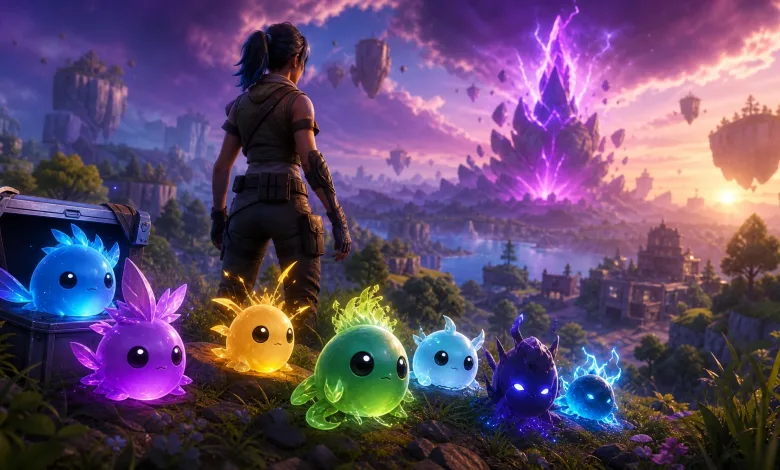
Some Fortnite players have found that a Sprite they already mastered still refuses to appear in the Mastery Pod. A community-shared workaround offers a quick reset: enter a match with the affected Sprite, remaster it, and extract it again.
One player described another version of the problem in a Reddit post. After a Fortnite Crew subscription expired mid-season, the player spent two weeks without Battle Pass eligibility before buying the Battle Pass with V-Bucks. Sprites mastered during that gap still did not unlock their matching Sprite Pod styles.
The account had 107 mastered Sprites, but the Pod screen showed progress below 100, with several common Sprites still locked. The player also linked Epic’s support article about Sprite Mastery Pod back bling styles. After an AI-supported chat repeatedly directed them to that page, a human support agent reportedly said the issue was under investigation and advised waiting for an update. The response included no timetable or promise that the missing styles would return before the season ends.
How to fix a missing mastered Sprite
- Join a game with the Sprite that is missing from the Mastery Pod.
- Remaster the Sprite. If it is already at Level 5, skip this step.
- Extract the Sprite from the match again.
- Check the Mastery Pod to see whether the Sprite now appears.
The method worked with the Gold Seven Sprite during testing, but it is not guaranteed to fix every case. It did not work with Quack ZP, so players may still encounter situations where a mastered Sprite remains missing.
This is a player workaround rather than confirmation of an official fix, but it is worth trying if a completed Sprite entry is stuck outside the Mastery Pod.
Have you found another solution for missing mastered Sprites? Share your thoughts in the comments, and follow us on X, Bluesky, YouTube, Instagram, Steam, and Telegram.
Fortnite
Developed by Epic Games
Fortnite is a free-to-play online game where you and your friends can create, play and battle. Be the last player standing in Battle Royale and Zero Build, experience a concert or live event, or discover over a million creator-made games, including racing, parkour, zombie survival and more.
- Genre Shooter, Simulator
- Platforms Xbox Series X|S, PlayStation 4, Nintendo Switch 2, Android, PC (Microsoft Windows), iOS, PlayStation 5, Mac, Xbox One, Nintendo Switch
- Perspective Third person
- Modes Single player, Multiplayer, Co-operative, Split screen, Battle Royale
- Release June 29, 2020
- Publisher Epic Games
-
Age Rating