Alan Wake Remastered patch 1.33 adds HDR and raises the framerate to 240 FPS

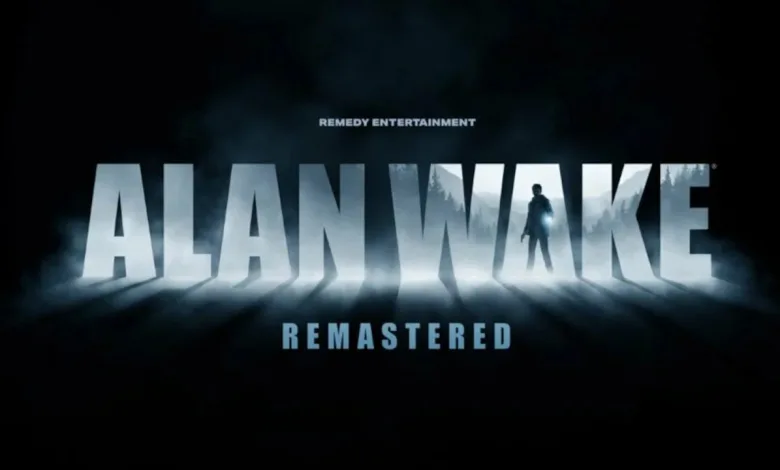
Remedy released Title Update 1.33 for Alan Wake Remastered on PC today. The update brings official HDR support, unlocks the framerate cap to 240 FPS, and adds an optional camera style intended to behave more like modern third-person titles.
Update 1.33 also moves SDR to 10bit to cut visible color banding and improves DLSS quality. The patch fixes grass transparency and updates vegetation movement so plants react correctly when wind is present or when Alan walks through foliage, including at framerates above 30 FPS. Field of view scaling has been corrected, lens flare now fades in and out more smoothly, and the DX12 rendering path received stability improvements to reduce crashes and visual glitches.
The update addresses a range of visual and input problems. Polygonal rendering errors and visible depth buffer issues are fixed, videos shown on in-game TVs no longer get altered by display brightness settings, and several enemy visual effects display as intended. Ultrawide users get fixes for distortion effects and cutscene pillarbox and letterbox issues. Mouse input problems and DPI awareness have been resolved so players no longer need 100% display scaling to avoid cropped images. A setting to scale the gameplay UI has been added for players who wanted larger HUD elements. Steam will download Patch 1.33 the next time the client is launched.
Alan Wake Remastered Patch 1.33 Release Notes
Below are the official notes included with Title Update 1.33.
- Added a command to skip the intro. (Shoutout to every speedrunner, and anyone on their 67th run of the game just looking to get into the gameplay quicker.)
- The sprint camera no longer activates when pressing the shift button when Alan is next to a wall or exhausted. This could sometimes cause Alan to not be able to move.
- The camera behaves the way it should when Alan is on top of a moving object.
- When loading from a checkpoint, the camera left/right side now resets properly.
- Vegetation moves the way vegetation is expected to when it’s windy or when Alan walks into some trees or bushes. Even above 30 FPS.
- Swapping between weapons takes a regular amount of time now, and not any longer than necessary.
- Added HDR.
- Added a new, optional camera style mode. You can use this if you want the game to look a bit more modern. If you prefer to keep a look as close to the original as possible, don’t touch this.
- Unlocked the framerate from 200 FPS to 240 FPS.
- Improved DLSS and fixed grass transparency. Grass is now more pleasing to look at.
- Updated SDR to 10bit – it used to be 8bit. This reduces visible colour banding.
- Improved FOV scaling. (The math was off. Whoops.)
- Improved the way lens flare works. It now fades in/out much more smoothly.
- Improved the DX12 rendering path – this lowers the risk of crashes and glitches.
- Fixed polygonal rendering errors and visible depth buffer issues. This has greatly reduced the amount of visual glitches.
- The videos you could play on in-game TVs used to be affected by display brightness settings. Not anymore – fixed it!
- Fixed the enemies’ dark shield burning effect flare. It looks the way it’s supposed to now.
- In Ultrawide, fixed the enemies’ visual distortion effect looking weaker so that it displays properly.
- In Ultrawide, fixed cutscenes having both pillarbox and letterbox. You can now enjoy cutscenes in native 21:9!
- In Ultrawide and 4:3, fixed FOV and lens flares not scaling properly.
- Fixed DPI awareness where you had to set your display to 100% scaling to not crop the image. You don’t need to do that anymore.
- Added a setting to scale the gameplay UI. It was quite tiny by default – you can now make it bigger.
- Fixed multiple issues related to mouse input
- Fixed it so that custom settings no longer leave multiple settings undefined. You are once again able to customise your settings, and the game will actually remember what you told it.
Have thoughts on the new camera or the 240 FPS cap? Tell us in the comments and follow for updates on X, Bluesky, YouTube, Instagram.
Alan Wake Remastered
Developed by Remedy Entertainment

Alan Wake Remastered is an updated version of the original psychological horror action-adventure game developed by Remedy Entertainment. The game retains the core narrative, which follows bestselling thriller novelist Alan Wake as he struggles with writer's block. He visits the small town of Bright Falls with his wife, Alice, in search of inspiration. Shortly after their arrival, Alice mysteriously disappears.
Alan finds pages of a thriller novel he does not remember writing, with events from the manuscript coming to life. He faces supernatural entities called the "Taken," who are controlled by darkness. The remastered version features enhanced graphics and improved performance, but the gameplay and storyline remain consistent with the original, focusing on themes of reality, fiction, and the power of the written word.
It also includes the two story DLCs "The Signal" and "The Writer".
- Genre: Shooter, Adventure
- Platforms: Xbox Series X|S, PlayStation 4, PC (Microsoft Windows), PlayStation 5, Xbox One, Nintendo Switch
- Modes: Single player
- Release: 2021-10-05
- Publisher: Epic Games Publishing, Epic Games
-
Age Rating:


 GRAC 15+ / CLASS_IND 14 / USK 16 / CERO B / PEGI 16 / ACB M / ESRB T
- IGDB Rating: 77.6/100