Once Human’s 3.0.2 Update Brings RaidZone’s Mental Pollution and Safer Storage
The July 22 maintenance will add account-wide appearance presets, Custom Server changes, new survival gear, and four post-maintenance rewards.

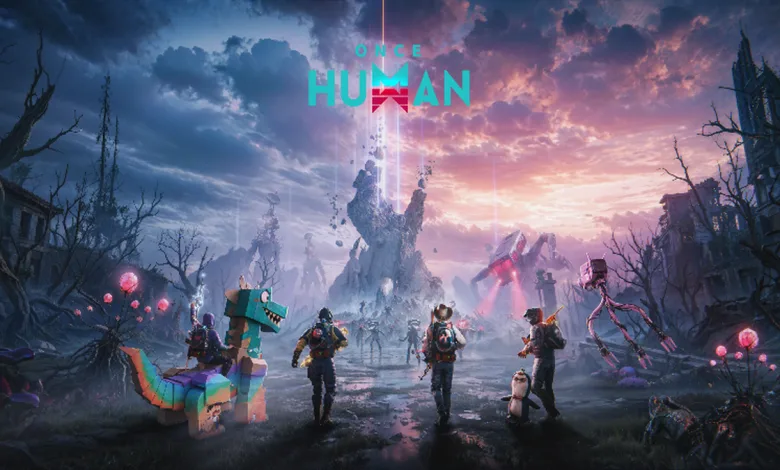
Once Human Version 3.0.2 is scheduled to enter maintenance on July 22, 2026, at 4:00 PM (PT). The downtime should last about two hours, although the actual server opening time may differ. The update will be about 7.7 GB on PC launchers, 218 MB on the PC client, 407 MB on Android, and 411 MB on iOS. The development team recommends downloading it over Wi-Fi.
The update introduces a new snap-point control for territory construction, account-wide appearance preset sharing, item protection, a new RaidZone gameplay mode called “Mental Pollution”, and a redesigned Custom Server homepage. It also includes farming and breeding changes, new gear, shop content, weapon adjustments, quality-of-life changes, and bug fixes.

After maintenance ends, all players will receive Starchrom ×1,000, Mitsuko’s Mark ×100, Stardust Secret Crate: S13 (Epic) ×1, and Colorful Badge ×30. The full details are available in the official Steam announcement.
What Version 3.0.2 Adds
The largest gameplay addition is Mental Pollution in RaidZone. Pollution zones will drain Mentality and health, while new Mental Resistance gear and four survival equipment pieces give players more ways to prepare. RaidZone farming, breeding, food formulas, merchants, and Deviation balance are also being adjusted.
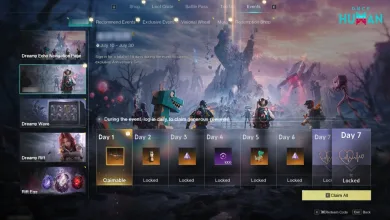
Custom Servers are receiving a full homepage redesign with recommendations, search and browsing tools, and a clearer way to manage characters across servers. Hosts will gain custom covers, gameplay tags, and a revised Community Creation Program page. The update also adds custom dungeon settings, new equipment, and a limited-time benefit event that begins on July 23.
Patch Notes – Version 3.0.2
Version 3.0.2 covers building controls, character customization, inventory safety, RaidZone systems, Custom Servers, shop items, fishing, blueprints, weapon balance, and several bug fixes.
Content/Feature Updates
New Snap Point Switching Feature for Territory Construction
To help Metas build their territories with greater ease, we’ve added a snap point switching feature in build mode for wall surfaces, ceilings, roofs, stairs, and pillars. Now, while building, Metas can flexibly switch between different snap points on PC using the shortcut key (Shift + mouse wheel) or on mobile by clicking the button (switch snap point), making it easy to achieve more precise building connections!
Appearance Preset Data Sharing
To let Metas more conveniently showcase their unique style across different scenarios and characters, we’ve fully upgraded the save mechanism of the character customization system and officially launched the account-wide appearance preset sharing feature!
1. Cross-Character Sharing: Character customization data now supports account-level sharing. Whether a newly created character entering a new scenario or an existing character continuing to explore, you can directly load and use the shared appearance presets.
2. Auto-Merge and Activation: After this update, each existing character under the same account will have their previously saved appearance presets automatically added to the shared list upon first log-in. (Note: Presets of characters that have not logged in will be temporarily archived. Simply log in to the corresponding character to automatically activate and merge them.)
3. Capacity and Limit Rules:
- Under the same gender, the common save limit for sharing appearance presets is 12.
- Rest assured that presets added via the above-mentioned “character first log-in auto-merge” method are allowed to temporarily exceed the save limit of 12, and will not cause data loss.
- When the total number of your sharing presets exceeds 12, you can still use, edit, or delete existing presets normally, but you cannot actively add new presets until the total number drops to 12 or below.
“Item Lock” Feature Officially Launched — Say goodbye to accidental actions, protect your precious supplies!
Dear Metas, the brand new “Item Lock” feature is now live! From now on, no need to worry about precious supplies being accidentally discarded, sold, or disassembled!
1. Metas can actively lock any lockable item. Once locked, the item will be fully protected: prevent accidental discard, accidental trade, and bulk disassembly.
*Note: Locking is based on item type. When you lock one item, all items with the same name that you own will be protected. Any future items of the same name will automatically inherit the locked status, making it a one-time setup. Lock/Unlock takes effect instantly, and an icon will appear at the top-left corner of the item icon, easy to identify.
2. What Can You Do After Locking?
| Conditions | Protection Effects |
|---|---|
| Disassemble | Locked items cannot be disassembled and will be automatically moved to the bottom. “Select All” will not accidentally select them. |
| Discard | Single Discard: A secondary confirmation pops up, even a slip of the hand can be stopped. Batch Discard: Locked items are automatically excluded and will not enter the discard process. |
| Online Trading / Vending Machine | Cannot List for Sale |
| Sold in NPC Shop | Cannot Sell |
3. Controls
| Platform | Controls |
|---|---|
| PC | Hover over an item in the backpack and press the shortcut key to switch lock/unlock. |
| Controller | Switch with the corresponding function button. |
| Mobile | Click “Lock/Unlock” in the Item “…” menu to switch. |
RaidZone Updates
RaidZone New Gamplay “Mental Pollution” Launches!
- Some regions will Deviate into “Mental Pollution Zones”. Currently, pollution zones are divided into 2 levels. The higher the pollution level of a region, the more severe the mental pollution you will suffer. Please make adequate preparations before exploring deeper.
- The original “Sanity” will be replaced with “Mentality”. When in a pollution zone, Mentality will continuously decrease, and HP will also be lost!
After leaving the pollution zone, Mentality will grdually recover. You can also counter mental pollution by sleeping at the camp, increasing pollution resistance, or consuming mental recovery dishes.
3. To counter the harsh environment, all gear in the RaidZone will have a new “Mental Resistance” stat.
When the total mental resist of all gear equipped by a Meta is lower than the minimum mental pollution value of the current pollution zone, mentality will begin to deplete. The larger the difference, the faster the mentality depletes.
4. Added 4 survival gear: Anti-pollution Mask, Deep Isolation Set, Gas-tight Helmet, and Mental Shielding Suit. These gear provide better mental resistance but are relatively weaker in defense. This will test the tactical decisions of every Meta!
RaidZone Farming and Breeding Gameplay Upgraded
- During plant growth, maintaining optimal light and optimal irrigation may grant additional base yield, and there is a higher probability to harvest rare Deviated Plants, or even directly obtain RaidZone exclusive material!
- During livestock breeding, feeding preferred food will trigger surprising rewards with an extremely high probability, including double yield, higher quality milk and eggs, and a chance to obtain a combat goodie (containing gear, ammo, tactical items, tools, etc.).
- This Update will default unlock 10 new special food formulas in the RaidZone, including Hearty Pumpkin Meat Soup, Star Sprinter Drink, etc.
1) Crafting Ingredients: Mainly rely on rare/deviated plants obtained from farming, and high-quality animal byproducts obtained from breeding.
2) After consumption, it provides effects: significantly increased ore gathering efficiency, increased plant acquisition efficiency, max stamina boost, increased sulfur gathering efficiency, etc.
3. While exploring the wilderness, there is a chance to find a rare item, the “Gardening Gloves.” When equipped, plant gathering will always yield Deviated plants!
4. Merchants have updated their buyback lists, now accepting special food and animal and plant products. Metas can sell these to merchants in exchange for a large number of RaidZone Chips.
*Since Meteor Fragments serve as consumables for the Meteor Summoner in RaidZone, the merchant’s selling and buyback of Meteor Fragments disrupts the game loop logic. After this update, the sale and buyback of Meteor Fragments will be removed.
RaidZone New Rare Item: Telescope
Added a new rare item, the Telescope, which is a powerful reconnaissance tool for spotting enemies before you obtain a high-magnification scope. Metas can use the telescope to observe distant enemies.
How to Obtain: Chance to obtain through wilderness exploration.
RaidZone Deviation Balance Adjustments
- ZapCam: Increased the duration and scan range of high-speed capture, providing a longer-lasting and wider field of view when detecting and targeting enemies. As a balance, the cooldown has been extended accordingly, requiring more careful timing of its use.
Duration: 1.5s → 6.0s; Scan Width: 25m → 30m; Cooldown: 30s → 40s. - Mini Wonder: We found that its control uptime in combat was too high. To ensure a healthy combat experience, we have reduced its duration and slightly increased its Cooldown.
Cooldown: 30s → 35s; Duration: 9s → 6s. - Pyro Dino: Its suppression ability is currently too strong. To allow opponents reasonable room to dodge and counter, we have comprehensively reduced the flight efficiency of explosive fireballs, fire field residual time, and mind control duration.
Fire Field Burn Time: 13s → 5s; Flight Speed: 35m/s → 20m/s; Flight Lifespan: 5s → 3s; Mind Control Fire Dragon Duration: 30s → 20s.
Custom Server Updates
This update brings overall visual and functional upgrades to the Custom Server, making exploration clearer for Metas and display more effective for Server Hosts.
Custom Server Full Page Revamp
1. Three Core Areas of the Homepage
Homepage Recommendations: Divided into two sections: recommended quality servers and newly created quality servers. The new algorithm provides precise server recommendations, helping server hosts gain more exposure.
Modes: Accommodates all Custom Servers, supporting full search and browse.
My Servers: Centrally manage your characters across various Custom Servers, with clear cross-server switching and progress.
2. Exclusive Display Benefits for Server Hosts
Custom Cover Upload: Upload exquisite images to showcase the unique charm of your server.
Exclusive Gameplay Tags: Add category tags to your server to help Metas quickly understand rules of the modes and join the world.
3. The in-server Community Creation Program page has been fully revamped, supporting one-stop viewing of in-server data, revenue sharing and withdrawal, and server host events. The server host dashboard now presents data, level benefits, and official contact information more clearly, with a quick link to the official website’s custom server main page for browsing various information.
Custom Servers Dungeon Custom Settings and Items
The gameplay mode plugin adds custom dungeons: You can edit the name, enemy difficulty, additional skills, Item drops, and access methods of existing dungeons in scenarios. Combined with custom weapons, this creates differentiated challenge and drop experiences.
New Armor: Ghost Link Hat/Vest/Pants/Shoes/Gloves/Mask, Wind Interpreter Cap, Ankh Mask.
New Custom Weapons and Armor: Ghost Link series, Wind Interpreter Cap, Ankh Mask, QBJ97, QBJ97 – Fiery Trees and Silver Flowers, SN700 – Finale.
Custom Server Benefit Event Begins
1. Experience Benefits: Challenge Gifts
During the event (Server Time: July 23 – August 20), search for “Custom Dungeon” tag on the Custom Server homepage to enter the corresponding Custom Server. Complete the two tasks: “Enter Custom Dungeons in 3 different Custom Servers” and “Complete any 1 Custom Dungeon from start to finish” Then go to the Custom Server – Event Center to check progress and claim Stardust Secret Crate S13 (Epic) ×1 and Battle Pass Exp Card ×1.
2. Server Host Incentive “Custom Server Call to Arms”
During the event (Server Time: July 23 – August 5), go to Custom Server > Community Creation Program > Event tab to participate. Based on the total log-in days of new and returning Metas within 14 days after their introduction during the event period, Worldcoin will be distributed. For details, check the in-event announcement.
Custom Server Hyper Brawl Gameplay Optimization
- Added the ability to change the center coordinates of each stage.
- You can use the World Map to preview the gameplay areas of each stage.
New Items in Shop
Summer Return of Lightforge Loot Crate: “Summer Wave” is Now Open! (Available after maintenance update)
Five crates: Golden Surge, Frostshade, Phaze Blitz, Astral Nexus, and Dream Waltz are returning. You can choose up to three to participate in. The original draw probabilities, redemption prices, and guarantee mechanism remain unchanged, and historical draw progress is inherited.
- Participation rules: Once you log in, you can choose any one crate to participate. The first time you obtain any Lightforge Collection item from each crate, you will receive an extra crate opening chance, up to two additional chances in total. You can freely switch before drawing or purchasing without consuming an opening chance.
- Collection Challenge: Complete all special collection challenges of Summer Wave to obtain the Legendary Badge and Cradle Charm.
- Returning collection: Based on the number of Lightforge Collection items you have collected, you can directly claim the crate theme, namecard, and the grand prize fashion (dyed version) set. Both new and veteran Metas who meet the conditions can claim without consuming opening chances.
Future Shop Arrivals·Combo Crate (available on July 29 (PT))
“The sea breeze brings summer’s message!”
The Combo Crate “Letter From Ocean” is now available, containing the Epic Fashion Set “Letter From Ocean Set”, the Epic Cosmetics “Little Swan”, and more rewards. Cosmetics are also sold separately in the Shop and do not affect the crate draws; duplicate cosmetics will be converted into a small amount of Lightforge Relic!
Future Shop Arrivals (available on July 29 (PT))
“The breeze passes through the courtyard, spring lingers still.”
- The Rare Furniture Pack “Spring’s Message” is available for a limited time, deck out your plants with a lively courtyard style! Up to 17% off during the launch period.
- The Rare Facility Skin Pack “Skillful Gardening Collection” is available for a limited time, including “Planter – Box Fresh”, “Planter – Polka Dot”, and “Compost Bin Fresh”, 10% off during the launch period.
Experience Optimizations
Button Adjustments
To resolve the key binding conflict between fetching water near the seaside and summoning vehicles, the shortcut key for fetching water has been changed to H.
Shop
Optimized the design blueprints of the Everlight Sea (Palace Complex): the internal space has been re-planned to enhance practicality while maintaining the building’s aesthetic appeal and uniqueness.
Cosmetics
- Increased the upper limit of male characters’ leg length. After the update, your current character’s physique will not be affected. Interested Metas can experience it via the reshape feature.
- Added more diverse interaction poses for chair and sofa-type furniture.
Weapon Balance Adjustments
Since the launch of SN700 – Finale, its extreme single-target explosive Hit DMG has attracted attention and affection from Metas. However, we have also observed its negative impact on certain gamepkay, especially in multiplayer Alpha battles, where excessively high burst DMG within a short time may lead to the Alpha being quickly killed, affecting some Metas experience to participate normally in combat and obtain rewards.
To maintain relative balance among weapons and enhance the multiplayer game experience, we will adjust the SN700 Finale as follows:
- The maximum stacks of “Reverb” have been reduced from 5 to 4.
- Each stack of “Reverb” now increases the DMG of the last bullet from 4% to 5%.
Blueprint
Optimized the save logic and operation of design layouts:
- When saving a design layout, saveable types (Territory, RV) will be displayed based on the save objective.
- To save a design layout, you must be within the target territory or near the vehicle. Saving is not possible if you are out of range or too far away.
- The process of using a vehicle design layout is now: after applying the vehicle design layout, select the target in the scene to replace it.
Fishing
- Simplified the fishing interaction process.
- Adjusted the QTE control types and added a new continuous click action.
- Added 6 new variant fish: Salmon [Cosmoglow], Longnose Gar [Quicksilver], Mackerel [Jade], Arowana [Iridescence], Carp [Shimmergold], Sea Bass [Crimson].
Territory Construction
- Reduced the rarity and quantity of ingots required to craft and maintain some generators.
- Improved the info display for certain facilities. Now, outside build mode, you can directly see the power consumption of the facility via the info prompt.
Market Bounties
Added multiple furniture formulas (including: Wire Mesh Parapet, Simple Sink, Wooden Frame Floral Still Life Painting painting). Complete Market Bounty tasks and open Rare Abode Chests for a chance to obtain them.
Others
- Optimized the interface display of some pages in the appearance reshape feature.
- Optimized the interaction experience for the decal interface in photo mode, vehicle sticker interface, and weapon sticker interface.
- Temporarily disabled the world-switching prompt near safe zones.
Bug Fixes
Cosmetics
- Fixed an issue where the tentacle floor VFX was occasionally missing when crouching with the Abyssal Touch Set.
- Fixed an issue where the Proudscale Warrior Collectible animation displayed abnormally on mobile.
Combat
- Fixed an issue where switching to the Finale after firing other weapons abnormally triggered Finale’s hit detection.
- Fixed an issue where Reverb stacks were not immediately cleared when Finale reload starts.
Territory Construction
Fixed an issue where some items crafted at the designer’s workstation would abnormally fail.
Social
Fixed an issue where the Fashion sharing page in the chat channel was displayed abnormally.
Backpack
Fixed an issue where items obtained from bulk opening gift packs sometimes could not be properly stacked in the backpack.
Once Human Development Team
Version 3.0.2 is scheduled for July 22, with several Custom Server events following on July 23 and new shop arrivals planned for July 29 (PT). Share your thoughts in the comments, and follow us on X, Bluesky, YouTube, and Instagram.
Once Human
Developed by Starry Studio
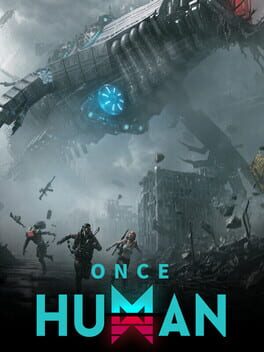
Once Human is a multiplayer open-world survival game set in a strange, post-apocalyptic future. Unite with friends to fight monstrous enemies, uncover secret plots, compete for resources, and build your own territory. Once, you were merely human. Now, you have the power to remake the world.
- Genre Shooter, Role-playing (RPG), Strategy, Adventure
- Platforms Xbox Series X|S, Android, PC (Microsoft Windows), iOS, PlayStation 5
- Perspective Third person
- Modes Single player, Multiplayer, Co-operative, Massively Multiplayer Online (MMO)
- Release July 9, 2024
- Publisher Starry Studio
-
Age Rating