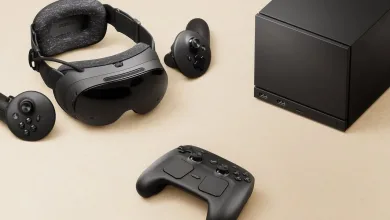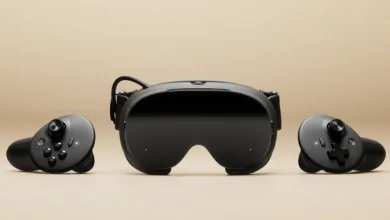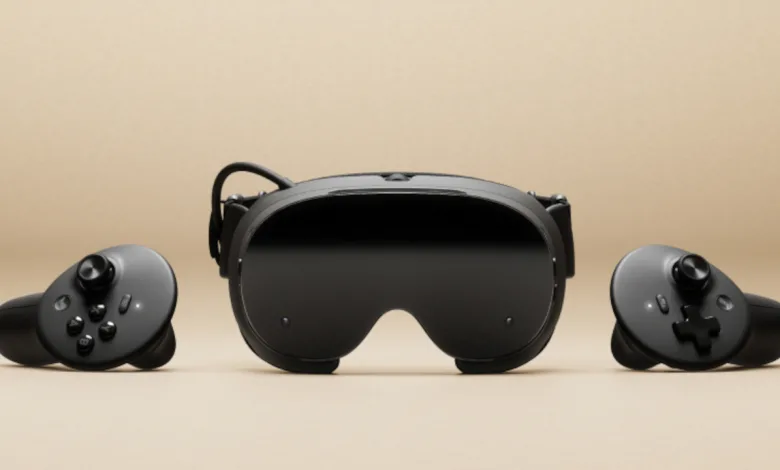
Eight Steam Frame welcome videos are now available through Steam’s store assets, giving prospective owners a direct look at the headset’s initial setup. The complete sequence runs for roughly nine minutes and walks through the process in a clear order, from opening the box to preparing the headset for use.
Valve previously pointed to a summer launch window for Steam Frame. With August 21 already here, that window was getting narrow, although store-ready onboarding material is a sign of preparation rather than launch confirmation.


Valve’s onboarding begins with the hardware itself. The unboxing video introduces the contents of the package before the remaining guides move into fit, comfort, and account setup.
Steam Frame’s setup sequence
The next step focuses on wearing the headset correctly. Steam Frame’s fit and comfort guide covers the physical adjustments owners can make, while a magnetic spacer beneath the facial interface gives people who wear glasses extra room between their frames and the headset lenses.
A separate IPD adjustment guide handles the spacing between the headset’s lenses. Steam Frame also includes an IPD lock to keep that setting in place between sessions, so owners should not need to recreate their preferred optical setup every time they put on the headset.
Once the headset is comfortable and its lenses are positioned, Valve’s sign-in video moves the process into Steam Frame’s account setup. Owners can sign in through a mobile app or use the headset’s virtual keyboard.
The wireless adapter then receives its own walkthrough, keeping the connection process separate from the headset’s physical and account adjustments.
The final three videos focus on the physical accessories. The available ergonomic accessories include a larger light guard for users with smaller noses. Separate guides cover controller handstrap installation, including wrist straps, and headstrap installation for the top strap that can provide a more secure fit.
These welcome videos do not announce a preorder date or shipping schedule, but they show that Valve has prepared a complete onboarding sequence for the headset. Anyone picking up Steam Frame will have dedicated instructions waiting for each major stage of the setup process.
Share your thoughts in the comments, and follow the latest updates on X, Bluesky, YouTube, Instagram, Steam, and Telegram.