Star Wars Zero Company Answers the Big PC, Steam Deck, and Permadeath Questions
The Steam version does not require the EA App, while Steam Deck verification and official mod support are absent at launch.

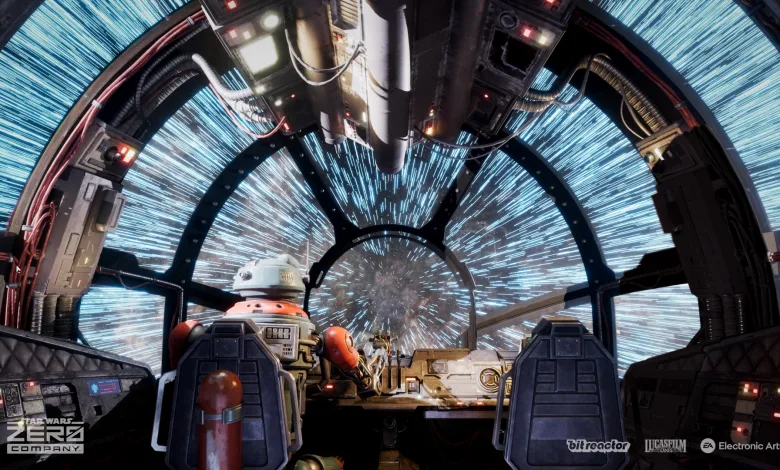
Star Wars Zero Company is now available for PC, and its launch FAQ answers the questions most likely to come up before Hawks leads the squad into battle. The guide covers PC requirements, controller support, performance settings, mission structure, permadeath, and the game’s plans for post-launch content.
The official FAQ in the game’s Steam announcement also confirms that the Steam release is native to the platform and does not require the EA App.


PC requirements and performance settings
Players will need a 64-bit processor and operating system. The minimum and recommended targets are aimed at different resolutions and frame rates, with the higher target requiring a much stronger CPU and GPU.
Minimum PC requirements
- Graphics 1920×1080 @ 30 FPS, Low Graphics Settings Preset
- OS 64 bit Windows 10/11 (Windows 11 Recommended)
- Processor Intel Core i5-8400 or AMD Ryzen 5 2600X
- Memory 16 GB RAM
- GPU Nvidia GeForce GTX 1080, Radeon RX 5600 XT, or Intel ARC B580
- Storage 50 GB available space
Recommended PC requirements
- Graphics 2560×1440 @ 60 FPS, High Graphics Settings Preset
- OS 64 bit Windows 10/11 (Windows 11 Recommended)
- Processor Intel Core i7-10700K or Ryzen 7 3700X
- Memory 32 GB RAM
- GPU Nvidia GeForce RTX 3080 or Radeon RX 7800 XT
- Storage 50 GB available space
Bit Reactor says testing found the game to be more CPU-bound than GPU-bound. Because of that, changing individual graphics options may not alter the frame rate as sharply as it does in some other genres, even with a higher-end graphics card. The FAQ does not provide a separate Ultra Settings target.
The team also removed the word “native” from the PC specifications before launch. For the recommended 1440p and 60 FPS target, the preferred default uses TSR or vendor upscalers such as DLSS and FSR. Players who run into stuttering or poor frame rates can use the official troubleshooting page.
Graphics drivers
The FAQ recommends using the latest drivers available for each graphics card. The relevant manufacturer pages are available for NVIDIA graphics cards, AMD graphics cards, and Intel graphics cards.
Ultrawide monitors and controller support
Star Wars Zero Company supports both 21:9 and 32:9 ultrawide monitors. On PC, the game is mostly playable with Xbox Series X|S and PlayStation 5 controllers, although certain text inputs still require a keyboard.
Control remapping is available for both controllers and mouse and keyboard on PC. Players using PlayStation or Xbox controllers on consoles can remap their buttons there as well.
Microtransactions, DLC, and New Game Plus
There are no plans for monetization or microtransactions at this time. Bit Reactor also has nothing to announce about DLC or post-launch content, since the team focused on the launch version first.
New Game+ will not be available at launch. Subsequent playthroughs can still unlock certain customization options, giving repeat campaigns a little extra to chase.
Steam Deck and mod support
The game will not be Steam Deck Verified at launch. The team said it will update the community if that status changes.
There is also no official mod support planned. That does not prevent the community from discussing possibilities, but the game will not launch with developer-backed modding tools or support.
Operations and Tactical Missions
Each cycle gives Hawks a chance to complete both Operations and Tactical Missions from the holotable in the Den. Either type can expire, although story-critical missions eventually become obligatory. Every cycle ends with a Tactical Mission selection, sending the chosen squad into the next mission.
Operations take place on the Galaxy Map. They can provide instant rewards, move the narrative forward, or unlock more Operations and Missions. Some also present dilemmas, and the choices made during them can affect character bonds and side missions.
Tactical Missions are where the squad handles objectives through turn-based combat. Story missions can begin with a small free-roam segment in third person, giving players a chance to move through the environment and gather more context about the world, intel points, and advantage points before the battle begins.
The mission types mentioned in the FAQ include:
- Sabotage
- Combat
- Rescue
- Retrieval
- Narrative missions with unique stories centered around one hero
How permadeath works
Permadeath is enabled by default, but it can be turned off in the settings. That gives players control over whether a fallen squad member remains gone for the rest of the campaign.
The FAQ presents the default option as a way to make loss part of the campaign’s emotional arc, while the toggle lets players choose a more forgiving run. Either way, the setting can be adjusted to fit the kind of Star Wars story each player wants to create.
Are you planning to play with permadeath enabled, or will you keep the full squad intact? Share your thoughts in the comments, and follow us on X, Bluesky, YouTube, Instagram, Steam, and Telegram.
Star Wars Zero Company
Developed by Bit Reactor

Command an elite squad through a gritty and authentic story in Star Wars Zero Company, a single-player turn-based tactics game.
- Genre Strategy, Turn-based strategy (TBS), Tactical
- Platforms Xbox Series X|S, PC (Microsoft Windows), PlayStation 5
- Perspective Bird view / Isometric
- Modes Single player
- Release August 27, 2026
- Publisher Electronic Arts
-
Age Rating