
Starry Studio plans server maintenance and the rollout of Version 2.2.4 on December 23, 2025 at 3:00 PM PT, with an expected window of about two hours. After maintenance, every account will receive Starchrom x1000, Mitsuko’s Mark x100, Starwish Token x300, Butterfly Dye x1, and Wish Strike Ticket x2.
The update bundles a completely revamped new player tutorial, a new Combat Deviation Skill System, a major RaidZone progression overhaul, permanent server merge pre-selection, new shop content and limited-time events tied to the holidays, and a broad set of weapon and systems balance changes. For background on recent fixes tied to the 2.2.3 releases, see our December 15 patch summary.
Below is a short overview of the biggest changes, followed by the official notes reproduced in full.
Quick overview
- New player experience – The tutorial and opening story have been rebuilt. New characters flow into the revised sequence; some older characters may be routed back to character customization before continuing.
- Combat Deviation Skill System – Deviations now unlock two active skills (a Battle Skill and an Ultimate) with explicit controls for PC, mobile, and controller inputs.
- RaidZone overhaul – Tech, crafting, materials, and resource distribution receive broad changes, plus a new reverse-engineering feature for formulas and item production.
- Events and shop – Holiday events, new Lightforge Loot Crates, a Lucky Bazaar, and limited-time furniture and skin bundles arrive alongside several UI and shop optimizations.
Patch Notes
Version 2.2.4 Update Announcement (December 23)
Dear Metas,
The Version 2.2.4 server maintenance and update is planned for December 23, 2025, at 3:00 PM (PT) and expected to last about 2 hours (actual time may differ). Please plan your game time accordingly for the best experience. Please plan your game time accordingly for the best experience.
After maintenance, all players will receive the following rewards: Starchrom x 1000, Mitsuko’s Mark x 100, Starwish Token x 300, Butterfly Dye x 1, and Wish Strike Ticket x 2. You can use Butterfly Dye to experience optimized hair coloring effects, and it’s now also available for exchange with Colorful Badges for easier acquisition. Wishing you a vibrant holiday journey!
Below are the details of this update:
Content/Feature Updates
Revamped New Player Experience Officially Launched
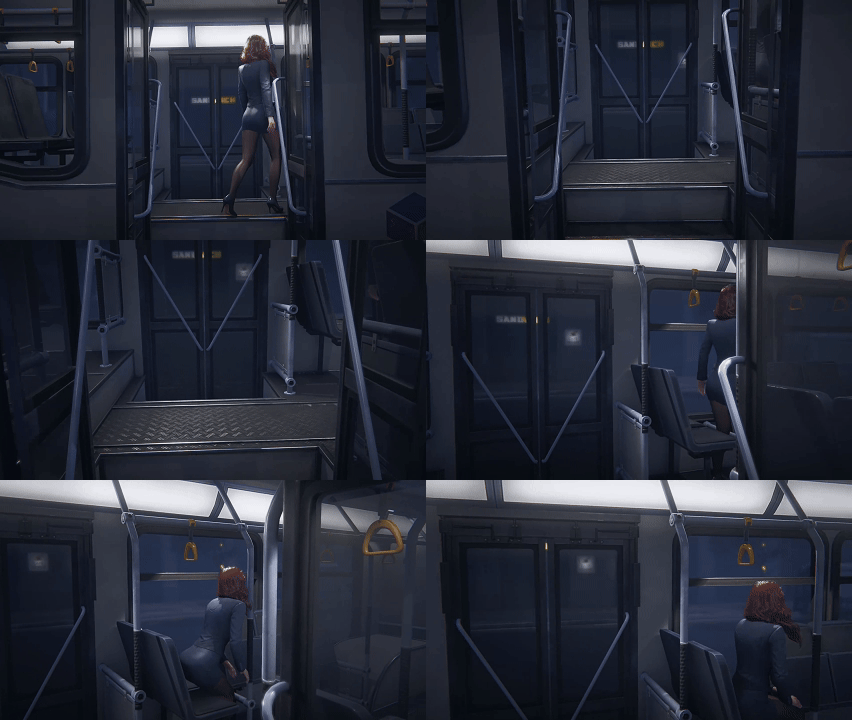
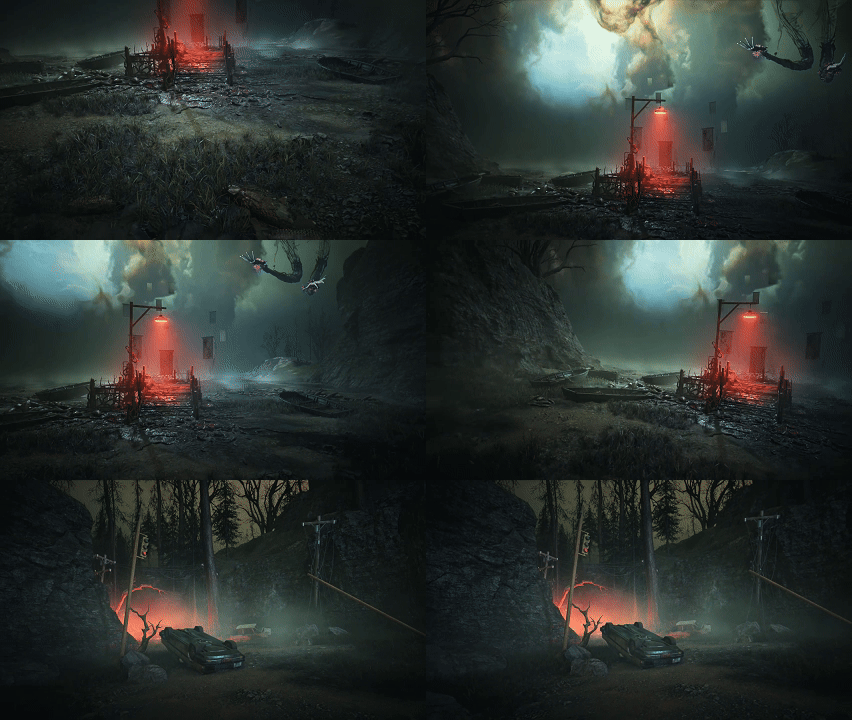
To provide clearer guidance and showcase the unique features of Once Human, we’ve completely redesigned the new player tutorial through multiple confidential and live beta tests. We’re thrilled to announce the official launch of the revamped experience! Invite your friends to embark on a mysterious and captivating journey through Nalcott!
Quick Look: New Player Storyline
A bus pulls into the station, and you, fresh off work, step aboard as routinely as any other mundane day. A peculiar broadcast crackles through the speakers, stirring an uncanny sensation. Suddenly, chaos erupts. The bus morphs into a many-legged Biomechanical monster, and the passengers around you reveal themselves as Deviants… When you awaken, you find yourself in a mysterious eternal realm. You, a Meta-Human, guided by the enigmatic girl “Mitsuko,” must dispel the distortions brought by calamitous beasts and save worlds on the brink of collapse. Join the fight for the continent of Nalcott today!

New Player Experience & Old Character Compatibility Notes
After the version update on December 23, 2025 (PT), newly created characters will directly proceed through the revamped new player experience. Accounts with existing non-beginner characters may skip the tutorial and create characters immediately. For characters still in the old tutorial, the following adjustments apply:
1) Before the December 23, 2025 (PT) update, all characters who have not completed the old tutorial will transition to the new tutorial. After completion, they may select a scenario to enter the wilderness.
2) For characters created before the November 26, 2025 (PT) update that have not finished the old tutorial, progression will restart from character customization (appearance and name), using your previously set data. Confirm these details to proceed with the new tutorial.
New Fashion & V’s Visual Refresh
1. Complete the revamped new player experience to obtain the Rare (blue-grade) Fashion “Distant Memory” . Veteran Metas can claim it directly via mail after the update.
*Disassemble duplicate “Distant Memory” yields no additional benefits.


2. Additionally, we’ve refreshed V’s visual design.



New Combat Deviation Skill System
This update proudly introduces the new Combat Deviation Skill System, revitalizing every Deviation!
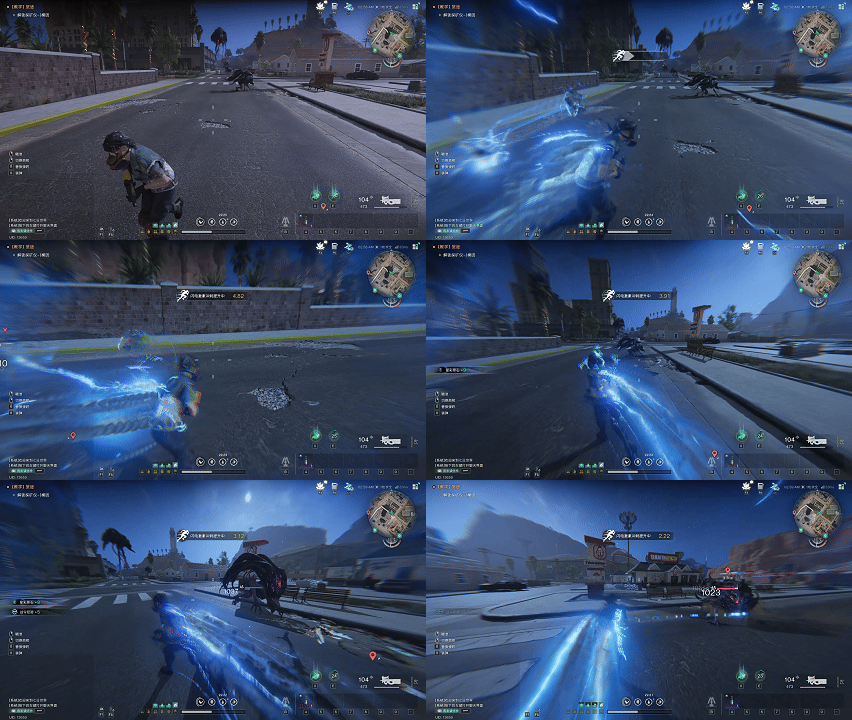
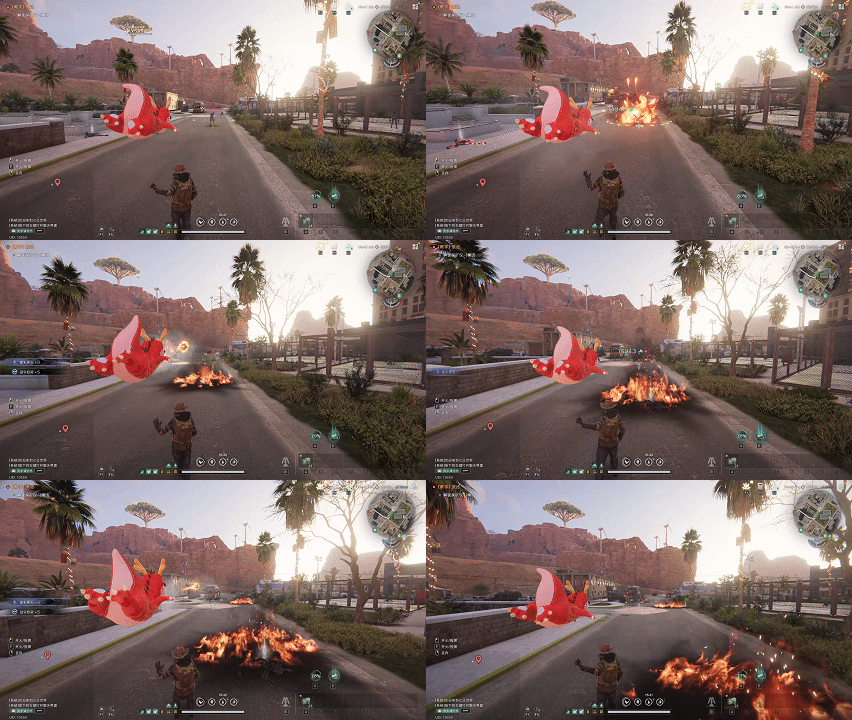
Upon synchronizing with a Combat Deviation, you’ll unlock 2 Active Skills: a Battle Skill and an Ultimate. Designed to enrich combat rotations, this system ensures every battle feels fresh, expands tactical options, and empowers you to dominate the battlefield!
Battle Skill Controls: Press E on PC; tap the Battle Skill Pin on mobile; LB+X on controller.
Ultimate Controls: Press X on PC; tap the Ultimate Pin on mobile; LB+Y on controller.
1. Wheel Mode: Short press to deploy/retract; hold to bring up the wheel for selecting different control behaviors.
2. Button Mode: Short press to deploy, short press again during deployment to enter mind control, hold to retract.
After synchronizing Deviations in the securement unit, you can now equip and switch active Deviations not only directly in the Secure Pod but also via the Gear Backpack interface. Switching Deviations will reset Deviant Power and put Battle Skills on cooldown.
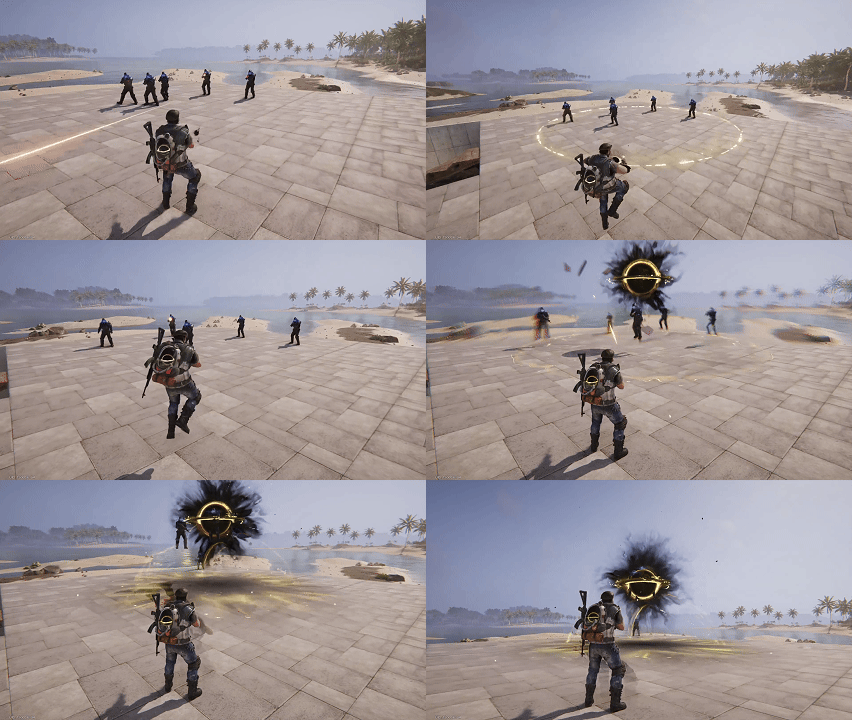
For more information, refer to the Steam store post on Combat Deviation
We will also conduct comprehensive iterations for combat systems including Gear Crafting, Cradle Controls, Stellar Stairway, and Blueprints in future updates. Stay tuned!
[Permanent Server Merge Pre-Selection] Feature Launched
The [Permanent Server Merge Pre-Selection] feature is now live, ensuring seamless team/friend coordination!
Rules:
1. Individual and Hive Pre-Selection: You can pre-select a permanent server either individually or as a Hive. Hive pre-selection can be initiated by the Hive leader. If successful, all Hive members will be assigned to the selected permanent server during the server merge.
Note:
a) The Hive leader cannot initiate Hive pre-selection if any member has already pre-selected a server individually. Conversely, if the Hive leader has already initiated Hive pre-selection, any member who wants to pre-select a server individually must first leave the Hive.
b) Permanent server pre-selection and scenario sign-up cannot be performed simultaneously. You must choose one according to your needs.
2. Reservation System: After completing pre-selection, your place on the selected server will be reserved for 14 days. If you do not log in within 14 days, your pre-selection will expire, and your place will be released.
3. Server Assignment: If you do not pre-select a server, your character will be automatically assigned to the server with the most remaining capacity during the server merge.
4. Pre-Selection Limitations: You can only pre-select a permanent server of the same scenario type as your character’s current server. For example, if your character is in a standard Manibus server, you can only pre-select a standard Manibus permanent server. You cannot choose a server with a different scenario or Visional tag status.
For more information, refer to the server pre-selection notice on Steam
New Weapon Accessory: “Unlock Baseline Sniper Scope” [Non-RaidZone Mode]
1. Accessory Parameters:
1) Iron Scope
2) Aiming Speed +20%
3) Accuracy +8
4) Mobility +25
2. Acquisition Method: Redeem at the Morphic Shop.
3. Applicable Weapons: All types of sniper rifles.
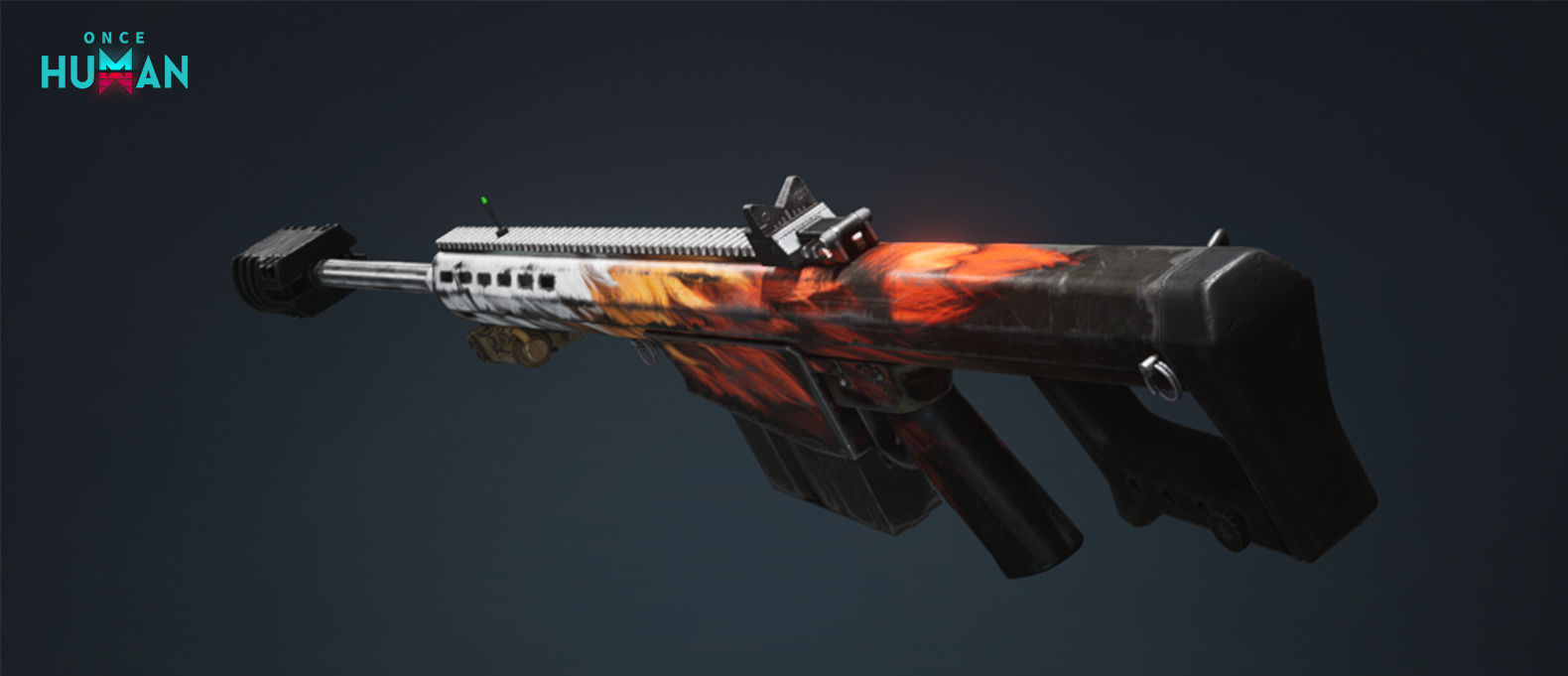
4. Expanded Sniper Rifle Accessories
After this maintenance update, all sniper rifles can now equip 2x and 3x scopes.
New Events
[Starlight Parcel Station] Warmly Opens
The Wish Tree is about to complete its festive makeover, awaiting the arrival of every Meta! In this cold winter, come craft a heartfelt gift and share warmth with friends.
Event Duration: After Christmas Tree decoration reaches 100% progress until Server Time January 7, 2026 .
How to Participate: During the event, visit the event island and interact with the refreshed Christmas tree to pack items into Christmas gifts for others. You can select up to 8 items from your backpack as gifts.
Note: Metas can place any non-bound items from their backpacks into Christmas gifts. A detailed list can be viewed by selecting “Exchange Gifts” when interacting with the Christmas Tree.
Gift Exchange Rewards: After creating a Christmas gift, you’ll randomly receive one from another Meta in return, plus 3 Wish Strike tickets!
Gift Exchange Opportunities:
From event start until Server Time December 26, 2025, 6:00, logging in grants only 1 gift exchange attempt. After this, attempts refresh daily at 6:00, each login awards 1 exchange until the event ends.
Unused exchange opportunities can be accumulated and used at your convenience.
After Server Time December 25, 2025, 2:00, decorations will no longer drop from gathering or defeating enemies in the wilderness. Unused decorations in your backpack can still be used for decoration and will not disappear. You can continue to obtain Wish Strike Tickets by exchanging gifts.
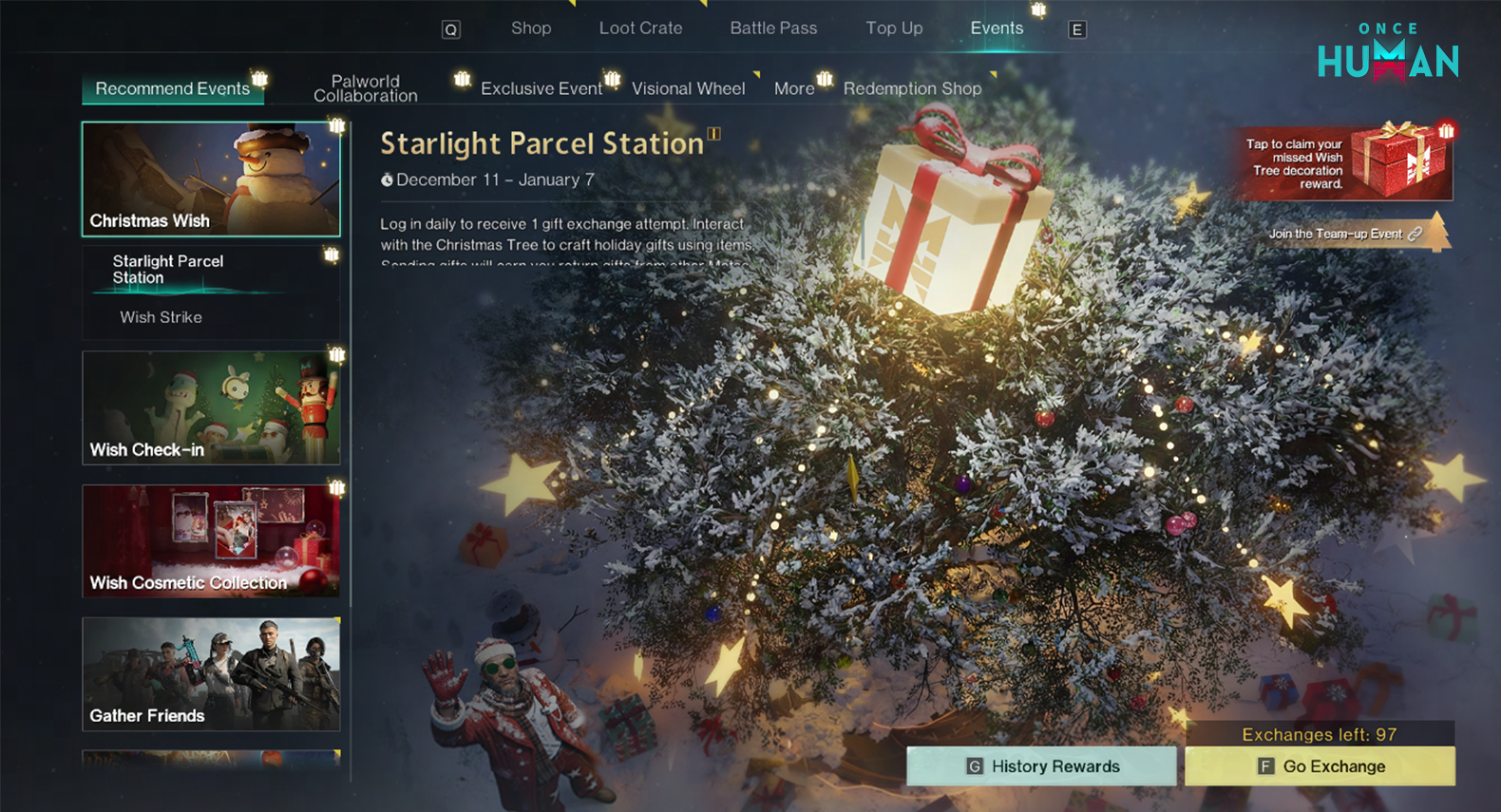
Wish Machine Time-Limited Prize Pools Now Open
After the update on December 31, 2025, 3:30 PM(PT), the following new Wish Machine prize pools will be available for 3 weeks:
Money Rain: Includes the Legendary weapon blueprint: Raining Cash.
[Armored Cowboy]: Includes the Legendary gear blueprints: Cowboy Boots, Savior Jacket, Savior Gloves, and Savior Shoes.
[Final Shot]: Includes the Legendary weapon blueprint: Memento.
New Shop Arrivals
Lightforge Loot Crate [Aureate Gala] Grandly Unveiled
“Crowned by the gaze of the crowd, shining atop the starlight peak!”
Available: After the update on December 23, 2025 (PT)
The [Aureate Gala] themed Lightforge Loot Crate features the Legendary territory material pack “Windspeak Realm,” the Legendary Fashion Set “Stellar Elite,” the Legendary weapon skin “Stellar Ovation – KAM,” the Legendary facility skin “Fusion Pod: Gilded Celebration,” and the Hype-tier Duo Action “Snowy Waltz.”
• Lightforge Canvas Customized Dyeing is here! The Stellar Elite: Starhunt Set and Stellar Elite: Cloudray Set will debut with [Aureate Gala], with special bundle discounts! Check them out under Shop > Other Exchange > Lightforge Canvas Tab!
For details, visit the Lightforge Loot Crate announcement >>> Lightforge Loot Crate details on Steam

• The “Windspeak Realm” material pack will directly cover base and expanded structures, featuring a total of 122 material skins!
• Lightforge Lucky Box is here to help! For as low as 60 Crystgin, purchase now to receive Lightforge Ingots and super-discounted lucky bags, with a chance to unpack up to 6666 Crystgin! Head to Shop > Exclusive Deals > Lightforge Benefits tab. Don’t miss out!
• Lightforge Loot Crate interface optimizations in progress:
– The Lightforge Ingot special purchase entry will be moved to the Loot Crate Redeem Shop! Only the entry is adjusted; the original half-price purchase feature and limits remain unchanged.
– The Lightforge Loot Crate history has been moved to the Question Mark rules interface.
– Adjusted some information displays in the Collection Rewards and Redeem Shop interfaces.
New Shop Feature: Lucky Bazaar Now Open!
“Grand opening, great fortune! Tell Mr. Wish whatever you desire!”
Available: After the update on December 23, 2025 (PT)
As the New Year festivities approach, Mr. Wish sets up a bazaar stall!
• New Year Special: The Lucky Bazaar refreshes daily with three types of discounted items!
– Lucky Bazaar Exclusive: Limited-time Furniture Formula blueprints on sale, refreshed at up to 40% off!
– Festival Returns: Festival-themed cosmetics missed by the Metas return with discounts as low as 70% off!
– Common Items: Products from a year ago still available now at up to 70% off!
• Prize Pool Refresh: The bazaar pool resets daily at Server Time 6:00. Additional refresh chances can be earned by purchasing items.
– First purchase in each bazaar round grants 1 extra refresh chance.
– Extra refreshes are capped at 30 per week (resets on January 1, 2026, Server Time). See the event page for details.

Limited-Time New Year Furniture Pack Now Available
“With the surprise of gifts and the fragrance of pine branches, compose a home ode dedicated to winter.”
Available: After the update on December 23, 2025 (PT)
The Epic Furniture Pack “Snownight Carol” will be available for a limited time. As the new night descends, let wishes soar with the carol!
New Year Themed Limited-Time Sale!
• “Snownight Carol” Furniture Pack Special Offer: Available for only two weeks at an 85% discount! Decorate your festive home now~
• “Evergreen Sprite” Theme Pack Supplementary Offer: Only one week left? Enjoy a 20% discount for the final week! Don’t miss out on the adorable sprite joining the holiday sale!
*After the version update, the store price will be updated to include the “Evergreen Sprite” discount. Metas who previously purchased at full price will receive a refund for the price difference via mail~

All expansion structures for the currently available material packs have been fully updated.
“More content, same price! The Material Skin Pack now includes free expansion!”
Major additions to the Shop’s Material Skins! Three new furniture material expansion packs: “Springtime Terraced House: Expansion I,” “Florivox Cabin: Expansion I,” and “Romantic Misty Purple: Expansion I” are now available, covering new structural components to enhance your territory building!
• Free Expansion: Metas who previously purchased the original Material Skin Pack can claim the expansion structures for free upon logging in, with no additional cost! Other Metas can also purchase the expansion structures separately in the Shop, and future purchases of the full material pack will deduct a portion of Crystgin.
* Due to tight production schedules, the expansion structures for the Luminous Realm Material Pack will be completed in the version update on January 7, 2026 (PT). Metas who already own the Luminous Realm Material Pack will automatically unlock the additional structures. Thank you for your patience.
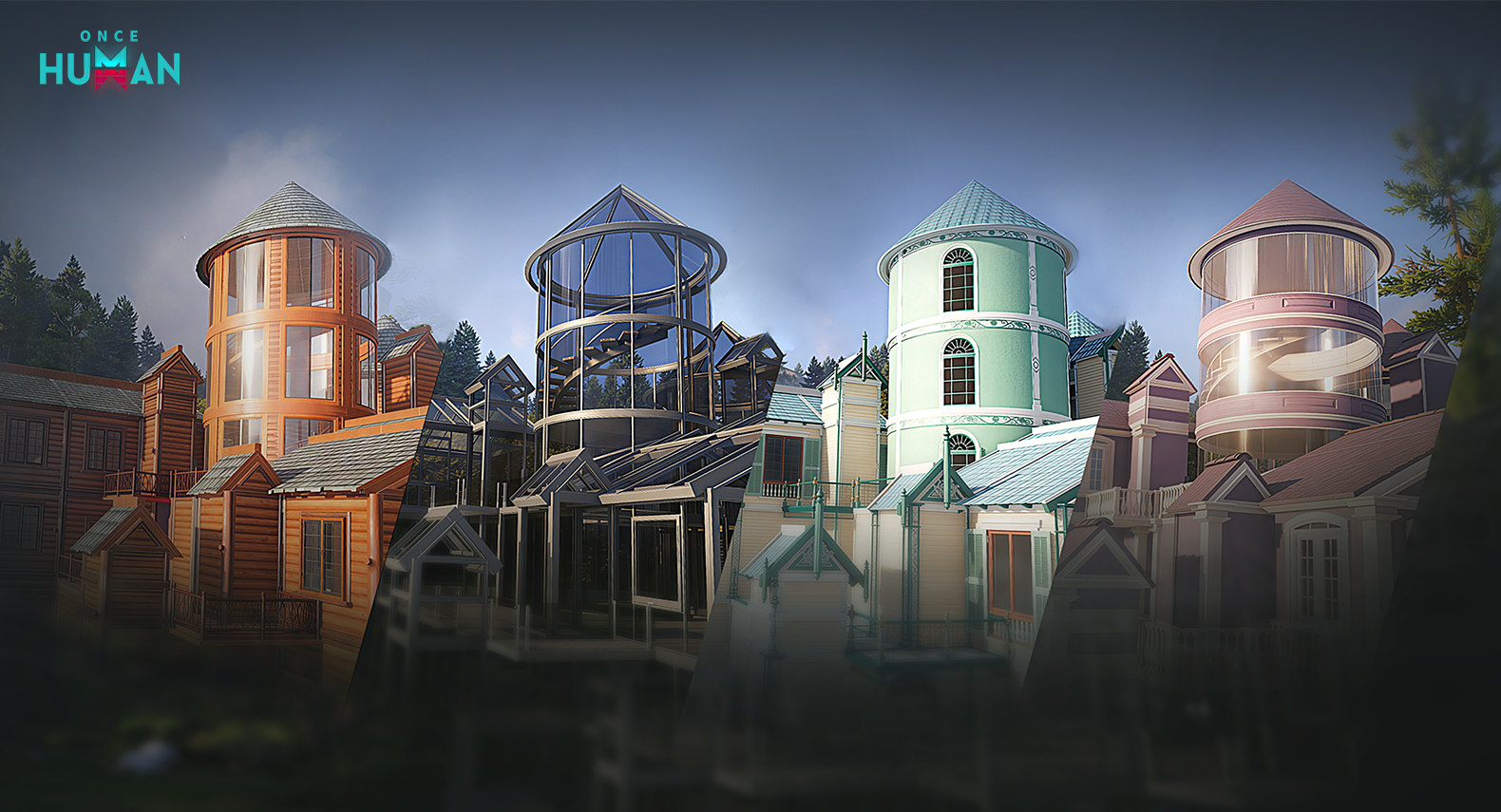
Warm festival-themed individual parts available for you to choose
Exclusive festive Fashion piece “Winter Arrival: Top” is now available. Adorable sweaters to brighten up this winter!
Hair Dye Effects Refreshed & Butterfly Dye Now Purchasable with Colorful Badges
To help Metas with outfit coordination and freer personal expression, we’ve expanded the range of available hair dye colors, allowing you to use a broader color spectrum. Additionally, the hair dye item “Butterfly Dye” can now be purchased with Colorful Badges. Visit the Shop > Other Redeem tab to redeem.
Meta Pass rewards increased
Celebrate the New Year with version update, Meta Pass benefits boosts:
– The Meta Pass now includes trial access to five popular Fashion items! Unbeatable value: use 5 Fashion sets and 5 weapon skins now!
– Exclusive mobile app pins added as a Meta Pass perk. Unlock instantly upon purchase! Veteran Metas who’ve already unlocked it need not worry; we’ll retroactively grant the pins via mail.

Upcoming Shop Updates
“With light as feathers and gold as poetry, every gleam carries the legacy of timeless elegance.”
Epic Rarity Weapon Skins “Gilded Plumes – ACS12,” “Gilded Plumes – AWS.338,” and “Gilded Plumes – G17,” along with the Epic “Gilded Plumes” Combo Gift Box, are now available for a limited two-week period!
Equip your new firearms with these dazzling skins!
Meta’s Bounty Update
“From the skies, dive toward everything under the moon!”
Available: After the update on December 23, 2025 (PT)
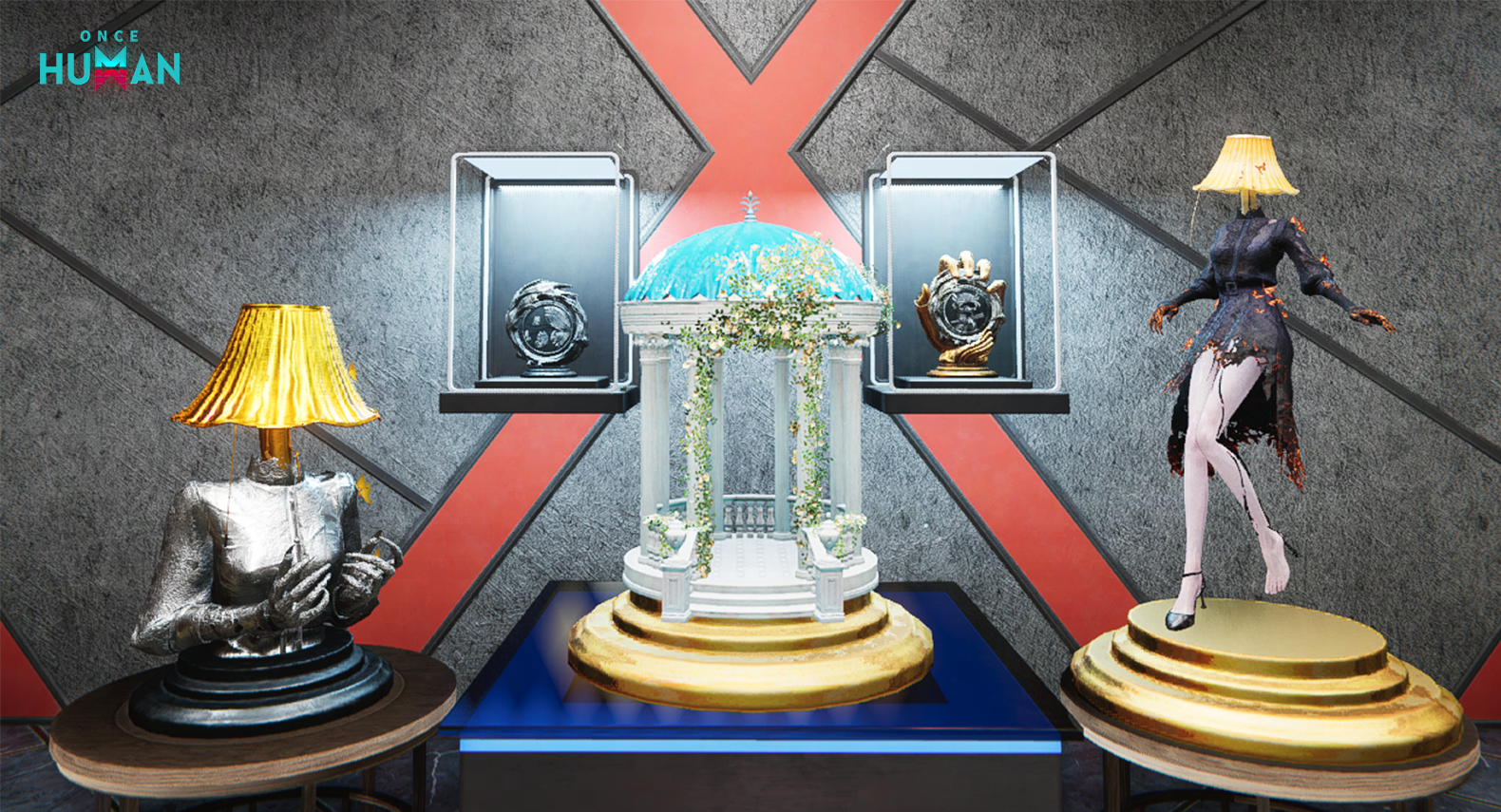
New medals have been added to Meta Bounty. Go to Shop > Meta Bounty tab to check out and unlock them.
Under the Challenge category, new additions include “Burning Through the Moonlight” and “Scope Without Distinction” – danger lurks beneath the moonlight.
Under the Exploration category, new additions include “Carved Beams and Painted Rafters” and “Skybound Recruits”: on this land, beneath this sky…
Under the Commemoration category, a new addition is “Multiverse Haven”. Witness your journey!
RaidZone content updates
Comprehensive Overhaul of Tech/Crafting/Resources
We’ve observed that the current progression pace in RaidZone is overly rigid, lacking variability and surprise, with insufficient depth in survival mechanics. To address this, we’ve initiated a full-scale progression overhaul, covering technological advancement, wilderness resource acquisition, crafting formulas and production costs, item naming, and Memetic systems. Our goal is to refine the overall pacing of RaidZone, enhance survival-oriented gameplay, improve wilderness PvP and territory battles, and ensure competitive fairness and strategic retrusion, bringing the focus back to the battle of wits between players and their environment in a post-apocalyptic world.
1. Memetic Changes
1) Memetic tabs have been reclassified into three categories: Construction, Combat, and Survival, aligned with RaidZone’s core experience for easier comprehension by Metas.
2) The Memetic screen now displays tier indicators to denote formula levels, showing which items can be crafted at corresponding tier supplies workbenches or gear workbenches, making tech progression more intuitive.
3) The nail gun, bronze pickaxe, steel ingot, tungsten ingot, sulfur crystal, all stone structures, and synthesis benches are now unlocked by default, with their associated Memetics removed. These no longer require data chips to learn and are freely accessible.
4) The ore detector Memetic mining operation platform Memetic have been removed..
5) All material-type Memetics have been removed. For batch production/construction abilities, players must first collect the corresponding facility or item in the wilderness, then reverse-engineer and learn its formula through the tech synthesis bench.
6) Memetic pins will now display the icon of the primary formula item within that Memetic node for better clarity. Additionally, the name will be updated to match the unlocked formula item.
2. New Reverse-Engineering Feature
1. Added Reverse -engineering feature. Most crafting materials, weapons, armor, and building facilities can now be reverse-engineered by consuming one finished product plus RaidZone chips to unlock their crafting ability early.
2. Reverse-engineering requires at least three steps: First, build a synthesis bench facility (unlocked by default; any team member or interactable synthesis bench from a Meta can enable this feature). Second, acquire the finished item or building item whose Formula you wish to learn. Finally, gather enough chips to initiate Reverseengineering.
3. Once all materials are ready, deposit the finished or building item into the synthesis bench and consume the required chips. After a set duration, the item’s Formula will be learned, allowing batch production or construction.
4. Reverse-engineering consumes the deposited item and chips permanently. These items will not be returned, so perform this operation in a safe environment.
5. Note: Not all items can be Reverse-engineered. Attempting to Reverse-engineer an already learned Formula will not grant the item’s Formula again but will instead consume the item and chips to yield a small amount of basic materials.
III. Item and Material Adjustments
1. Added a new item: Sulfur Crystal, smelted from Sulfur. The production of Flammable items and bullets will now require sulfur crystal instead of sulfur.
2. Removed copper ore and copper Ingot. Formulas that originally required copper ore or copper Ingot will now use iron ore and steel ingot.
3. Reduced the amount of ore required to smelt steel ingot and tungsten ingot. Previously, 5 ores were needed to produce 1 ingot. Now, smelting 1 steel ingot requires 2 iron ore, and smelting 1 tungsten ingot requires 1 Tungsten ore.
4. Tungsten ingot is no longer exclusive to the electric furnace and can now also be smelted in a furnace.
5. Removed the following material items: Rubber, scraps, Detoxident, and adhesive. Added a new material: Waterproof Plastic (a waterproof material widely used in hydraulic engineering gameplay, consumed in structures like Metas’ Rainwater Collection System and water pumps). Waterproof plastic can only be obtained through exploration in the wilderness.
6. Adjusted the stack size of all materials, reducing the quantity players can carry in their backpacks. This limits the number of items attackers can loot, giving defenders more opportunities to protect their bases and preserve resources.
IV. Adjustments to Crafting and Construction Formulas
1. Revised material names and reworked item synthesis formulas to better align with operational intuition, enhance crafting logic, and better fit the realism of apocalyptic survival. For example, “Crystal” has been renamed to “Worn Blade”, optimizing its role as a crafting material for items with distinct blade attributes, such as axe and weapon-type tools, Logging Chainsaws, and gathering pickaxes. “Advanced Crystal Diamond” has been renamed to “Weapon Spring” and is now primarily used for crafting firearm Weapons.
2. Reduced the crafting costs for most equipment items and balanced the difficulty of directly acquiring equipment in the wilderness, shifting the gameplay experience more toward crafting equipment rather than obtaining them directly in the wild.
3. Rocket Launcher has been downgraded to intermediate tech (previously requiring an advanced gear workbench for crafting; now it can be crafted with an intermediate gear workbench). Rocket Launcher warheads have been upgraded to advanced tech (requiring an advanced supplies workbench for crafting). Molotov Cocktail has been downgraded to intermediate tech (requiring an Intermediate supplies workbench for crafting).
4. Adrenaline Shot has been downgraded to intermediate tech (previously requiring an advanced supplies workbench for crafting; now it can be crafted with an intermediate supplies workbench).
V. Optimization of Wilderness Gathering Item Distribution
1. Removed copper ore from the wilderness. Simultaneously, significantly increased the quantity of stone and iron ore while maintaining distinct mineral characteristics across different regions.
2. Optimized some gathering item names in RaidZone, such as renaming “Realm Crate” to “Supply Crate”.
VI. Optimization of Deployment and Resource Acquisition Methods
1. To optimize the overall resource accumulation pace of the game and encourage Metas to explore a more balanced variety of survival methods, we have rebalanced the resource rewards obtained from killing basic monsters. This adjustment better reflects their actual value in the post-apocalyptic world, making other survival approaches like exploration and crafting more significant.
2. Removed Explosives Mix from weapon crate, basic combat supply box, intermediate combat supply box, advanced combat supply box, and echoite signal flare drops.
3. Optimized the crafting costs for all gear while balancing the drop rates of gear and weapons in gathering material crates.
For more details, please check the Dev Blog: RaidZone dev blog on Steam
Optimizations – RaidZone Mode
Weapon Balance Adjustments
1. Recurve Bow
The Recurve Bow was overly versatile in the early game, so we reduced its non-charged single-shot damage and weakspot multiplier. However, we improved the charging feel and increased the benefits of charged shots.
(original tables and numeric adjustments preserved in official notes)
2. Rustic Crossbow
The unlock order and positioning of the Rustic Crossbow have been adjusted, so we modified its single-shot damage and reload time but reduced its weakspot multiplier.
(original tables and numeric adjustments preserved in official notes)
3. Nail Gun
Initial bullet spread -20%.
(original tables and numeric adjustments preserved in official notes)
(Additional weapon adjustments for MPS5, R500, SKS, G17, S870, DB12 – Backfire, Compound Bow, PDW90, KAM, KAM – Burning Rage, MG4, KVD, RPG, and Sniper Rifle adjustments appear in the official notes.)
Wilderness
After this maintenance update, wooden crates (a source for finished food) spawned in the wild will now have a blue outline for easier identification.
Territory Construction
Added a feature where placed blueprints slowly restore durability over time.
Optimization – All Modes
Shop
1. You can now synchronize Fashion and Hairstyle adjustments in the Appearance interface for more streamlined customization.
2. Expanded the color range for hair dyeing, offering a broader spectrum. Further optimizations to character makeup and hairstyle effects will follow to better showcase individuality.
3. Added appearances for square halfwalls, short pillars, straight railings, low steps, left-turn stairs, left half-pace stairs stairs, and left-spiral staircase in Structure Expansion I.
4. Added appearances for right-turn stairs, right half-pace stairs, right spiral staircases, and half railings to Basic Structures.
5. Enhanced the visual effects of weapon skins: “Glacial Age-DE.50,” “Glacial Age-KV-SBR,” and “Glacial Age-KVD.”
Scenario selection
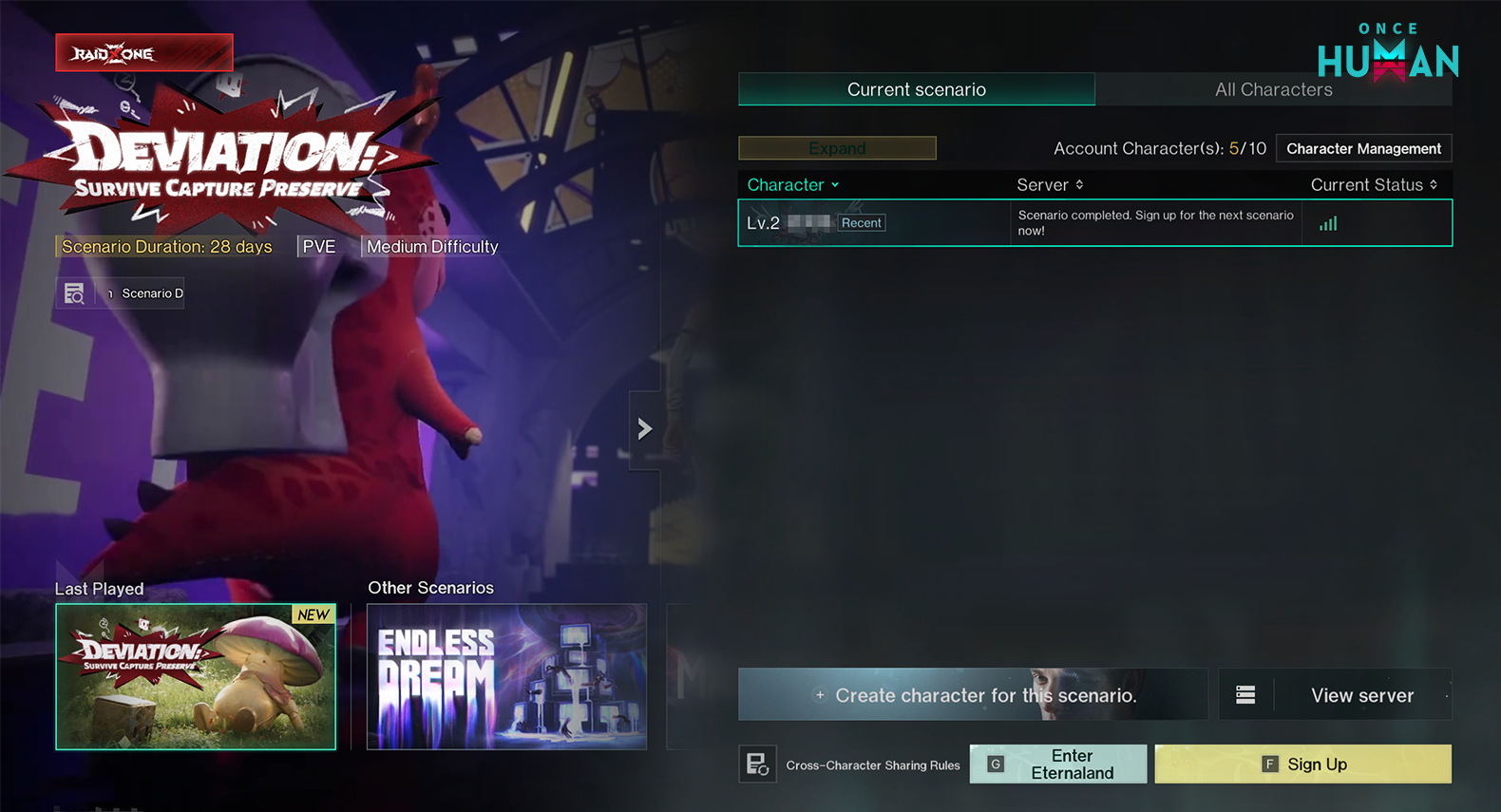
Login and Scenario Selection Interface Optimizations:
1. Open the character list to view server info for existing characters in the current scenario. Click “View Server” to check all server statuses under that scenario.
2. Improved the scenario selection interface for easier access to related information.
Scenario Progress
1. Optimized the background process image for the “Manibus” scenario.
2. After this maintenance update, the following adjustments will be made to the newly opened cenarios [Manibus], [The Way of Winter], [Endless Dream], and [Deviation: Survive, Capture, Preserve] (Note: Servers opened before the update will remain unaffected and retain their original rules):
1) Scenario challenges will no longer unlock progressively by stage. Instead, they will now unlock upon accumulating a specific amount of Memetics Points, allowing you to experience them at your own pace.
2) The number of scenario challenges has been reduced. Each scenario will now retain only 2 sets of high-difficulty challenges.
3) Scenario challenges will no longer reward Memetics Points. These rewards have been shifted to level-ups (with increased Memetics Points awarded per level-up).
4) The explanatory text in the scenario progress interface has been optimized.
Wilderness
1. Rift Anchors and Teleportation Towers in the wilderness will be uniformly replaced by Worldstones:
1) Worldstones can be bound as respawn points, and activated Worldstones will retain their teleportation functionality.
2) Previously activated Rift Anchors and Teleportation Towers will retain their activation status after being replaced by Worldstones.
3) The new season will inherit the activation status of Worldstones from the previous season.
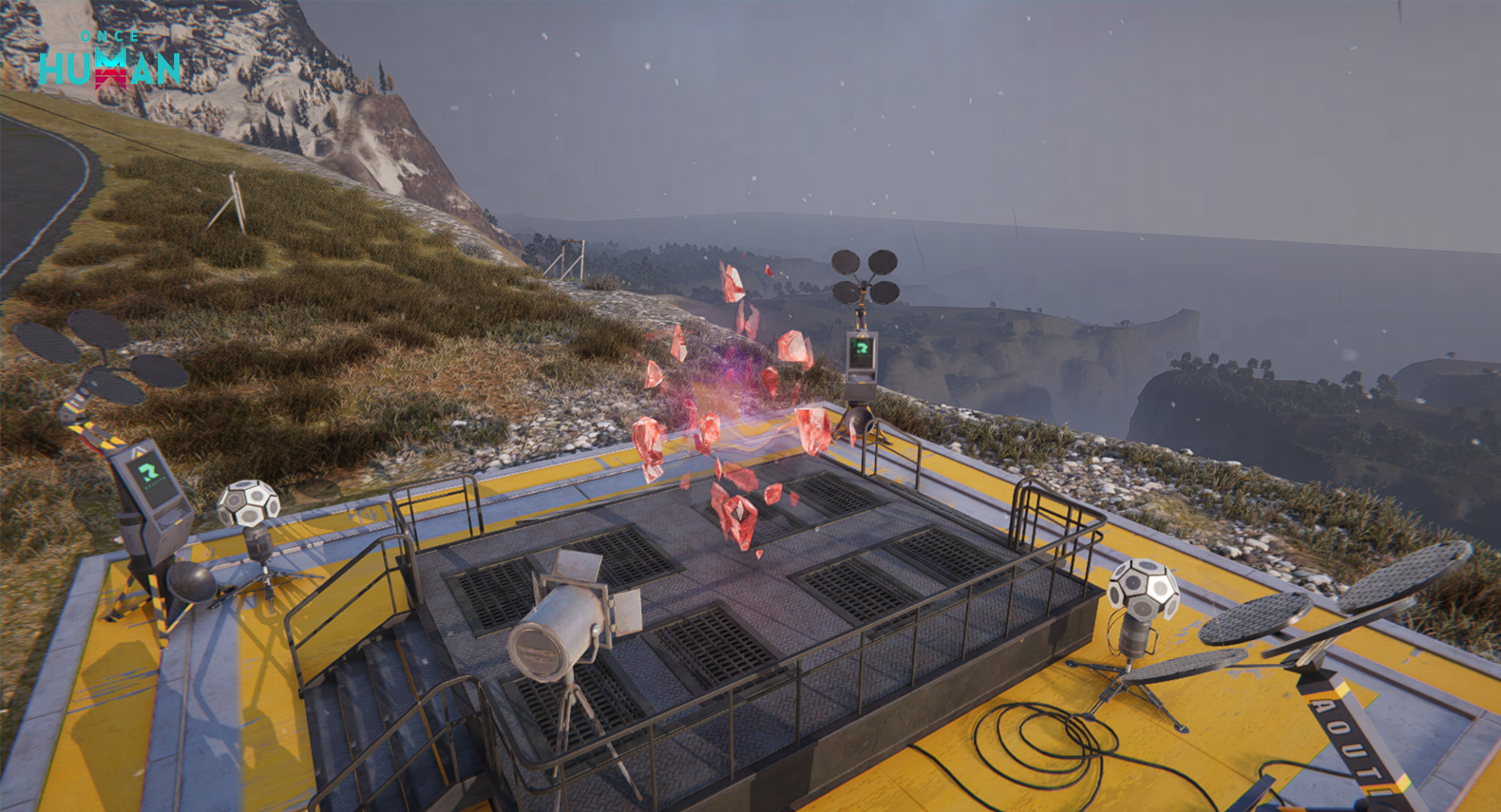
2. The visual effects of certain treasure chests have been optimized.
3. Non-RaidZone Mode: Optimized the initial landing positions.
Territory Construction
1. In response to feedback from Metas regarding “abnormal construction above secure facilities,” we have implemented targeted adjustments to the building logic in this update to maintain a fair and immersive survival environment:
1) Building logic correction: After this update, new structural constructions above secure facilities will no longer be permitted.
2) Handling of existing structures:
a) For pre-existing constructions, if they are verified not to disrupt game balance or the normal experience of other Metas, they will remain untouched without forced removal.
b) Structures that severely impact game balance will be dismantled upon verified reports. We appreciate your understanding and support.
2. Added visual effects for Electric Furnace, Intermediate Stoves, and Advanced Stoves when in operation, making it easier to identify their working status.
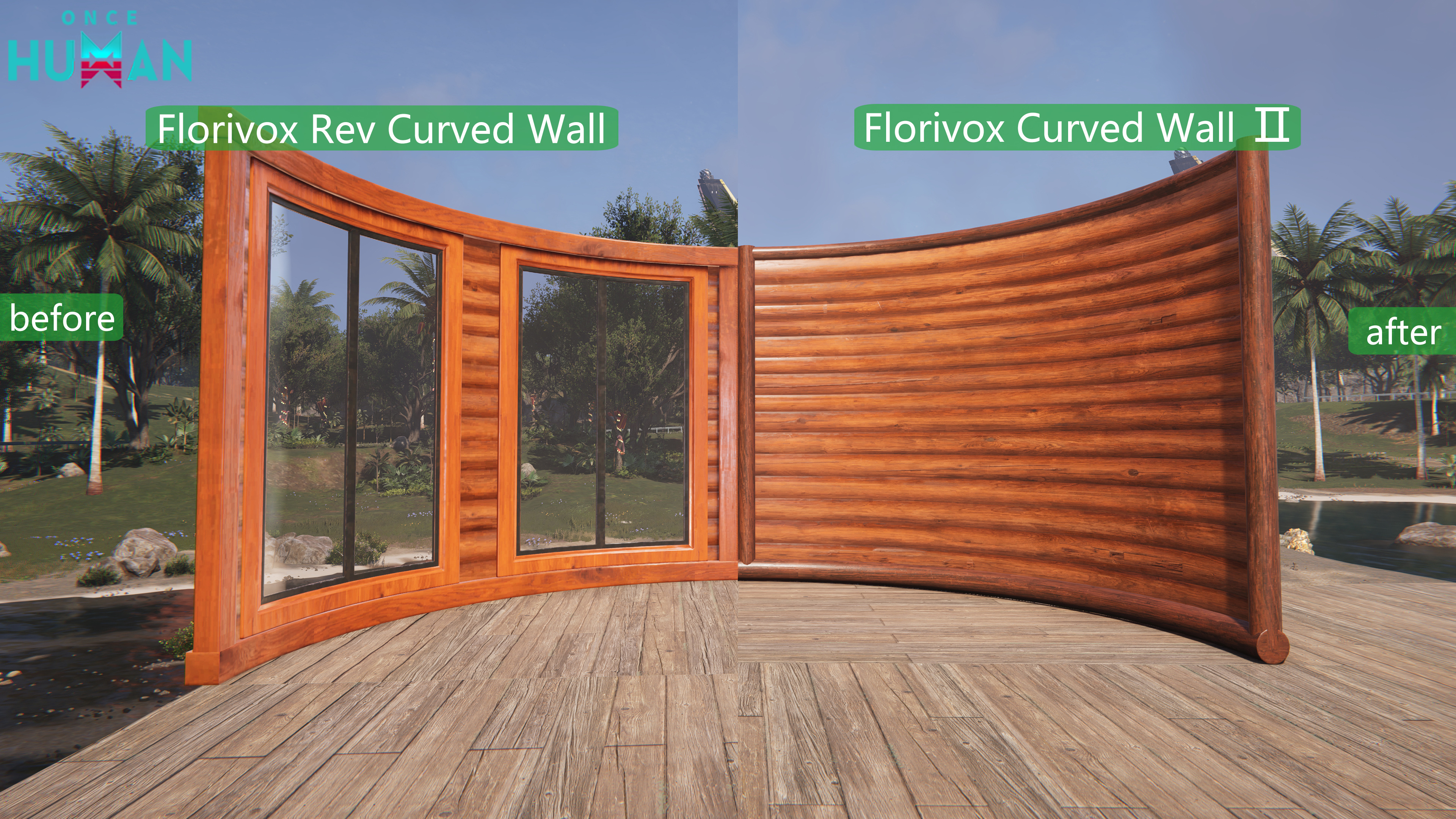
3. In the wall structure, a total of 8 configurations, including “Wall 09 (Reversed Curved Wall)” and “Wall 16 (Half-Height Reversed Curved Wall)” in Wood, Stone, Concrete, and Alloy, have been adjusted to their base skins.
4. Now, the skins “Curved Wall” and “Reversed Curved Wall” can both be applied to the base structural Wall 08.
5. Now, the skins “Curved Half Wall” and “Reversed Curved Half Wall” can both be applied to the base structural Wall 15.
6. We’ve received feedback from Metas that some skins had identical appearances for “Curved Wall” and “Reversed Curved Wall.” To address this, we’ve differentiated the visual presentation of these structures under the same skin and adjusted the skin names accordingly. Specific changes are detailed in the table below:
(Detailed skin name table and before/after images preserved in official notes.)
7. Optimized the seam performance for Roof 06, Roof 07, 1/2 Roof 03, 1/2 Roof 04, 1/4 Roof 06, and 1/4 Roof 07.
Note: Due to adjustments in angles and dimensions of the above structures, pre-built versions may exhibit minor misalignment. If encountered, dismantle or readjust the affected parts.
8. Foundation sidewalls can now accommodate various wall-mounted decorations.
9. Fences can now be placed at the center of large foundations.
Combat
1. Adjusted the manual activation range of Psi Skills for certain ranged Deviations in the “Deviation: Survive, Capture, Preserve” scenario, including: Polar Jelly, Dreamcatcher, Space Turner, Ice Pot, Grumpy Bulb, Snow Globe, Flame Essence, Shattered Maiden, and Tar Pudding.
2. Improved the reloading progress bar’s speed display to sync with bullet loading time and magazine ammo updates. Shooting immediately after reloading can now interrupt the backswing animation.
3. Enhanced firing interval stability for semi-auto weapons during input.
4. Damage Number Feedback Optimizations
1) Damage Number Positioning
Adjusted the spawn positions and burst patterns for different damage number types.
a) Separated hit markers and keyword damage numbers to reduce visual clutter during simultaneous bursts.
b) Direct hits from high fire rate weapons now display upward numbers, while crit hits appear further outward.
c) Adjusted scope-in/out damage number positions to prevent obscurity when aiming.
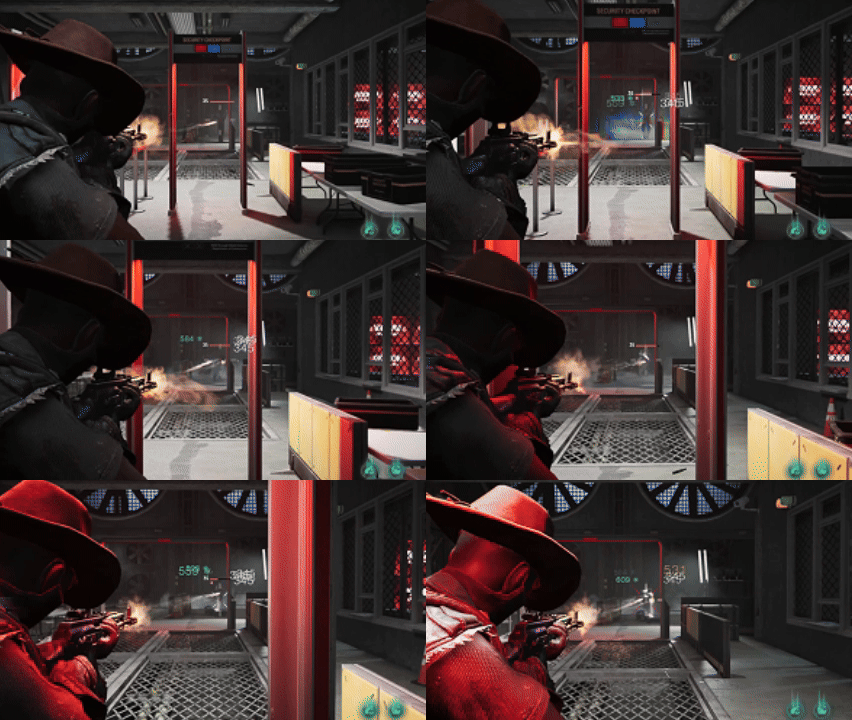
2) New Damage Number Type
Added: Stacked Numbers.
a) Damage dealt within a short duration merges into a single number displayed above the target’s HP bar.
b) You can select this type of damage numbers in the settings menu under the Damage Display Mode.
Note: This damage number type is not suitable for large-sized enemies and Boss-type units. It will automatically switch to the default burst-style damage numbers when facing certain enemies.

5. Controller Combat Control Optimization
1) Added new settings in Controller Configuration: Left Stick deadzone, Right Stick deadzone, Left Stick Boundary, Right Stick boundary, Left Trigger deadzone, Right Trigger deadzone.
2) Removed the original unified stick deadzone setting and replaced it with separate left/right stick configurations.
3) Optimized button mapping for the “Mainstream Shooter” preset in controller configurations to better suit fast-paced shooting combat.
Social
1. Chat Channel Adjustments & Optimizations:
1) Recruitment messages have been moved to the Team channel. You can disable recruitment message display in General channel via settings.
2) Added Cross-server channel in Season servers where you can chat with Metas from the same scenario.
3) Added Island Group channel in Eternaland where you can chat with Metas from other islands.
2. When reading Whispers, you can now “Dislike” in addition to liking. This feedback will directly help us identify and filter low-quality content to maintain a better communication environment.
3. Improved recommendation algorithm: For Metas ≤ Lv.10 and those in stronghold exploration zones, we’ll increase the proportion of guide-type Whispers. In other wilderness areas, we’ll tighten cross-server push rules to only deliver high-quality messages, significantly reducing meaningless “spam” that breaks immersion.
4. Adjusted resource trimming logic under performance pressure. The system will no longer prioritize trimming/hiding Whispers even when device performance is limited (e.g., under heavy load).
Events
1. Optimized community event notifications for clearer and more direct access to community information.
2. Adjusted Lord of Moonlight’s spawn points to prevent appearances on unreachable locations like mountain cliffs.
Deviation Fusion
Added fusion results for certain fish and the Deviation “Hydronaut Fish”.
Online Trading
Expired orders removed or relisted will no longer require deposit fees.
Guidance
Optimized the embedded 3D navigation in the wilderness:
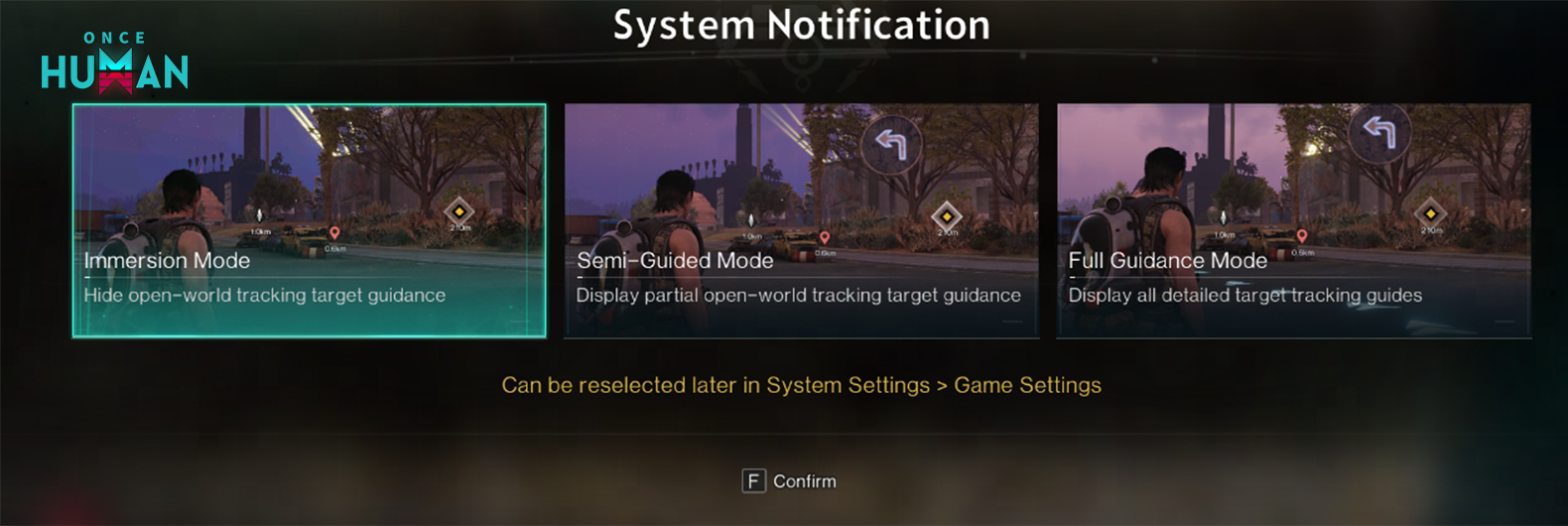
1) Three navigation modes are now available for you to choose from as needed.
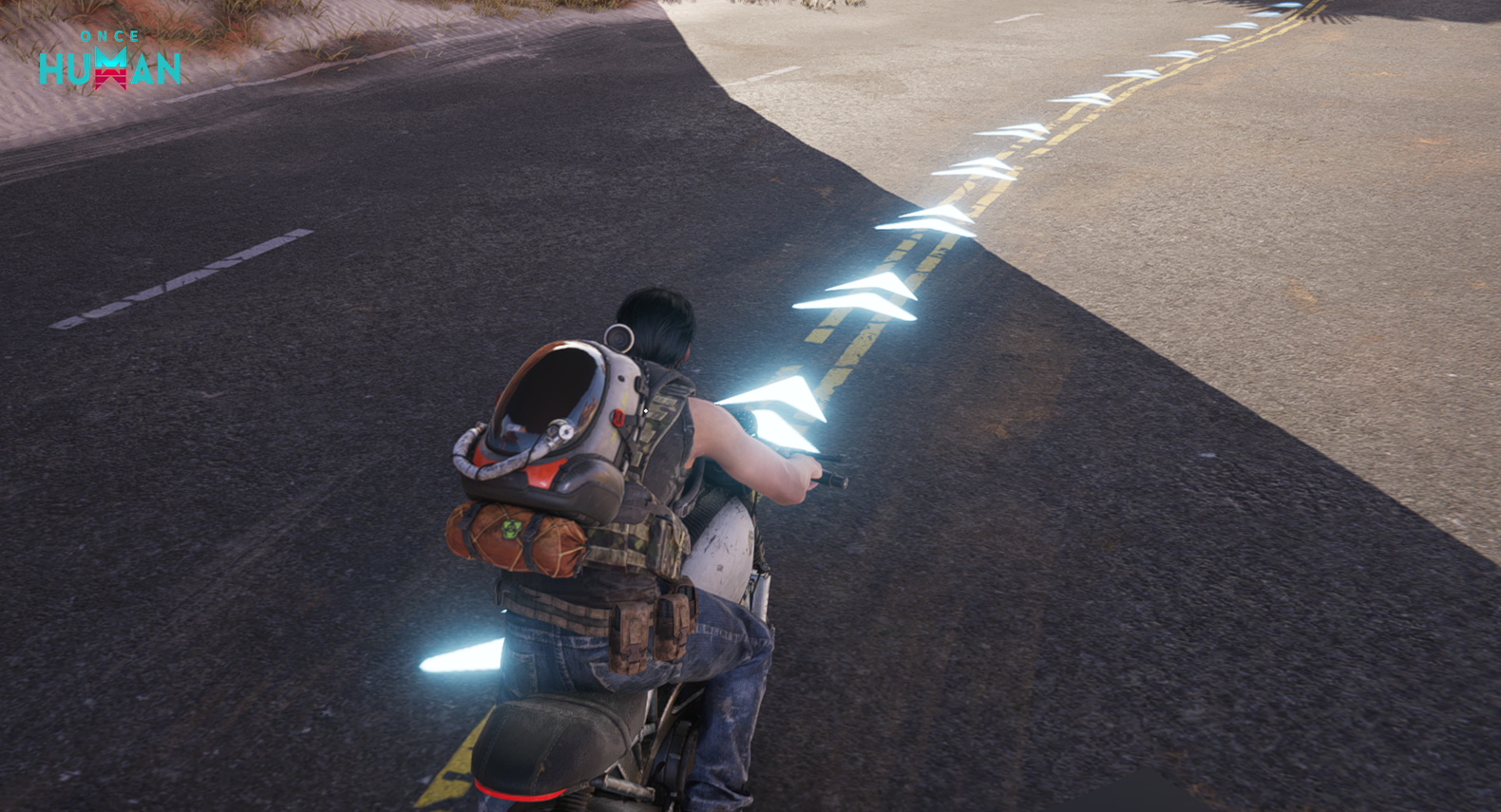
2) Added ground navigation guidance for tracking targets in the wilderness.
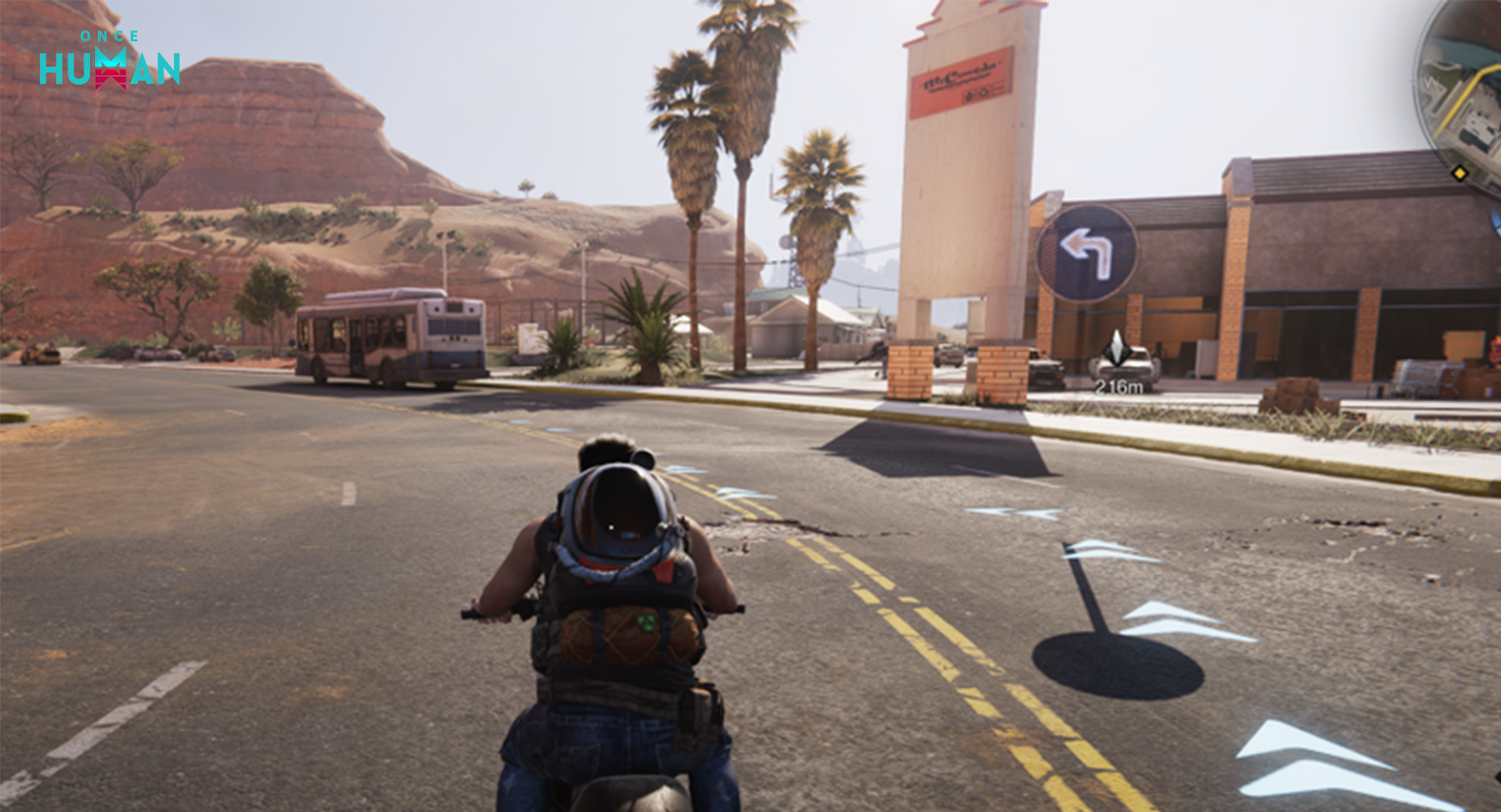
3) Added road sign guidance for tracking targets in the wilderness.
If you are setting up this feature for the first time, a prompt will appear when you enter the game, allowing you to choose a mode.
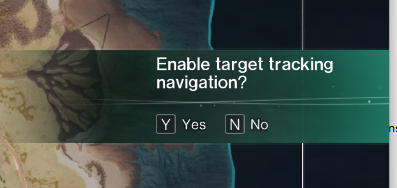
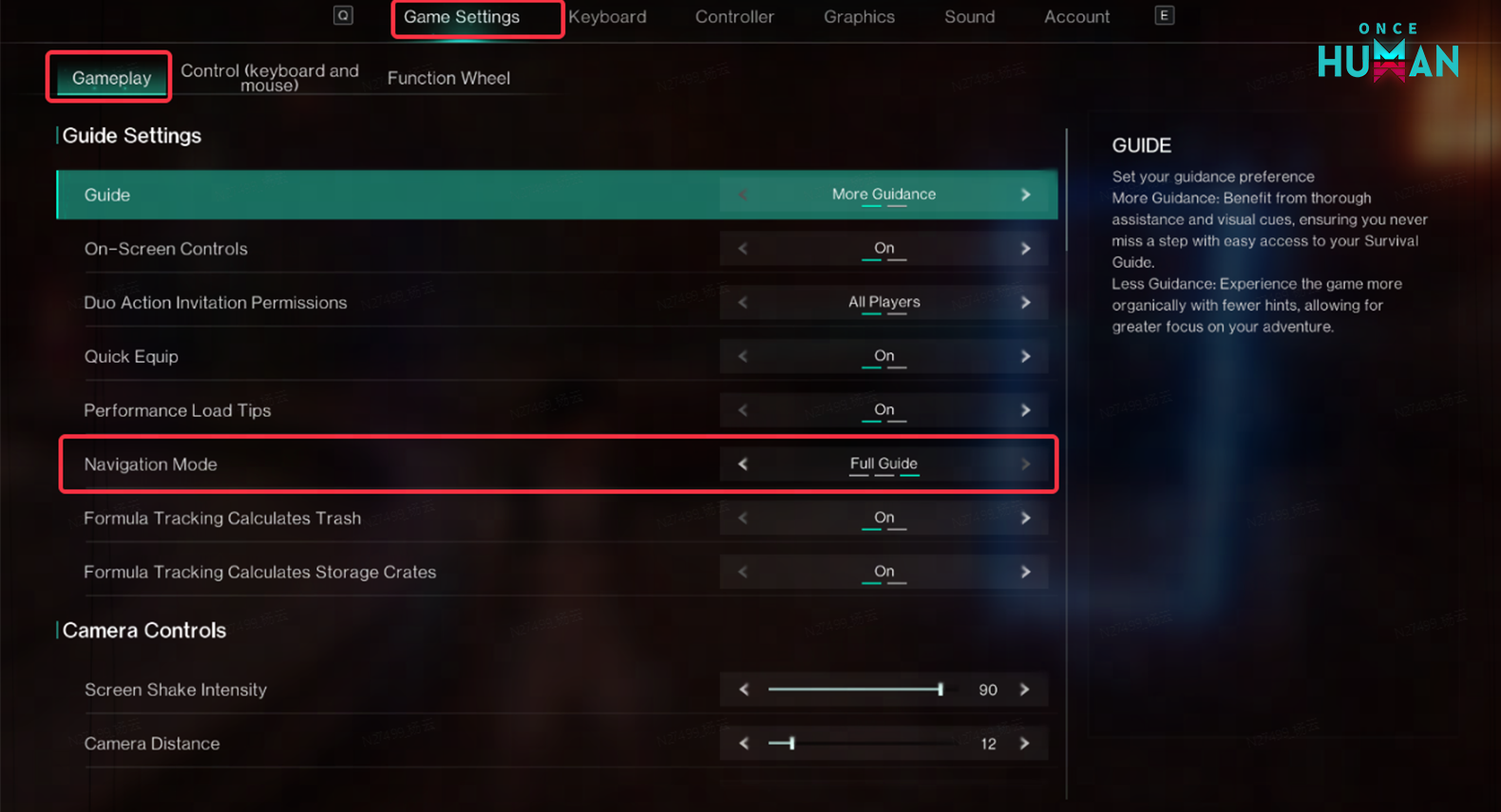
You can also make your selection at any time in [System Settings > Game Settings]. The specific locations are as follows:
PC: Press ESC to open the menu, select “Game Settings,” and choose “Navigation Mode” under the guidance settings.
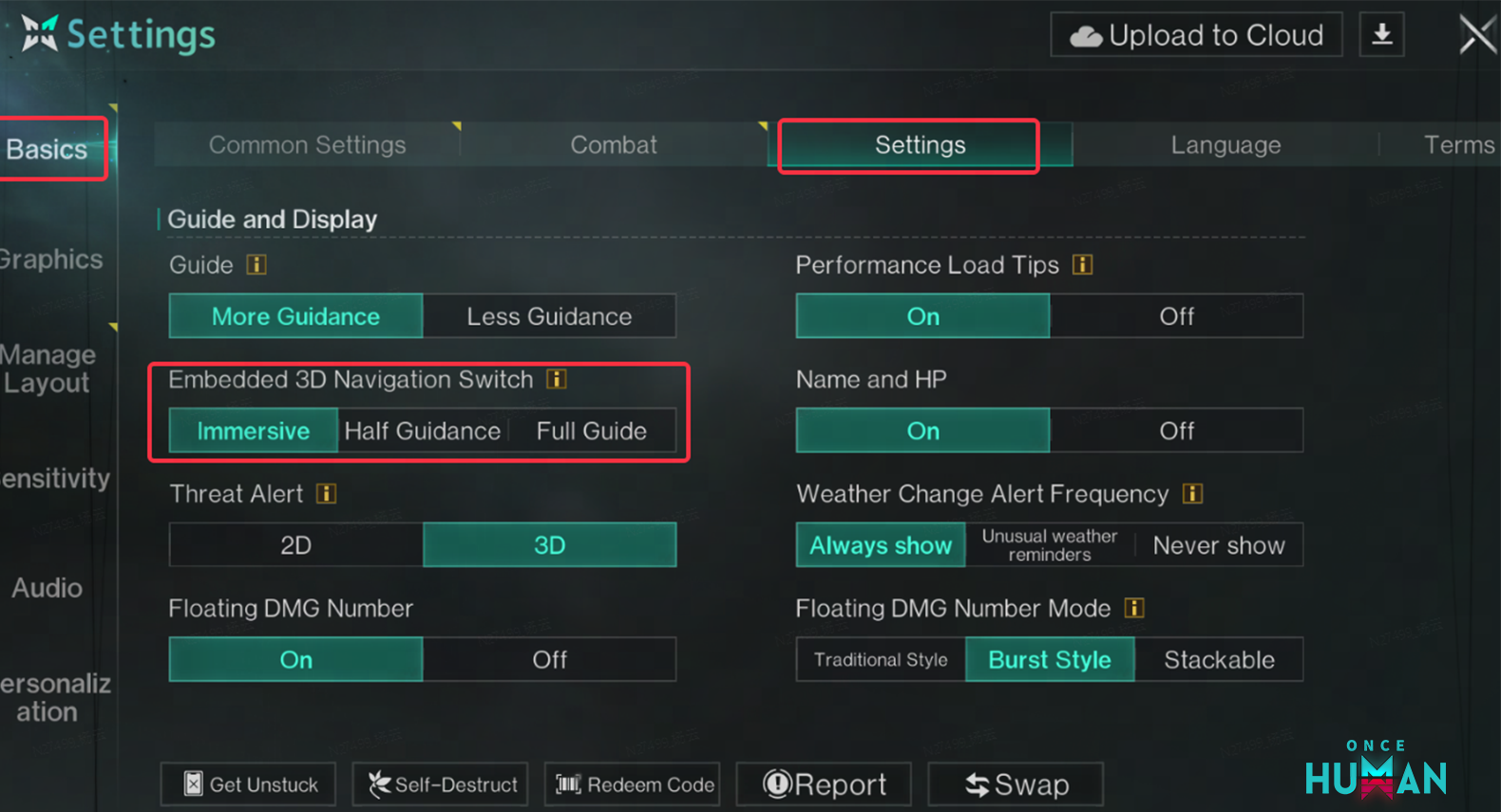
Mobile: Go to the settings interface, then navigate to Basic Settings > System Settings > Embedded 3D Navigation Switch to make your selection.
Tasks
Now, in the “Deviation: Survive, Capture, Preserve” scenario, the Symbiosis Level and main storyline will no longer be strictly tied. You can level up by achieving Deviation Value and completing challenges.
Mobile Version Only
To streamline operations, we simplified certain social interaction steps. You can now directly click to read and write comments.
Other
Based on feedback from Metas, the emoji wheel button has been remapped from “X” to “Z”.
Bug Fixes – All Modes
Shop
1. Fixed an issue where some buttons in the appearance interface were unclickable on iOS Dynamic Island models.
2. Fixed an issue where wallpapers incorrectly overlapped wall-mounted furniture in certain cases.
Territory Construction
Fixed an issue where windows could not be built in mobile territories (e.g., RVs).
Follow updates and reactions on X, Bluesky, YouTube, and Instagram.
Once Human
Developed by Starry Studio

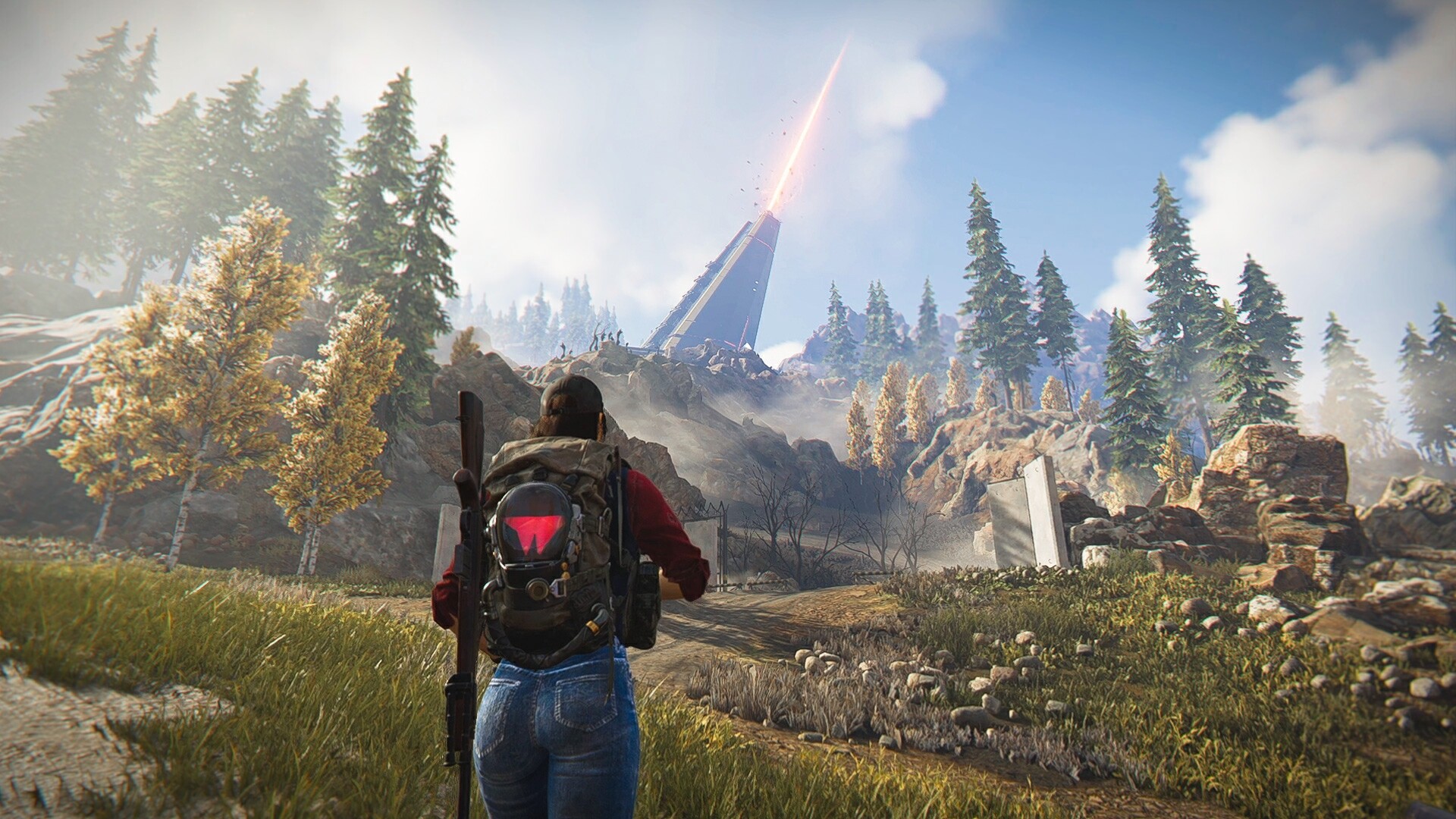
Once Human is a multiplayer open-world survival game set in a strange, post-apocalyptic future. Unite with friends to fight monstrous enemies, uncover secret plots, compete for resources, and build your own territory. Once, you were merely human. Now, you have the power to remake the world.
- Genre: Shooter, Role-playing (RPG), Strategy, Adventure
- Platforms: Android, PC (Microsoft Windows), iOS
- Modes: Single player, Multiplayer, Co-operative, Massively Multiplayer Online (MMO)
- Release: 2024-07-09
- Publisher: Starry Studio
-
Age Rating:
 ESRB T
- IGDB Rating: 65.4/100