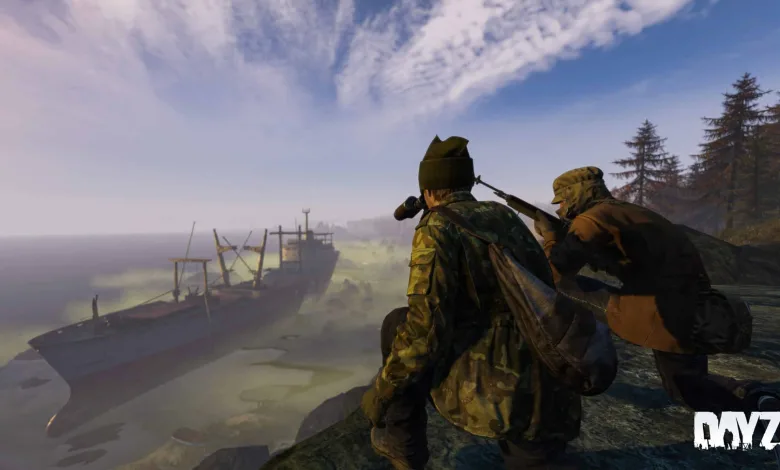
DayZ Patch 1.23 Arrived on PC, Xbox and PlayStation — Vybor Air Base Redesigned and Broad Technical Fixes
Bohemia Interactive released DayZ patch 1.23 to stable builds on all platforms on November 7, 2023. The update shipped for PC, Xbox, and PlayStation and bundled a major visual overhaul to the skybox, a full rework of the Vybor Air Base on Chernarus, a new designated marksman rifle and several new items, plus a long list of bug fixes, server tools and modding additions.
If you have been following the experimental branch of 1.23, a number of these changes will look familiar. For background on earlier test drops see the Xbox Experimental 1.23 Update 2 notes at DayZ Experimental Xbox 1.23 Update 2 Releases Today, Patch Notes and More and the PC experimental coverage at DayZ Rolls Out PC Experimental 1.23 Update 2, Offering Various Fixes and Changes.
Below is an expanded look at the most visible additions and the full, platform-specific patch notes that accompanied the stable 1.23 Update 1 release, version 1.23.156951.
Watch a quick look at some of the changes here: https://youtu.be/n4BrjjpKAas
What stands out
Three changes will hit most players first. The skybox received a major overhaul that affects clouds and day-night transitions. The Vybor Air Base, often called NWAF, was reworked with layout changes and content adjustments. And a new designated marksman rifle, commonly referenced as the DMR, joined the loot pool with .308 ammunition and support for western optics.
Those are the headline items, but the update also brought many small fixes that reduce visual glitches, correct audio bugs, tighten animation behavior and close exploits. The patch included server-side improvements for administrators and a number of modding API updates that give content creators more control over spawn and lighting systems.
Skybox and visual changes
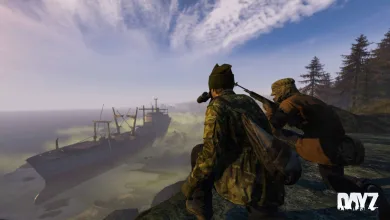
Bohemia described a “major overhaul of the skybox and its textures” in the changelog. Practically this means clearer cloud formations and a smoother transition between day and night. The team also exposed several new settings to the modding tools and diagnostic menus so creators and server operators can tweak how space, atmosphere and stars render at different sun angles.
The update added configuration options such as “spaceIntensity” and “atmosphereIntensity” to the weather config so the brightness of the space texture and the visibility of atmosphere layers can be tuned. The diagnostic menu also gained a “DayZ render > Sky” section for disabling parts of the sky individually. Taken together, these changes improve visual fidelity and give modders and server owners more control when building custom worlds.
NWAF — Vybor Air Base rework
Vybor Air Base received a major rework. The patch notes list it as a “major overhaul” and indicate adjustments to loot placement across Chernarus tied to the change. Specifically, several weapon spawns were moved and their spawn tiers were updated. The update moved ASVAL and VSS spawns out of contaminated areas into high-tier military locations and increased their numbers. At the same time VSD and FAL spawns were moved into contaminated area spawns with reduced numbers. KA74, KA74U and M16A2 were moved into higher military tier spawns.
Those adjustments shift where high-end weapons appear and how frequently they show up. Servers should feel a different mid- and late-game distribution in military hotspots such as NWAF after this patch. Map flow will likely change for players used to farming particular contaminated areas, because some weapons were relocated to different spawn tiers. Players who liked hunting contaminated zones for certain firearms will need to adapt their routes.
Weapons, items and audio
The new designated marksman rifle uses .308 rounds and comes with 10- and 20-round magazines. It is compatible with many western optics and will be a common choice for mid-range engagements. The update also introduced a Field Shovel, Padded Gloves and several headwear items including a Winter Coif, OKZK hat and Petushok hat. A Firefighter M3S wreck was added as a map asset.
A long list of new sound effects landed in 1.23. These included sounds for deploying fireplaces and improvised explosives. Sounds were added for crafting rags, washing hands, locked valve doors, cutting planks, equipping or unequipping the pipe wrench, pulling corpses from vehicles, and placing or arming claymores and improvised explosives. Crafting-related audio, like hand drill and fireplace creation, also gained proper sound cues. Those additions aimed to make in-world actions feel more consistent and to provide clearer audio feedback for common interactions.
Gameplay fixes and behavioral tweaks
Patch 1.23 fixed a wide range of gameplay bugs. Examples include preventing certain items from skipping stagger reactions during heavy melee attacks and correcting double-fire shot registration issues. The update also addressed cases where camera tracking failed when a character fell unconscious while jumping and fixed several animation bugs related to throwing items while prone.
Other fixes removed visual annoyances such as godrays shining through the horizon, items not getting wet when submerged in a water-filled barrel, and clothing that failed to show damaged textures. The team corrected minor clipping issues on select clothing items and resolved a cropped inventory image for a held pear. Developers also closed exploits that allowed players to access areas they should not be able to reach or to look through walls via animation bugs.
Server features and control changes
Server operators received several additions. The update introduced a Group Spawning system and a JSON file system for assigning gear to players on spawn. A gameplay JSON parameter was added to disallow items spawning in underground areas. There is also a gameplay configuration option that allows disabling respawn of unconscious players from the in-game menu. Those options expand what community server admins can customize without editing core files.
The update fixed issues that could crash servers when certain spawnabletypes.xml setups were used and corrected a typo in vehicle parts that caused Community Editor errors. The launcher also gained a DLC section and added display information such as the number of players in a server waiting queue and the time of day for console server listings.
Economy adjustments and map updates
Central economy adjustments reduced spawning of warm hats to balance slot availability with the newly introduced headgear. In Livonia the update stopped base-building items from being placed in the underground and shifted some weapon spawns similarly to Chernarus. The change list shows moved ASVAL and VSS spawns from contaminated areas to high-tier military spots with increased numbers for both maps. In Livonia, VSD and Aug spawns were moved from military areas to contaminated area spawns while their numbers were decreased.
Map changes also included the addition of overhead lines for the railway network. Interior spaces such as the large castle tower received rework to improve navigation and layout. Overall the update adjusted both visual and practical map elements to fit with the redesigned military areas.
Modding and tooling additions
Modders gained a number of new script and config hooks. The patch added object action component functions such as Object.GetActionComponentsForSelectionName, Object.GetActionComponentCenter, Object.GetActionComponentCenterOOB and Object.GetActionComponentMinMax. The Door API for buildings received expanded events and state accessors, and the map panorama layers were updated to add “space” and “atmosphere” layers while deprecating older names.
Development and debugging tools received changes as well. The Script Editor gained a new dropdown option that mimics the command parameter -NewErrorsAreWarnings=1. Lighting and memory functions were exposed or moved to native code for performance reasons. The update moved several config parameters and added moonDayIntensity and moonNightIntensity to default lighting configuration for finer control over night and day brightness.
Console specific notes
Console players saw a few platform-specific improvements. The server browser now displays the time of day on the server and shows the number of players in the waiting queue. A warning icon was added to the “Disconnect Warning Session lost” error. The update fixed cases where overlay elements or error popups were not dismissible after controller disconnects or when accepting server invites. The tooltip for “save character” was corrected where it had been fully capitalized and missing control hints were added for switching shoulder camera positions.
Stability and exploit remediation
Across the change log Bohemia closed multiple exploits and prevented a number of server-side and animation related abuses. Fixes target cases where player rigs could bypass collision or traverse normally blocked geometry. The patch removed or reduced instances that allowed players to see through textures when using certain optics and patched multiple animation paths that led to unintended visibility or movement behaviors.
Developers also addressed several audio problems where sounds would keep playing after the associated action was interrupted or where incorrect sound types played during different cooking interactions. The update aimed to reduce audio artifacts that could persist after character actions.
Launcher improvements
The game launcher gained two obvious features. The server browser now displays the number of players in the waiting queue. The launcher added a DLC section to make installed content easier to spot. Traditional Chinese language support was fixed in the launcher where it had previously failed to function correctly.
Full patch notes — PC and Console Stable 1.23 Update 1 (Version 1.23.156951, Release on 07.11.2023)
Notes and troubleshooting guidance included a recommendation to use Steam client verification to avoid corrupted files after downloading the update, and to check Bohemia Interactive support and BattlEye F.A.Q. pages if problems appeared. The Feedback Tracker links were provided for players who wanted to report issues.
GAME — Added
- Characters can now push vehicles
- Designated marksman rifle (DMR) with 10- and 20-round magazines
- Field Shovel
- Padded Gloves
- Winter Coif
- OKZK hat
- Petushok hat
- Firefighter M3S Wreck
- The server browser now displays the number of players in the waiting queue
- Sound for deploying fireplaces and improvised explosives
- Sounds for crafting rags
- Sounds for washing hands
- Sounds for locked valve doors
- Sounds for cutting planks
- Sounds for (un)equipping the pipe wrench
- Sounds for pulling corpses from vehicles
- Sounds for placing a claymore mine
- Sounds for placing and arming the improvised explosive
- Sounds for crafting fireplaces
- Sounds for crafting a hand drill
- Functionality to hide/show the password when entering servers
GAME — Fixed
- Objects behind the player would not always cast shadows from dynamic lights
- The drain/pour sound could get stuck by jumping during the action
- The sound of emptying a bottle was still played after interrupting the action (https://feedback.bistudio.com/T174590)
- The gas stove was playing baking sounds even without food (https://feedback.bistudio.com/T174360)
- While boiling food, the sound of frying would be played (https://feedback.bistudio.com/T165500)
- The camera was not following the character correctly when falling unconscious while jumping
- Throwing in prone when turning could result in the character turning on its stomach
- Deploying the fishnet trap would spawn it above the water surface
- Fixed instances of several items not causing stagger when used for heavy melee attacks
- Shots fired with double-fire would not register properly
- Godrays from the sun could shine through the horizon
- Reduced clipping issues with several clothing items
- Hunting jackets did not have their damaged textures when equipped
- Jumping while picking up items could result in desync
- Fixed a texture glitch on the character ankles when wearing dress shoes without pants (https://feedback.bistudio.com/T159464)
- A bush type was hidden too early (https://feedback.bistudio.com/T173227)
- The damaged status of canned was even shown on the food inside the cans
- Baked Penny Bun mushrooms had no texture (https://feedback.bistudio.com/T172474)
- Fixed exploits in structures (https://feedback.bistudio.com/T173121)
- Items would not get wet when put into a barrel filled with water
- The watchtower roof would block the selection of other items on the second floor
- Certain animations to equip an item were played twice when triggered (https://feedback.bistudio.com/T170730)
- Entering ADS of a weapon with a scope while throwing the weapon could result in a broken HUD
- It was possible to see through certain textures with selected scopes (https://feedback.bistudio.com/T173070 – private)
- Some two-handed melee weapons had broken attack animations (https://feedback.bistudio.com/T166360 – private)
- When disarming an improvised explosive after a server restart, the explosives inside could not be removed
- Fixed an exploit to access medium tents from outside (https://feedback.bistudio.com/T172852 – private)
- Digging up worms close to objects could cause the character to get stuck (https://feedback.bistudio.com/T157630)
- Fixed an animation-related exploit to look through walls (https://feedback.bistudio.com/T169133 – private)
- Fixed an instance of desynced hand slots through the equip action (https://feedback.bistudio.com/T166276, https://feedback.bistudio.com/T172331 – private)
- Certain door sounds in the prison building were too quiet (https://feedback.bistudio.com/T162517)
- Respawn after dying while in unconscious state would trigger a confirmation request
- An alarm tied to an improvised explosive would keep ringing after the explosion in certain cases
- With some optics the view would shift to the right when looking through them (https://feedback.bistudio.com/T172261)
- Shooting large amounts of bullets indoors would result in sounds being played with delay
- The image of the pear when held in hands was cropped in the inventory
- It was not possible to bury a Drybag (https://feedback.bistudio.com/T174739)
- The clapping gesture was playing the wrong sound when having certain food items in hands
- The stone oven fire could be extinguished by rain
- Fixed a config animation path for the BK-133 (https://feedback.bistudio.com/T175263)
- Fixed an exploit that allowed to walk through walls (https://feedback.bistudio.com/T176156 – private)
GAME — Changed
- Major overhaul of the skybox and its textures
- Reworked the interior of the large castle tower
- Removed a redundant sound during the gas canister explosion
- Disabled shadows for fireworks and reduced their light radius to reduce their performance impact
- Increased maximum bandwidth limits of Client->Server traffic to reduce movement desync when firing weapons
- Updated the game credits
- Renamed the fire-mode of the crossbow from semi-auto to single (https://feedback.bistudio.com/T174788)
- The clutch for the M3S now triggers faster
- Increased the inertia of the M3S
- Slightly adjusted the weight of the M1025 Offroad to be able to climb climbing hills
- Adjusted explosion sounds and ranges
- Tweaked red tracer bullets for better visibility (https://feedback.bistudio.com/T173456)
- Adjusted vehicles for better control on grass
CENTRAL ECONOMY
- Changed: Reduced the spawning of warm hats to account for newly added items
CHERNARUS
- Added: Overhead lines for the railway network
- Changed: Major overhaul for the Vybor Air Base (NWAF)
- Changed: Moved ASVAL and VSS spawns from contaminated areas to high tier military areas and increased their numbers
- Changed: Moved VSD and FAL to contaminated area spawns and decreased their numbers
- Changed: Moved KA74, KA74U and M16A2 to higher military tier spawns
LIVONIA
- Changed: Base building items can no longer be placed in the Livonia underground
- Changed: Moved ASVAL and VSS spawns from contaminated areas to high tier military areas and increased their numbers
- Changed: Moved VSD and Aug from military to contaminated area spawns and decreased their numbers
SERVER
- Added: Group Spawning system (documentation: https://community.bistudio.com/wiki/DayZ:Player_Spawning_Configuration)
- Added: JSON file system to assign gear for players to spawn with (documentation: https://community.bistudio.com/wiki/DayZ:Spawning_Gear_Configuration)
- Added: New gameplay json parameter to disallow items spawning in underground areas (documentation: https://community.bistudio.com/wiki/DayZ:Gameplay_Settings#Object_placement_and_building_restrictions)
- Added: Gameplay config ability to disable respawn of unconscious players from the ingame menu (documentation: https://community.bistudio.com/wiki/DayZ:Gameplay_Settings#General)
- Fixed a typo related to vehicleparts resulting in CE errors
- Fixed: Items spawned by CE as attachments are not affected by quantity min and max set in types.xml (https://feedback.bistudio.com/T171237)
- Fixed: Certain spawnabletypes.xml setups could crash the server (https://feedback.bistudio.com/T168256)
LAUNCHER
- Added: The server browser now displays the number of players in the waiting queue
- Added: DLC section
- Fixed: Traditional Chinese language was not properly functioning
MODDING
- Added: ‘Object.GetActionComponentsForSelectionName’, ‘Object.GetActionComponentCenter’, ‘Object.GetActionComponentCenterOOB’ and ‘Object.GetActionComponentMinMax’
- Added: Expanded on the Door API for Building, adding in events, state accessors and getting the maximum door count
- Added: “space” panorama layer
- Added: “atmosphere” panorama layer, deprecated “sky” panorama layer
- Added: Renamed “horizon” panorama layer, deprecated “horizont” panorama layer
- Added: “spaceIntensity” to weather config, controls brightness of space texture
- Added: “atmosphereIntensity” to weather config, controls how much of the atmosphere is visible
- Added: Diag menu “DayZ render > Sky” for disabling individual parts of the sky (documentation: https://community.bistudio.com/wiki/DayZ:Diag_Menu)
- Added: Script Editor: Dropdown ‘Build’ > ‘New Errors Are Warnings’, works same as command parameter ‘-NewErrorsAreWarnings=1’
- Added: ‘HumanInputController.OverrideFreeLook’ to force enable/disable freelook
- Fixed: Attached sounds would play at the origin of the parent when offset
- Fixed: r-value would be ignored when finding a function to be called, i.e. a static function could be called through any variable like ‘GetGame().SpawnEntity’ where ‘SpawnEntity’ is a static global function
- Fixed: Sky was purple in buldozer under circumstances where the weather was not being updated due to horizon not being initially set on world load
- Changed: Streamlined the deploy sound playback script implementation
- Changed: ‘Object.GetBonePivot’ now supports memory lod, added ‘Object.GetMemoryLevel’
- Changed: Moved ‘string.Get’ and ‘string.Set’ to native for slight performance improvement
- Changed: Moved “starsIntensity” to lighting config to configure at each sun angle
- Changed: ‘LightingNew’ config will now ignore any class that starts with ‘Default’, can be used for inheriting default parameters amongst sun angle/height/overcast groups
- Changed: Config entries that expect a color now support a single float value as a grayscale entry without alpha (e.g. LightingNew diffuse entry)
- Changed: ‘HumanInputController’ overriding supports ‘HumanInputControllerOverrideType’ to allow overriding a value for only one input frame
- Changed: Exposed ‘moonDayIntensity’ and ‘moonNightIntensity’ in ‘DefaultLighting’ to config, previously hardcoded in 1.22 and earlier as 1.0 and 5.0 respectively
CONSOLES — Added / Fixed / Changed
- Added a warning icon to the “Disconnect Warning Session lost” error
- The server browser now displays the time of day on the server
- Fixed: It was not possible to interact with error message pop ups after losing connection with the controller (https://feedback.bistudio.com/T174566)
- Fixed: Overlay elements were still present after accepting an invite to a server
- Missing control hint to switch the camera position between shoulders
- Fixed: The tooltip for “save character” was fully capitalized
What this means for players and servers
For players, the most immediate differences are visual and loot distribution related. Sky and lighting changes affect the look of Chernarus and Livonia. The DMR and reshuffling of spawn tiers will shift how players approach military areas. Players who focused loot runs on contaminated zones may need to adjust their routes and expectations because some weapons moved to different tiered areas and spawn counts were modified.
For server administrators, the Group Spawning system and JSON-based gear assignment allow more predictable and configurable spawn behavior. The ability to block item spawns in underground areas by JSON will help server owners who want tighter control over underground economies and prevent unintended item placement on custom maps. The in-game toggle for disabling respawn of unconscious players gives communities an extra rule layer without forcing changes to core server files.
Modders should find the new ActionComponent functions and panorama layer changes helpful when building new points of interest or custom scenes. Lighting controls exposed to config provide more artistic flexibility for mission creators who want a specific night or day appearance.
Notes on troubleshooting and reporting bugs
Bohemia recommended verifying the integrity of local game files via the Steam client after the update to avoid corrupted downloads. Players experiencing issues were directed to the Bohemia Interactive support pages, the DayZ F.A.Q. threads on the official forums, and the BattlEye FAQ. The Feedback Tracker remained the primary method for submitting bug reports and feature feedback.
Please share your thoughts and experiences with the 1.23 changes in the comments, and follow us on X, Bluesky, YouTube, Instagram to keep the conversation going.