
CPG - Console & PC Gaming
  • Home
  • News
  • PC
  • PS5
  • Xbox
  • Switch
  • Mobile
  • Reviews
  • Esports
  • Guides
    • Lost Ark
    • Gray Zone Warfare
      • Artisan
      • Banshee
      • Gunny
      • Handshake
      • Lab Rat
      • Turncoat
    • Escape From Tarkov
      • Jaeger
      • Mechanic
        • Gunsmith
      • Peacekeeper
      • Prapor
      • Ragman
      • Skier
      • Therapist
No Result
View All Result
CPG - Console & PC Gaming
  • Home
  • News
  • PC
  • PS5
  • Xbox
  • Switch
  • Mobile
  • Reviews
  • Esports
  • Guides
    • Lost Ark
    • Gray Zone Warfare
      • Artisan
      • Banshee
      • Gunny
      • Handshake
      • Lab Rat
      • Turncoat
    • Escape From Tarkov
      • Jaeger
      • Mechanic
        • Gunsmith
      • Peacekeeper
      • Prapor
      • Ragman
      • Skier
      • Therapist
No Result
View All Result
CPG - Console & PC Gaming
No Result
View All Result
Home Guides

Borderlands 4 Settings guide, Best PC and console configurations

Recommended graphics, audio, control, and gameplay settings for PC, PS5, and Xbox Series X|S.

Margarita Kicevski by Margarita Kicevski
September 12, 2025
in Guides
0

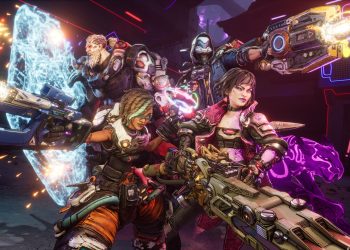
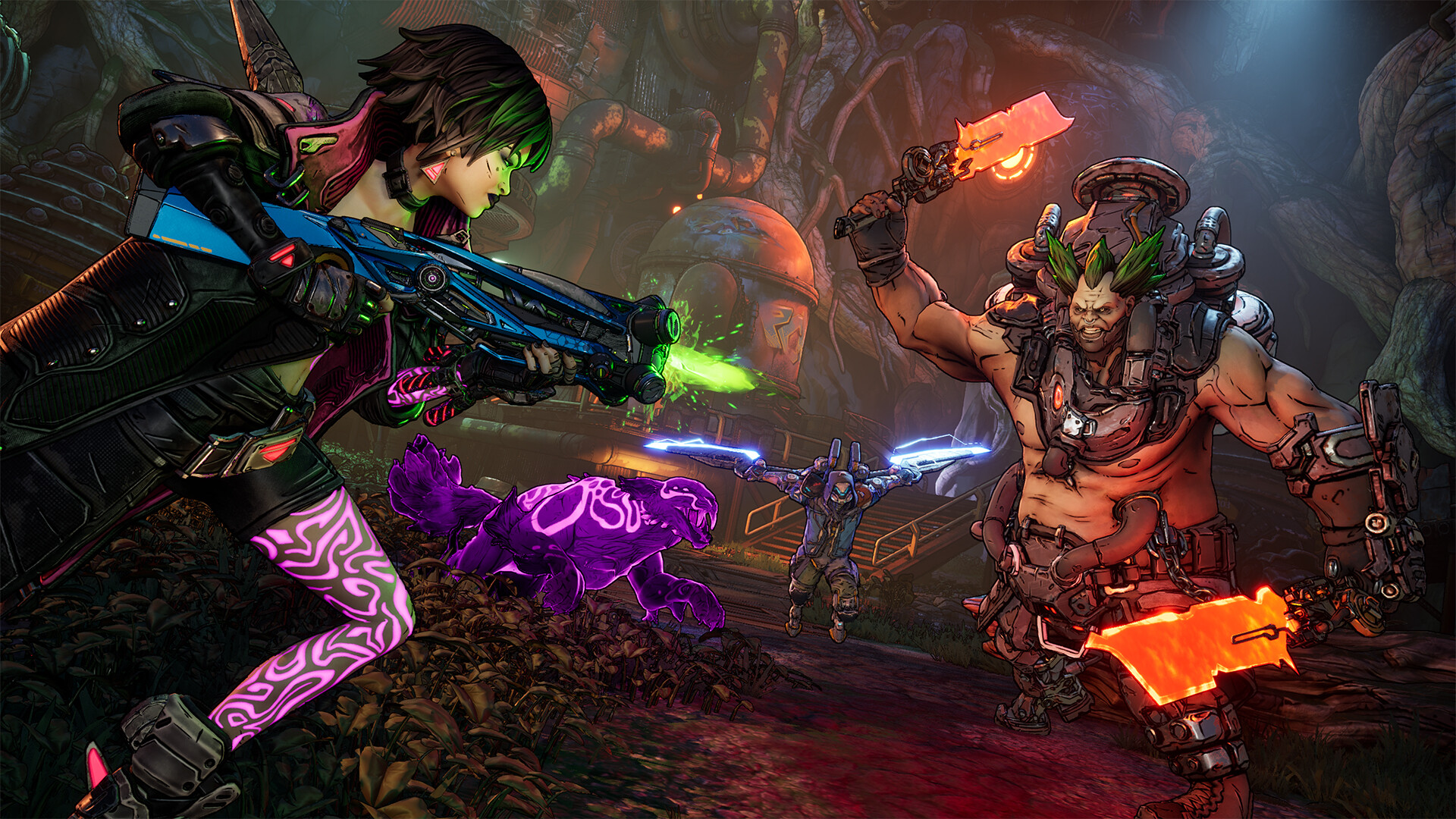
Borderlands 4 from Gearbox Software has a consolidated settings guide for PC and consoles to help with stability and responsiveness. The guide lists recommended graphics, audio, control, and gameplay options aimed at improving performance and responsiveness on PC, PS5, and Xbox Series X|S.

On PC, the recommendations start with a full-screen display and a balanced resolution – the example uses 2560×1440, but players should change that to suit their rig. The guide sets the Field of View at 100 and recommends turning off frame limits and VSync for fewer input quirks. It favors a high visuals baseline while reducing heavier effects such as Reflection Quality and Volumetric Fog to address reported FPS drops. Several performance-minded toggles, like Frame Generation and Nvidia Reflex, are suggested to keep frame pacing steady.

Audio and control options receive equal attention. Master and dialog volumes are kept high while music is lowered so important cues stay audible. Movement and aim sensitivity lean toward snappier values, and controller players are guided to increase deadzones for more precise jumping and dashing.

PC Visuals – Basic

Setting Value
Display mode Fullscreen
Resolution 2560×1440 (change to suit your rig)
Display Stats All
Limit Frame Rate Off
Vertical Sync Off
Calibrate Display Calibrate
Calibrate HUD Area Edit
Field of View 100
Vehicle Field of View 100

PC Visuals – Advanced

Setting Value
Graphics Preset Very High
Auto-Detect Graphics Preset Run Auto-Detect
Upscaling Method DLSS
Upscaling Quality Quality
Scene Capture Quality Full Resolution
Frame Generation Off
Nvidia Reflex Low Latency Off
HLOD Loading Range Medium
Geometry Quality Medium
Texture Quality High
Textures Streaming Speed High
Anisotropic Filtering Quality x4
Foliage Density Medium
Volumetric Fog Medium
Shadow Quality Medium
Directional Shadow Quality Low
Volumetric Cloud Shadows Disabled
Lighting Quality Medium
Reflections Quality Low
Shading Quality Medium
Post-Process Quality Low
Motion Blur Quality Off

The choices strike a balance: quality where it matters for clarity and responsiveness, and reductions where heavy effects cause dips. That combination aims to reduce stutters while keeping the game visually pleasing on stronger systems.

Audio

Setting Value
Master Volume 70%
Music Volume 30%
Sound Effects Volume 50%
Dialog Volume 100%
Audio Preset Hi-Fi
Audio Language Select preferred language
Play in Background Off

Controls

Setting Value
Horizontal Look Sensitivity 2
Vertical Look Sensitivity 2
Horizontal Aim Sensitivity 1.10
Vertical Aim Sensitivity 1.10
Invert Look X-Axis Off
Invert Look Y-Axis Off
Toggle Glide (Controller) On
Toggle ADS Off
Controller ADS Snap to Target On
Controller Aim Assist On
Controller Aim Recentering Off
Cursor Speed 1
Cursor Friction 0.4
Cursor Idle Time 60s

Gameplay

Setting Value
Censor Gore Off
Show Menu Tutorials On
Reset Menu Tutorials Reset
Show HUD Tutorials On
Reset HUD Tutorials On
ECHO Location Path Visibility Duration Medium
Reticle Position Centered
Compass Vertical Indicators All Icons
Toggle Radar Display Compass

Borderlands 4 places more emphasis on movement than earlier entries – controller players should look closely at deadzone settings listed in the advanced section. Adjusting those values can make jumping and dashing feel tighter during boss encounters. Sensitivity tastes differ, but the guide nudges settings toward a crisper, more responsive baseline.

Console Visuals

Setting Value
Graphics Preset Performance
Calibrate Display Calibrate
Calibrate HUD Area Edit
Split Screen Orientation Horizontal

For consoles, the emphasis is on frame-rate stability, with a Performance preset recommended for both PS5 and Xbox Series X|S. Audio and control values mirror the PC guidance but with controls tuned for sticks rather thana  mouse, and deadzones recommended higher where movement is central to the combat design.

Use the tables above as a starting point and tweak according to personal preference and hardware. If issues persist after applying these settings, lowering resolution or texture streaming further can help. Small changes often have a significant impact on smoothness.

Share your thoughts in the comments and tell what stood out, then drop by on X and Bluesky to continue the conversation.
Tags: Borderlands 4
ShareTweet
Previous Post

Borderlands 4 Breaks Steam Record with 207,479 Players

Next Post

Borderlands 4 character tier list ranks

Margarita Kicevski

Margarita Kicevski

My job is similar to Angel's, focus on news and updates, even though most of my work is taking care of two little devils. I am here to cover when most needed, and try to deliver the best I can. It's my fault pushing Angel to reboot ConsolePCGaming.com Wish me luck <3.

RELATEDPOSTS

News

Borderlands 4 weekly activities Jan. 8-15, Genone boss and Ruby’s Grasp reward

January 8, 2026
News

Gearbox delays Borderlands 4 nerfs, gives players another weekend with broken builds

October 17, 2025
News

Borderlands 4 Harlowe Community Challenge asks players to complete 350,000 Contracts

October 17, 2025
News

Borderlands 4 Day 30 update will arrive early next week, weekly activities go live Oct. 16

October 16, 2025
News

Borderlands 4 is on sale on Steam a month after launch

October 15, 2025
News

Borderlands 4 player farms 3,000 bosses over 150 hours and finds roughly 5% dedicated drop rate

October 13, 2025

Leave a Reply Cancel reply

Your email address will not be published. Required fields are marked *

Upcoming Games

  1. Hank: Drowning on Dry Land

    Hank: Drowning on Dry Land

    Releases January 13, 2026 in 17 hr 5 min

    PC (Microsoft Windows)

  2. Sheriff Park Ranger

    Releases January 13, 2026 in 17 hr 5 min

    PlayStation 4, Nintendo Switch

  3. Waterpark Simulator 25

    Waterpark Simulator 25

    Releases January 13, 2026 in 17 hr 5 min

    PlayStation 4, Nintendo Switch

  4. Arena of Suffering

    Arena of Suffering

    Releases January 13, 2026 in 17 hr 5 min

    PC (Microsoft Windows)

  5. Waves of Chess

    Waves of Chess

    Releases January 13, 2026 in 17 hr 5 min

    PC (Microsoft Windows)

View full release calendar →

  • Trending
  • Comments
  • Latest

Battlestate Games shares results from the in-game Survey about the Flea Market

January 30, 2025 - Updated on November 25, 2025

Escape From Tarkov 2025 Roadmap Revealed, Full Release Finally Confirmed

April 18, 2025 - Updated on November 24, 2025
Tarkov patch 0.15

Escape From Tarkov reveals the 0.15 trailer before wipe

August 14, 2024

Minecraft Update 1.21.21 Patch Notes for August 14/15

August 14, 2024

Escape From Tarkov Best Graphics Settings – Updated With Patch 0.15.5

Escape From Tarkov: How to Snipe Flea Market Items Easily?

CoD: Warzone Season 2 Update Fixes Plenty of Bugs

MW2 and Warzone 2.0 Season 3 is full of Bugs and Issues, Upcoming Fixes and more

Rising Front leaves early access with playable tanks and cavalry in version 1.0

January 11, 2026

Deadlock dev jokes that removed hero Slork was turned into “delicious stock”

January 10, 2026

Nintendo says My Mario ads did not use generative AI images

January 10, 2026

End of Abyss blends twin-stick shooter controls with Metroidvania exploration

January 10, 2026

CPGPATCH NOTES

News

Code Violet gets first update, patch 1.000.025 fixes inventory, input, and PS5 visuals

by Angel Kicevski
January 10, 2026
Patch Notes

Splitgate 2 January 9 patch tweaks LMGs and shotguns, nerfs sticky grenades and tightens ranked matchmaking

by Angel Kicevski
January 8, 2026
Patch Notes

Warframe Hotfix 41.0.6 tweaks The Old Peace and fixes multiple progression bugs

by Angel Kicevski
January 8, 2026

About Us

We are CPG - Console & PC Gaming, an independent, family-run website providing fresh news, updates, reviews, interviews, guides, and other bits and pieces from the gaming industry.

Read more

  • About Us – Our Story
  • Privacy Policy
  • Contact

© 2025 CPG - Console & PC Gaming

Welcome Back!

Login to your account below

Forgotten Password?

Retrieve your password

Please enter your username or email address to reset your password.

Log In
No Result
View All Result
  • Home
  • News
  • PC
  • PS5
  • Xbox
  • Switch
  • Mobile
  • Reviews
  • Esports
  • Guides
    • Lost Ark
    • Gray Zone Warfare
      • Artisan
      • Banshee
      • Gunny
      • Handshake
      • Lab Rat
      • Turncoat
    • Escape From Tarkov
      • Jaeger
      • Mechanic
      • Peacekeeper
      • Prapor
      • Ragman
      • Skier
      • Therapist

© 2025 CPG - Console & PC Gaming