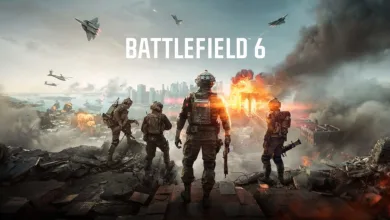
Battlefield 6 has launched, and this guide collects recommended settings across consoles, controllers and PC to improve visibility, responsiveness and overall comfort in multiplayer. This guide provides comprehensive information on gameplay, controller bindings, aim and sensitivity, base graphics and audio, and platform-specific performance modes for PlayStation 5 and Xbox Series X| S. It also offers recommendations that prioritize clear visuals and stable aiming, while allowing for individual preferences and hardware differences.
Best Console Gameplay Settings
Global
- Invert All vertical Look – Set based on personal preference. Most players leave this off, but aircraft controls often feel more natural inverted.
- Hold/Toggle Options – Recommended defaults: Infantry Sprint – Toggle, Double Tap Forward Sprint – Off, Infantry Weapon Zoom – Hold, Vehicle Weapon Zoom – Hold, Steady Scope – Hold, Interact and Reload – Prioritize Reload, Request Respawn – Toggle, Skip Revive – Hold, Vehicle Boost – Toggle, CommoRose – Hold.
- Capture Area Outline – On for objective modes so the capture zones remain visible.
Infantry
- Infantry Aim Sensitivity – Raise from the low default. Values below 30 feel slow; many prefer 40-60 depending on reaction style.
- Crouch Toggle Sprint – Stand
- Vault Over Sprint – On
- Sprint Door Barge – On
- Landing Roll – On
- Mount Breakout – Instant
- Inventory Visibility – Show so quantities are visible.
Vehicles
Aim sensitivity for vehicles should match what feels intuitive. Recommended toggles: Helicopter Control Assists – On for casual flyers, Vehicle Aim-Relative Controls – Off, Decouple Tank Turret Aiming From Turning – Off, Decouple Aiming From Turning – Off, Vehicle Boost – Toggle.

Aim Assist
Controller aim assist exists but is not overwhelming. Take advantage of sliders to suit playstyle.
- Infantry Aim Assist – 100
- Infantry Aim Assist Slowdown – 100
- Infantry Aim Assist Zoom Snap – Lower if preferring full manual control while zoomed, otherwise keep high for assistance.
- Vehicle Aim Assist – 100
- Vehicle Aim Assist Slowdown – 100
- Vehicle Aim Assist Zoom Snap – Same approach as infantry.
Best Controller Settings
Edit Button Mapping
Move R1 to L1 and swap grenade and spot/commorose so spotting can be used while ADS. That keeps spot on a shoulder button for quicker marking.
Controller – Edit Settings
Infantry Control Settings
- Infantry Aim Sensitivity – Increase from the default 20. Many find 40-50 comfortable. Faster twitch shooters may prefer 60+
- Field of View – 90 to 100 is a common balance between awareness and distortion.
- Uniform Infantry Aiming – On
- Zero Sensitivity Coefficient – 133
- Infantry Aim Assist / Slowdown – 100
- Infantry Aim Assist Zoom Snap – Try 50 or lower if a stronger snap is desired while zoomed.
- Soldier Aim Input Curve – Standard
- Aiming Left/Right Acceleration – 60
Movement and Zoom
Movement defaults work well for most players. Recommended zoom binds: Infantry Weapon Zoom – Hold, Zoom – L2, Steady Scope – L3. Vertical Aim Ratio and Vertical Zoom Ratio at about 56.3.
Other Controller Tuning
- Controller Vibration – Off to reduce distraction
- Left Stick – Center Deadzone 2, Axial Deadzone 10, Max Input Threshold 80
- Right Stick – Center Deadzone 2, Axial Deadzone 8, Max Input Threshold 100
Mouse and Keyboard
Enable Raw Mouse Input under Advanced Settings so the mouse reports full movement directly to the game. That delivers consistent aim behaviour across setups.
Base Graphics Settings (all platforms)
- Brightness – Adjust for the display and room lighting
- Sharpness – Default
- Field of View – 90 to 110 degrees recommended
- Vehicle 3rd Person Field of View – Maximize to see surroundings while driving
- Weapon Field of View – Wide to keep weapon model smaller and improve sightlines
- World Motion Blur / Weapon Motion Blur – 0 to remove visual smearing
- Camera Shake Amount – Minimum for stable visuals
- Chromatic Aberration – Off to avoid color fringing
- Vignette – Off for clearer edges
- Film Grain – Off for multiplayer clarity
- HUD – Keep most HUD items on. Set Minimap size to 100 for better situational awareness
- Icons & Indicators – Lower zoomed icon sizes so ADS view is less cluttered
- Crosshair – Customize color and opacity. Turn Infantry Crosshair Projection off if a static center is preferred
- Hit Indicator – Assign distinct colors per hit type for quick recognition
- Chat Visibility – Hidden to avoid blocking the screen
Base Audio Settings
- Audio Mix – Options vary by ear preference. War Tapes offers a more aggressive mix
- Enable Voice Chat – Disable if not wanted
- Controller Volume – Turn off DualSense controller audio unless required for single-player
System Settings
- Cross-play – On to match across platforms, off to limit to same-platform players
- Creator – Leave defaults unless streaming or capturing
- Network – Enable Scoreboard Ping and use Network Graph to diagnose connection issues
PlayStation 5 – Fidelity or Performance?
Available modes include:
- PS5 Fidelity Mode – Up to 1440p, targets 60FPS
- PS5 Performance Mode – Up to 1280p, targets 80+FPS
- PS5 Pro Fidelity Mode – Up to 2160p, targets 60FPS
- PS5 Pro Performance Mode – Up to 1620p, targets 80+FPS
Fidelity mode gives consistent 60FPS with higher native resolution on base PS5 and full 4K on PS5 Pro in some cases. Performance mode can raise frame rates but may introduce variability without VRR. For many displays, fidelity mode balances clarity and stable framerate.
Xbox Series X|S – Fidelity or Performance?
Mode details:
- Xbox Series S – 1080p, 60FPS (single default mode)
- Xbox Series X Fidelity Mode – 1440p, 60FPS
- Xbox Series X Performance Mode – 1280p, 80+FPS
Series S players have a single mode at 1080p and 60FPS. Series X players can choose fidelity for stable 60FPS and higher resolution, or performance to chase higher FPS when using a VRR-capable display.
PC Settings
Automatic detection sets a baseline on first launch. Manual tuning is recommended for players who want to match specific hardware. The guide will be refined with more PC configurations over time.
DualSense on PC
Adaptive triggers and haptics are active on DualSense when used on PC. There are no in-game toggles to turn those features off. Workarounds include using Steam controller settings or external tools to emulate another controller profile until in-game options arrive.
Example high-end settings – RTX 4090, AMD 9800X3D
- Graphic Quality – Custom
- Texture Quality / Filtering – Overkill
- Mesh Quality – Overkill
- Terrain / Undergrowth / Effects – High
- Volumetric Quality / Post Process Quality – Ultra
- Lighting / Local Light and Shadow / Sun Shadow – High to Overkill
- Screen Space Reflection / AO & GI – High / SSGI High
- High Fidelity Objects Amount – Ultra
Display
- Fullscreen, resolution based on monitor (1440p or 4K)
- Refresh Rate set to monitor capability, example 144Hz
- Vertical Sync – On if not using frame generation
Advanced
- Fixed Resolution – 100
- Frame Rate Limiter – On, target 120-144
- Nvidia Reflex Low Latency – Enabled
- Upscaling Technique – DLSS on Nvidia, FSR on AMD
- Upscaling Quality – Performance for higher frame targets
With this hardware the game ran smoothly in testing and used around 8GB of VRAM on a 24GB card. Lower-end rigs can often reach playable framerates by dropping a subset of settings. Share your thoughts on the settings that changed the most for visibility or responsiveness, and whether platform choices affected play experience. Please follow us on X, Bluesky and subscribe on YouTube.