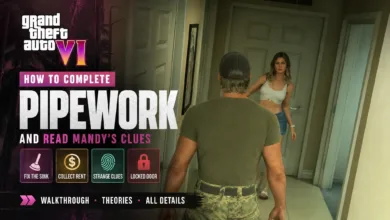
To make gunfights and driving more forgiving in GTA 6, open Options, then Settings > Gameplay. Near the bottom, turn on Accessible Combat and Reduced Vehicle Damage. Accessible Combat lowers enemy health and the damage you take, while Reduced Vehicle Damage makes your car less vulnerable in crashes and combat.
Tune difficulty and restore familiar controls
The game has no traditional difficulty selector, but those two Gameplay options can make it easier. GTA 6 warns that they change the balance of gameplay, though enabling them does not affect the story or disable Trophies.


If the new controls feel unfamiliar, go to Options > Settings > Control Scheme and switch from Default to Classic. Default maps running to L3 and jumping to Cross/X, while Classic uses the more familiar GTA 5 control layout.
Find your next stop and get there
To see your story objectives, open the map with the Touch Pad and move Right in the left-side index. Mandatory missions appear above optional ones. Highlight a mission and press Cross/X to set a waypoint.
For a quicker route to nearby destinations, hold Down to bring up nearby shops, waypoints, and story missions. Highlight one and press R3 to set a GPS route without opening the map.
RydeMe offers a paid way to skip a taxi journey. Set a waypoint in the app or on the map, open your phone with Up, choose RydeMe, and select Book Ryde. Once you are in the car, hold L2 to focus on the driver, then hold Triangle to skip the trip. The guide gives a $100 skip fee and notes that longer rides cost more than shorter ones.
Keep cash and cars from going to waste
Cash in your wallet can be lost if you are Busted or Wasted. BuckMe, which unlocks during Chapter 1, protects money deposited in the bank. Press Down to view your wallet and bank balances, then open your phone with Up, choose BuckMe > ATM Finder, and follow the waypoint to the nearest ATM to deposit your cash.
If you are separated from your car, open your phone with Up and use Scooter Bros to request a vehicle. Pick the car you want, pay a fee based on its condition and delivery distance, then follow its minimap marker to the nearby delivery spot.
A car you find is not automatically yours to keep. A Parking Space or Garage stores it temporarily. To keep it permanently, drive it to a Pay ‘N’ Spray and choose Register. The charge depends on the car’s value, and you need an open Stored Vehicle slot. You can sell a stored car at the same shop, or buy more garages through Vice City Real Estate on your phone. Garage purchases unlock during a story mission, so the option may not be available early in the campaign.
For specialized vehicle tuning, look for a Mod Shop marked by a blue wrench. Open the map index, select Vehicles > Mod Shops, and set a waypoint to one of those locations. Any Mod Shop offers general upgrades, while the blue-wrench locations provide specialized options for your current car.
Manage encounters and messages
To avoid killing an enemy, approach stealthily and grab them with R2 to knock them out. During a gunfight, aim for non-vital areas such as arms or kneecaps. Press L3 and R3 to highlight those areas in yellow. A yellow X in the reticle indicates the target was incapacitated, while a red X means they were killed. Killing enemies contributes to a more aggressive criminal profile, which can affect how people and the wider world respond to Jason and Lucia.
Important phone notifications are collected in Reminders. Open your phone with Up and press Square to find key messages, including in-game news and people waiting for a reply.
Which of these details would you most want clarified in the launch version, from the control layout to the car-storage rules? Stay connected as GTA 6’s pre-release details meet the game’s launch through X, Bluesky, YouTube, Instagram, Steam, and Telegram.
Grand Theft Auto VI
Developed by Rockstar North, Rockstar Games
Grand Theft Auto VI heads to the state of Leonida, home to the neon-soaked streets of Vice City and beyond in the biggest, most immersive evolution of the Grand Theft Auto series yet.
- Genre Shooter, Racing, Adventure
- Platforms Xbox Series X|S, PlayStation 5
- Perspective First person, Third person
- Modes Single player, Multiplayer, Co-operative
- Release November 19, 2026
- Publisher Rockstar Games, Take-Two Interactive
-
Age Rating