Grand Theft Auto VI will be playable on Xbox One through Xbox Cloud Gaming when it launches on November 19. Cloud access begins at 1 a.m. ET, giving Xbox One, Xbox One S, and Xbox One X owners a way to stream the game without a newer console. There will be no native Xbox One version.
Xbox Cloud Gaming will also be available on Xbox Series X|S. On Xbox Series X, streamed play uses Series S graphics settings.

What Xbox One owners need
Cloud access does not replace buying the game. You need an Xbox account and a purchased copy of GTA 6, which is not included with Game Pass. You can stream it with Game Pass cloud hours or buy cloud playtime without a subscription, as long as you own the game. The base edition starts at $79.99, separate from any subscription or cloud-time purchase.
Xbox’s monthly cloud allowance plan gives Game Pass Essential members 5 hours per month, Premium members 10, and Ultimate members 15. Extra playtime costs $3.99 for 10 hours, $7.99 for 25, or $11.99 for 50. Players without Game Pass can also buy cloud time to stream eligible games they own.
Xbox recommends at least 20 Mbps for console and PC gaming, but that figure is not a guarantee of smooth play. Latency or other performance problems may still occur even at 10 times the recommended speed.
On launch day, buy GTA 6 through the Xbox Store, then select it from the dashboard or My Games & Apps and choose the cloud-play or streaming option.
Remote Play works differently. Rockstar’s pre-load announcement confirms Remote Play support on Xbox and PlayStation. On Windows, Xbox Remote Play streams the console version from an Xbox, not a native PC release.
Set up Xbox Remote Play on a Windows PC
- On the Xbox console, open Settings > Devices & connections > Remote features and turn on Enable remote features. Set the console’s power mode to Sleep so it can wake remotely.
- Install the Xbox app from the Microsoft Store on the PC, then sign in with the same Microsoft account used on the console.
- In the app, open your profile, go to Where I Play, and choose Add a Console. Follow the prompts to pair the Xbox.
- Select Remote Play from the paired console’s menu, then start the game. You must own Grand Theft Auto VI to play it this way.
How would the monthly cloud-hour limits and extra costs affect your plans for streaming GTA 6 on Xbox One? Follow the game’s cloud and Remote Play options on X, Bluesky, YouTube, Instagram, Steam, and Telegram.
Grand Theft Auto VI
Developed by Rockstar Games
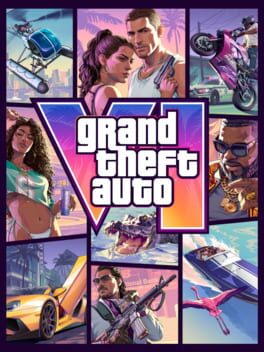
Grand Theft Auto VI heads to the state of Leonida, home to the neon-soaked streets of Vice City and beyond in the biggest, most immersive evolution of the Grand Theft Auto series yet.
- Genre Shooter, Racing, Adventure
- Platforms Xbox Series X|S, PlayStation 5
- Perspective First person, Third person
- Modes Single player, Multiplayer, Co-operative
- Release November 19, 2026
- Publisher Rockstar Games, Take-Two Interactive
-
Age Rating