Crimson Desert Enhanced Is Now Available With New Story Content and Language Support
Version 2.00.00 adds new main-quest content, five voice-over languages, Arabic interface and subtitle support, an overhauled skill system, and eight new skills for Kliff.

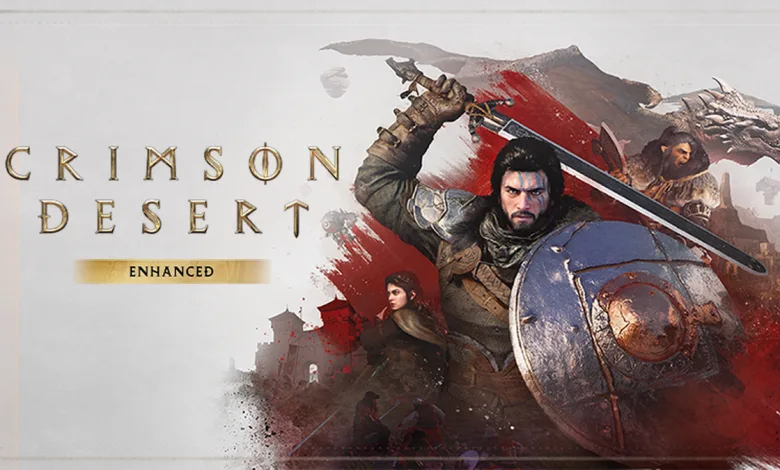
Crimson Desert Enhanced is now available as a free update for everyone who already owns the game. Version 2.00.00 adds new story moments, expanded voice-over support, Arabic interface and subtitle support, a redesigned skill progression system, eight new skills for Kliff, and previous post-launch updates at no extra cost.
Pearl Abyss confirmed the release in its Steam announcement, describing Crimson Desert Enhanced as an update to the base game rather than a separate purchase. The patch notice lists the release as available on Steam for PC and Mac, while also describing the update as rolling out across all platforms without providing separate availability details for the other platforms. Existing owners on supported platforms only need to download the latest version.

What Crimson Desert Enhanced adds
The biggest change is new narrative content placed throughout the main questline. Players will encounter additional cutscenes and story moments in Pywel, along with extra knowledge, items, memory fragments, dialogue lines, and conversations connected to the game’s bosses. These additions are intended to improve the flow of the main story and quests.
- New story content: Additional cutscenes and narrative moments appear throughout the main questline, with new material expanding boss-related storytelling.
- Voice-over support: German, French, Spanish, Brazilian Portuguese, and Japanese are now supported with full voice-over.
- Arabic language support: Arabic is available for the interface and subtitles, but it is not one of the new full voice-over options.
- Previous updates: Post-launch updates and additions released so far are included in the Enhanced version, with more details available in Pearl Abyss’ post-launch update details.
Abyss Link changes the skill system
Version 2.00.00 also restructures how characters learn and reset skills. Abyss Link is a new skill-learning resource granted to the other playable characters whenever one character spends Abyss Artifacts to learn a skill. Each character can then use their own Abyss Links while building their progression.
Skill progression can now be reset for individual characters instead of resetting every character at once. When a character’s progression is reset, the Abyss Links spent by that character are refunded.
Players should be prepared for one immediate change after installing the update: all existing skill progression will be reset the first time the game launches on Version 2.00.00. Resources previously used to learn skills, including Abyss Artifacts, will be refunded.
After completing all main quests, players can carry Abyss Links and other in-game currency from an existing save into a new game. Kliff also receives eight new skills, which become available after reaching a specific point in the main story. The main-quest interface has been improved as well.
Combat, mounts, and other gameplay changes
Flying mounts now have their own control setting. Players can open Others → Input and choose between Camera and Manual options. Camera makes a flying mount move in the direction the camera is facing, while Manual gives players control over the mount’s movement, including ascending and descending without automatically following the camera.
Combat adjustments reduce the damage received by characters accompanying the player. The battle against Golden Star has also been divided into distinct phases, each with different attack patterns. During the Unexpected Gift quest, Bilwise now rewards the player with Double Jump.
Crimson Desert Version 2.00.00 patch notes
The full breakdown of Version 2.00.00 is available in the Crimson Desert Enhanced patch notes. Alongside the larger systems above, the update includes the following fixes and improvements:
- Fixed an issue that prevented items from being crafted properly at the Kilnden Workshop.
- Fixed an issue that allowed Blackstar to be ridden without a cooldown in certain situations.
- Fixed an issue that sent the player to prison at Calphadean Castle after being captured as a wanted criminal in Calphade while the region was at war.
- Fixed an issue that prevented Axiom Force from being used while flying in safe zones.
- Fixed an issue that caused the player to take damage when The Forgotten General’s phantom knight spawned nearby.
- Fixed an issue where the ricochet shot effect from Strongbow Gloves was not applied when firing special arrows.
- Fixed an issue that caused the character to be thrown in a different direction from the animation after using Nature’s Grasp.
- Fixed several UI issues, including Contribution UI failing to disappear and certain skill knowledge appearing in the notifications tab.
- Improved localization quality and corrected various localization errors across all languages.
- Fixed issues involving slowly appearing memory images, guide messages that remained after acquiring a memory fragment with Blinding Flash, and Damiane using Shield Toss while falling.
- Fixed an issue that left the musket visible on the character’s back during minigames such as Duo.
- Fixed an issue that allowed projectiles to hit the Spectre knight summoned by Spirit’s Judgment Abyss Gear.
- Fixed cases where players were not dismounted when falling from heights while on a mount, or where trade goods could not be moved to a horse’s inventory at a stable.
- Improved images for certain quests and knowledge, and fixed puzzle hints being obscured by tree roots.
- Fixed unnatural appearances for certain outfits, terrain, and objects.
- Fixed an issue with the crane during the House Roberts → Estate in Dismay → Sealed in Stone → Extract the Buried Relic mission when an element-imbued bow was fired at its iron chains.
- Demenissian Chainsaws can now be donated as camp weapons.
- Improved Chapter 9’s Mysterious Voice guide cutscene so players can restart it if Woosa or Maegu dies.
Players can also review the official known issues, read the FAQ, or report an issue.
How to access Version 2.00.00
Owners can update Crimson Desert to the latest version through their platform’s normal update process. The Enhanced content is automatically included with the base game, so there is no separate Enhanced edition to purchase.
New players will need to purchase and download Crimson Desert before installing the update. Players who want to switch to one of the newly supported languages can follow the language setup instructions for their platform.
How to change the language on Steam
Version 2.00.00 must be installed before the new language choices become available. On Steam, players can download the required language data and then select separate game and voice languages by following these steps:
- Open the Steam client and find Crimson Desert in your Library.
- Right-click the game and select Properties.
- Open the Language section and choose the language you want from the drop-down menu.
- Start the game so Steam can download the selected language data.
- After the download finishes, open the in-game menu and go to Others → Settings → Language and Audio.
- Choose your preferred game language and voice language.
The language files download separately after the Steam selection is made, so the new options may not appear immediately if the game has not reached Version 2.00.00 or the download is still in progress.
The update follows several smaller maintenance releases, including Version 1.18.02, which addressed camp resource displays, quest-related silver, movement animations, and shop interactions.
What do you think of the new story, skill, and language additions? Share your thoughts in the comments, and follow us on X, Bluesky, YouTube, Instagram, Steam, and Telegram.
Crimson Desert Enhanced
Developed by Pearl Abyss
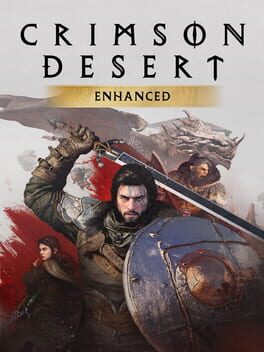
Crimson Desert is an open-world action-adventure game set in the beautiful yet brutal continent of Pywel. Embark on a journey as the Greymane Kliff and restore what has been lost. Explore uncharted lands, fight against threats that stand in your way, and discover the wonders the world has in store.
- Genre Adventure
- Platforms Xbox Series X|S, PC (Microsoft Windows), PlayStation 5, Mac
- Perspective Third person
- Modes Single player
- Release March 19, 2026
- Publisher Pearl Abyss
-
Age Rating