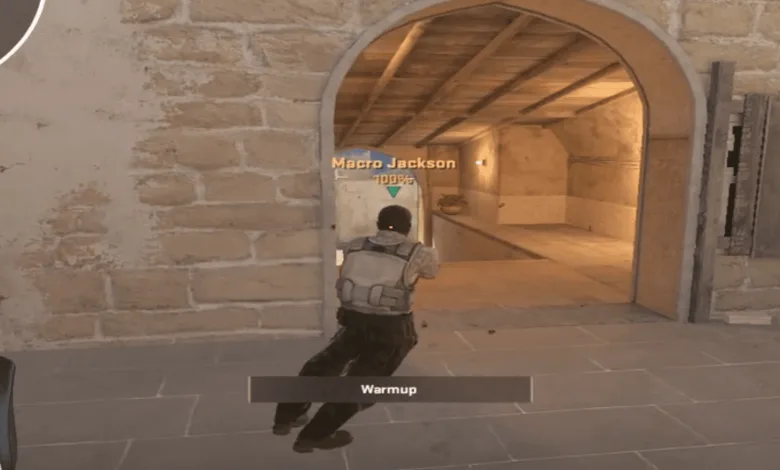
The Michael Jackson Peek has surprised everyone, and the Counter-Strike 2 community is trying to replicate this. This mechanic mimics Michael Jackson’s iconic Smooth Criminal lean. Well, a player has created a script that lets you do the MJ Peek yourself. Below, you can find how you can set it up.
Update: Valve has already fixed this, so it no longer works. Just a heads-up!


The CS2 cfg that allows you to do the MJ peek
alias "check_mj_forward_1" "forwardback 0 0 0"
alias "check_mj_back_1" "forwardback 0 0 0"
alias "check_mj_left_1" "rightleft 0 0 0"
alias "check_mj_right_1" rightleft 0 0 0"
alias "check_mj_forward_2" ""
alias "check_mj_back_2" ""
alias "check_mj_left_2" ""
alias "check_mj_right_2" ""
alias "check_mj_forward_3" "+forward"
alias "check_mj_back_3" "+back"
alias "check_mj_left_3" "+left"
alias "check_mj_right_3" "+right"
alias "+mj_forward" "check_mj_forward_3; forwardback 0.5 0 0; alias check_mj_forward_1 forwardback 0.5 0 0; alias check_mj_forward_2 +forward"
alias "+mj_back" "check_mj_back_3; forwardback -0.5 0 0; alias check_mj_back_1 forwardback -0.5 0 0; alias check_mj_back_2 +back"
alias "+mj_left" "check_mj_left_3; rightleft -0.5 0 0; alias check_mj_left_1 rightleft -0.5 0 0; alias check_mj_left_2 +left"
alias "+mj_right" "check_mj_right_3; rightleft 0.5 0 0; alias check_mj_right_1 rightleft 0.5 0 0; alias check_mj_right_2 +right"
alias "-mj_forward" "-forward; check_mj_back_1; alias check_mj_forward_1 forwardback 0 0 0; alias check_mj_forward_2"
alias "-mj_back" "-back; check_mj_forward_1; alias check_mj_back_1 forwardback 0 0 0; alias check_mj_back_2"
alias "-mj_left" "-left; check_mj_right_1; alias check_mj_left_1 rightleft 0 0 0; alias check_mj_left_2"
alias "-mj_right" "-right; check_mj_left_1; alias check_mj_right_1 rightleft 0 0 0; alias check_mj_right_2"
alias "+michael_jackson" "-forward; -back; -left; -right; alias check_mj_forward_3; alias check_mj_back_3; alias check_mj_left_3; alias check_mj_right_3"
alias "-michael_jackson" "check_mj_forward_2; check_mj_back_2; check_mj_left_2; check_mj_right_2; alias check_mj_forward_3 +forward; alias check_mj_back_3 +back; alias check_mj_left_3 +left; alias check_mj_right_3 +right"
bind "w" "+mj_forward"
bind "s" "+mj_back"
bind "a" "+mj_left"
bind "d" "+mj_right"
bind "alt" "+michael_jackson"
Make sure you save this in a config file and place it inside your:
SteamLibrary\steamapps\common\Counter-Strike Global Offensive\game\csgo\cfg
and then execute it from the game by typing exec mjpeek.cfg in the console, or whatever you name the file to. In this case, the bind for it will be default on ALT, so you can change the last line if you want to bind it to a different keybind.
This is likely to get patched soon, so make sure you try it!
I made a michael jackson cfg so you can michael jackson peek with any keyboard. (cfg in comments)
byu/T1ckbase inGlobalOffensive