Console & PC Gaming
  • Home
  • News
  • PC
  • PS5
  • Xbox
  • Switch
  • Mobile
  • Reviews
  • Esports
  • Guides
    • Lost Ark
    • Gray Zone Warfare
      • Artisan
      • Banshee
      • Gunny
      • Handshake
      • Lab Rat
      • Turncoat
    • Escape From Tarkov
      • Jaeger
      • Mechanic
        • Gunsmith
      • Peacekeeper
      • Prapor
      • Ragman
      • Skier
      • Therapist
No Result
View All Result
Console & PC Gaming
  • Home
  • News
  • PC
  • PS5
  • Xbox
  • Switch
  • Mobile
  • Reviews
  • Esports
  • Guides
    • Lost Ark
    • Gray Zone Warfare
      • Artisan
      • Banshee
      • Gunny
      • Handshake
      • Lab Rat
      • Turncoat
    • Escape From Tarkov
      • Jaeger
      • Mechanic
        • Gunsmith
      • Peacekeeper
      • Prapor
      • Ragman
      • Skier
      • Therapist
No Result
View All Result
Console & PC Gaming
No Result
View All Result
Home News

Call of Duty File Sizes Getting Out of Control, hundreds of GB pushing PS4 players to delete content

Angel Kicevski by Angel Kicevski
February 25, 2021
in News, PS5
0

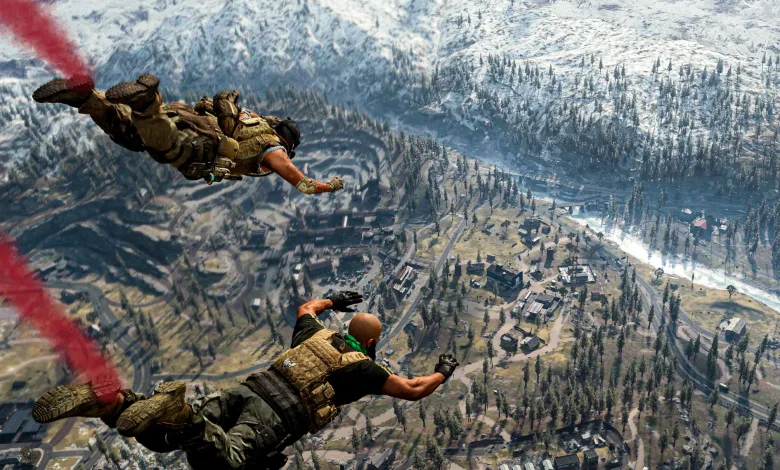
With today’s launch of Season 2 and the arrival of the long-awaited new map, Treyarch and Activision believe they’ve done a great job in mending their product. But do the players believe the same? A huge backlash is already whirling around, all because of the huge update size. PS4 players, we are truly sorry.

Previously, Call of Duty and Warzone were both big in size, a reason why the developers should minify their game files to a bare minimum. Sadly, that hasn’t been a thing, even after the launch of the second season. The file sizes exceed a point of no return, asking players to delete some of their favorite games to play what’s currently trending.
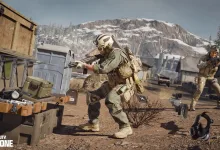
With the latest update, the developers have declared and, shockingly, advised the players with a standard 500GB PS4 console to commit to a workaround by deleting some of the existing content from some CoD games. For example, either CoD: Modern Warfare or CoD: Black Ops Cold War. Black Ops Cold War allows players to delete a particular game content, such as Campaign, Zombies, or improved textures, just so that players can increase their free storage. Not to mention, this could also give birth to some additional issues.

This is what Activision advised PS4 players to do.

Those who own a standard PlayStation 4 with a default hard drive of 500 GB may need to make room if they have the full versions of Modern Warfare®/Warzone and Black Ops Cold War with all modes and packs installed.

Should you have both games installed and have kept up to date with updates, you may need to delete some unused Game Content to have a successful download and install of the Warzone patch tonight.

Here’s how you can do that in both games:

·      Black Ops Cold War: At the main menu, press R3 to go to “File Management.” You will then be able to delete any content you may not have played in a while. The exact content to choose can be found in the Storage Management article linked below.

·      Modern Warfare/Warzone: At the main menu, press Options, select the “General” tab, then scroll down to “Game Installs.” From here, you can delete any content you have not played in a while.

Based on multiple updates in the past, the file size of Warzone and Black Ops Cold War does not stay the same, nor does it go lower. The updates keep on pounding the overall game size, pushing players to upgrade their hard drives. With Warzone still being a part of the Modern Warfare installation for those who purchased the game, it’s someone else’s fault not to distinguish these two from each other.

Tags: Call of Duty: Black Ops Cold WarCall of Duty: Modern WarfareCall Of Duty: Warzone
ShareTweet
Previous Post

Nvidia GeForce 461.72 driver now available, adds support for RTX 3060

Next Post

Outriders Demo Now Available, Progress Will Carry Over to Live Version

Angel Kicevski

Angel Kicevski

I've spent half of my life playing video games, ever since the competitive 1.6 era. Now I am happily married to Margarita Kicevski, and have two beautiful children. My goal is to deliver fresh news and updates, but most of the time I want to work on guides. Since I have rebooted this website, I am planning on making it huge. Just you wait!

RELATEDPOSTS

News

Warzone Season 6 cuts smoke grenades to one, and mouse-and-keyboard players are furious

October 9, 2025
News

Rumor: Warzone May Get an Expanded Liberty Falls Resurgence Map

August 25, 2025
News

Warzone Adjusts Assault Rifles: Krig C Nerfed, Ames 85 and Kilo-141 Buffed

July 9, 2025
Patch Notes

Call of Duty Warzone April 9 Patch Notes

April 9, 2024
Patch Notes

Call of Duty Warzone Season 2 Patch Notes

February 7, 2024
Patch Notes

CoD Warzone update nerfs both MTZ Interceptor and WSP Swarm

January 19, 2024

Leave a Reply Cancel reply

Your email address will not be published. Required fields are marked *

Upcoming Games

  1. Team Fortress 2 Classified

    Team Fortress 2 Classified

    Releases January 30, 2026 in 16 hr 50 min

    PC (Microsoft Windows)

  2. RLLL: Tower of Choices

    RLLL: Tower of Choices

    Releases January 30, 2026 in 16 hr 50 min

    PC (Microsoft Windows)

  3. The 9th Charnel

    The 9th Charnel

    Releases January 30, 2026 in 16 hr 50 min

    Xbox Series X|S, PC (Microsoft Windows), PlayStation 5

  4. Legends of Celestite: The All Bearer

    Legends of Celestite: The All Bearer

    Releases January 30, 2026 in 16 hr 50 min

    PC (Microsoft Windows)

  5. Shadows of Soldiers

    Shadows of Soldiers

    Releases January 30, 2026 in 16 hr 50 min

    PC (Microsoft Windows)

View full release calendar →

  • Trending
  • Comments
  • Latest

Battlestate Games shares results from the in-game Survey about the Flea Market

January 30, 2025 - Updated on November 25, 2025

Escape From Tarkov 2025 Roadmap Revealed, Full Release Finally Confirmed

April 18, 2025 - Updated on November 24, 2025
Tarkov patch 0.15

Escape From Tarkov reveals the 0.15 trailer before wipe

August 14, 2024

Minecraft Update 1.21.21 Patch Notes for August 14/15

August 14, 2024

Escape From Tarkov Best Graphics Settings – Updated With Patch 0.15.5

Escape From Tarkov: How to Snipe Flea Market Items Easily?

CoD: Warzone Season 2 Update Fixes Plenty of Bugs

MW2 and Warzone 2.0 Season 3 is full of Bugs and Issues, Upcoming Fixes and more

Niantic is adding street corner and bus stop Pokéstops across the US

January 28, 2026

The latest Monster Hunter Wilds PC patch actually seems to fix performance

January 28, 2026

Dune: Awakening Chapter 3 will rebuild the endgame and wipe outstanding player taxes

January 28, 2026

Players say ARC Raiders Headwinds update slowed looting and caused login glitches

January 28, 2026

CPGPATCH NOTES

Patch Notes

War Thunder update 2.53.0.63 fixes radar tracking, crew UI and graphics issues

by Angel Kicevski
January 26, 2026
Patch Notes

ICARUS hotfix 2.3.27 fixes Workshop Calves spawn lock

by Angel Kicevski
January 24, 2026
News

Icarus Week 216 Update adds consolidated lights and previews creature genetics

by Angel Kicevski
January 23, 2026

About Us

We are CPG - Console & PC Gaming, an independent, family-run website providing fresh news, updates, reviews, interviews, guides, and other bits and pieces from the gaming industry.

Read more

  • About Us – Our Story
  • Privacy Policy
  • Contact

© 2025 CPG - Console & PC Gaming

Welcome Back!

Login to your account below

Forgotten Password?

Retrieve your password

Please enter your username or email address to reset your password.

Log In
No Result
View All Result
  • Home
  • News
  • PC
  • PS5
  • Xbox
  • Switch
  • Mobile
  • Reviews
  • Esports
  • Guides
    • Lost Ark
    • Gray Zone Warfare
      • Artisan
      • Banshee
      • Gunny
      • Handshake
      • Lab Rat
      • Turncoat
    • Escape From Tarkov
      • Jaeger
      • Mechanic
      • Peacekeeper
      • Prapor
      • Ragman
      • Skier
      • Therapist

© 2025 CPG - Console & PC Gaming